Vista 1 Digital Mixing System
3-14 Parameters
Document generated: 18.04.17
SW V5.3
3.3.7 Delay and Insert Parameters
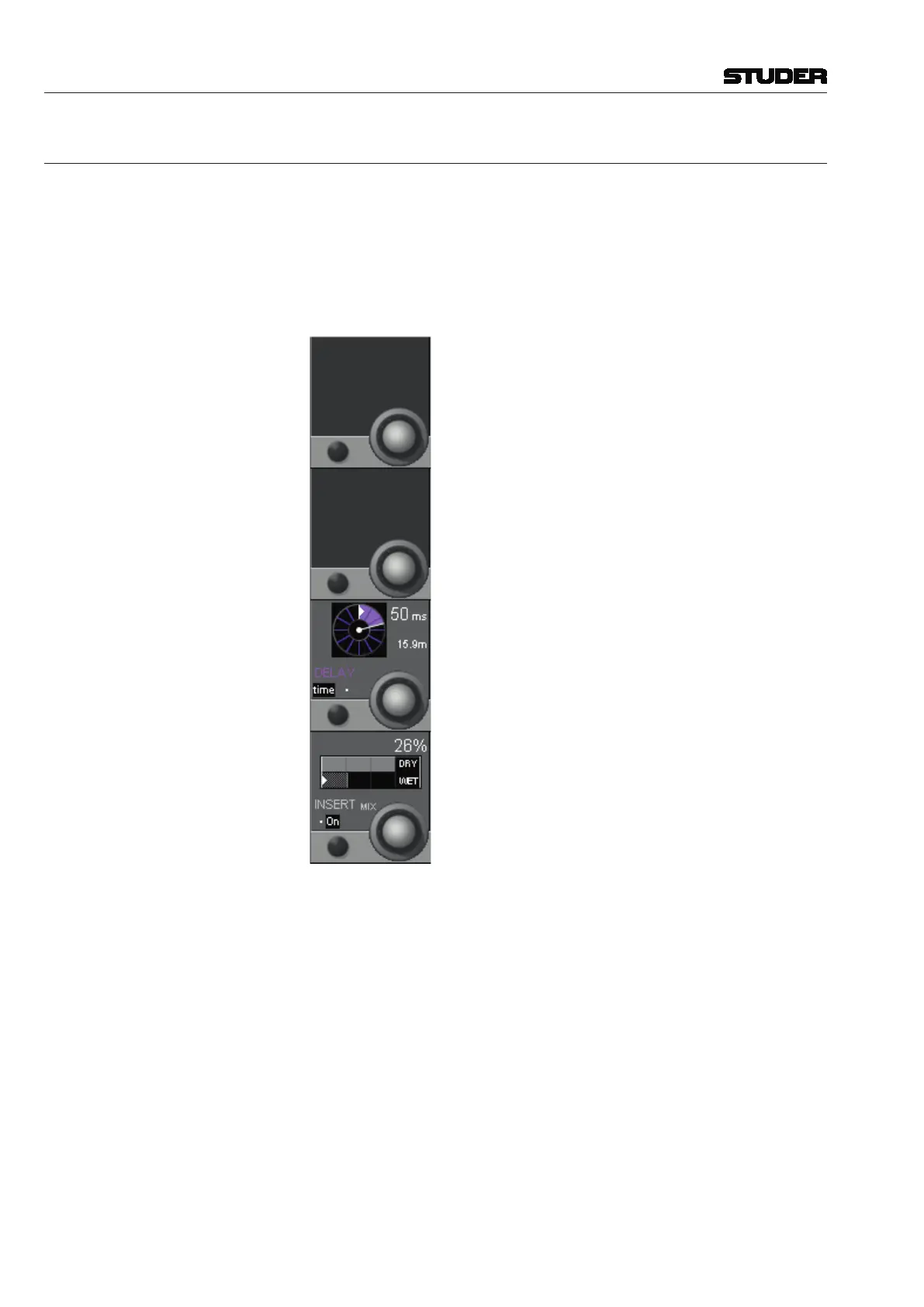
Press GLOBAL VIEW: DLY-INS.
This view enables the user to control the delay and insert parameters.
Please note: The two sections are activated with the DELAY and INS hardware
keys above the Vistonics section.
For 5.1 channels the delay processing block has a maximum delay time of
700 ms (as opposed to the standard 240 or 100 ms delay in the mono or stereo
channels).
Delay Parameters: The delay value is set using the rotary encoder. It is displayed as a physical
distance (meters) and as a delay time (either samples or milli-seconds).
DELAY On/Off is selected with the DELAY hardware key above the Vistonics section.
DELAY Rotary Delay time can be set in a range from 0 through 100 ms (or, depending on
the currently loaded configuration, to a maximum of 240 ms). The value is
displayed as a delay distance as well (from 0 cm up to 81.5 m, depending on
the configuration).
DELAY time/smpl Selects the delay setting in samples (‘smpl’ – fine setting) or milli-seconds
(‘time’ – coarse setting).



 To Next Page