Vista 1 Digital Mixing System
8-6 RELINK
Document generated: 14.04.17
SW V5.3
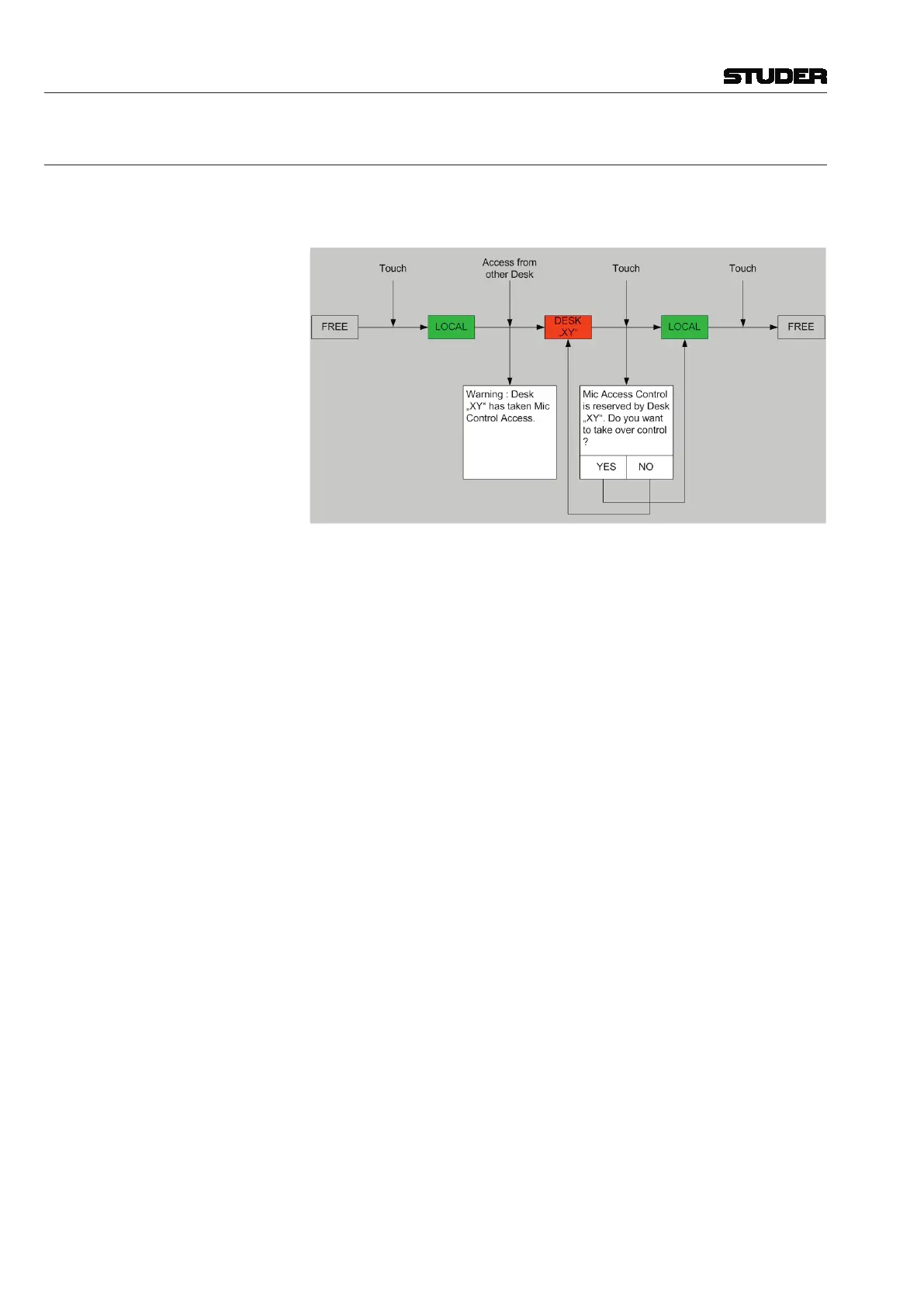
8.3 Microphone Take-Over Procedure
The following status diagram shows how the mic control take-over mecha-
nism is realized in the OnAir3000. This has to be followed, since it is firmly
implemented in the DNet code.
With the Vista desk, this dialog is handled in the channels Vistonics view.
This means that also a number of channels can be linked (making a ‘gang’)
and all can be taken over at the same time.
There is one difference from the OnAir behavior: When a mic source of
another system is patched to a local input channel as long as the mic control
is not already taken by another desk (i.e., ‘free’ in the OnAir terminology),
control is automatically given to the local Vista and the mic control param-
eters are displayed immediately.



 To Next Page