Vista 1 Digital Mixing System
4-110 GC Operation
Document generated: 18.04.17
SW V5.3
19.95 kHz.
Generator / Signal Selects the waveform of the test signal generator, from Sine Wave, White
Noise, and Pink Noise.
Generator / Defaults Sets the test signal Generator’s level and frequency defaults by using the
arrow buttons to adjust the default values.
To quickly apply a level or frequency default, rather than to adjust it manually,
click on the appropri ate Defaults button. Default levels can be set in 1 dB
steps, from –90 to +10 dB
FS
. The Generator Level cannot be turned off from
the Defaults controls. Default frequencies can be set in 1/12
th
octave steps
from 19.95 Hz to 19.95 kHz.
Tip By default, the Test Signal Generator is patched to GEN (the third channel
input) of all channels. It also appears as a signal source in the General Patch
and can be patched from there to any desired target.
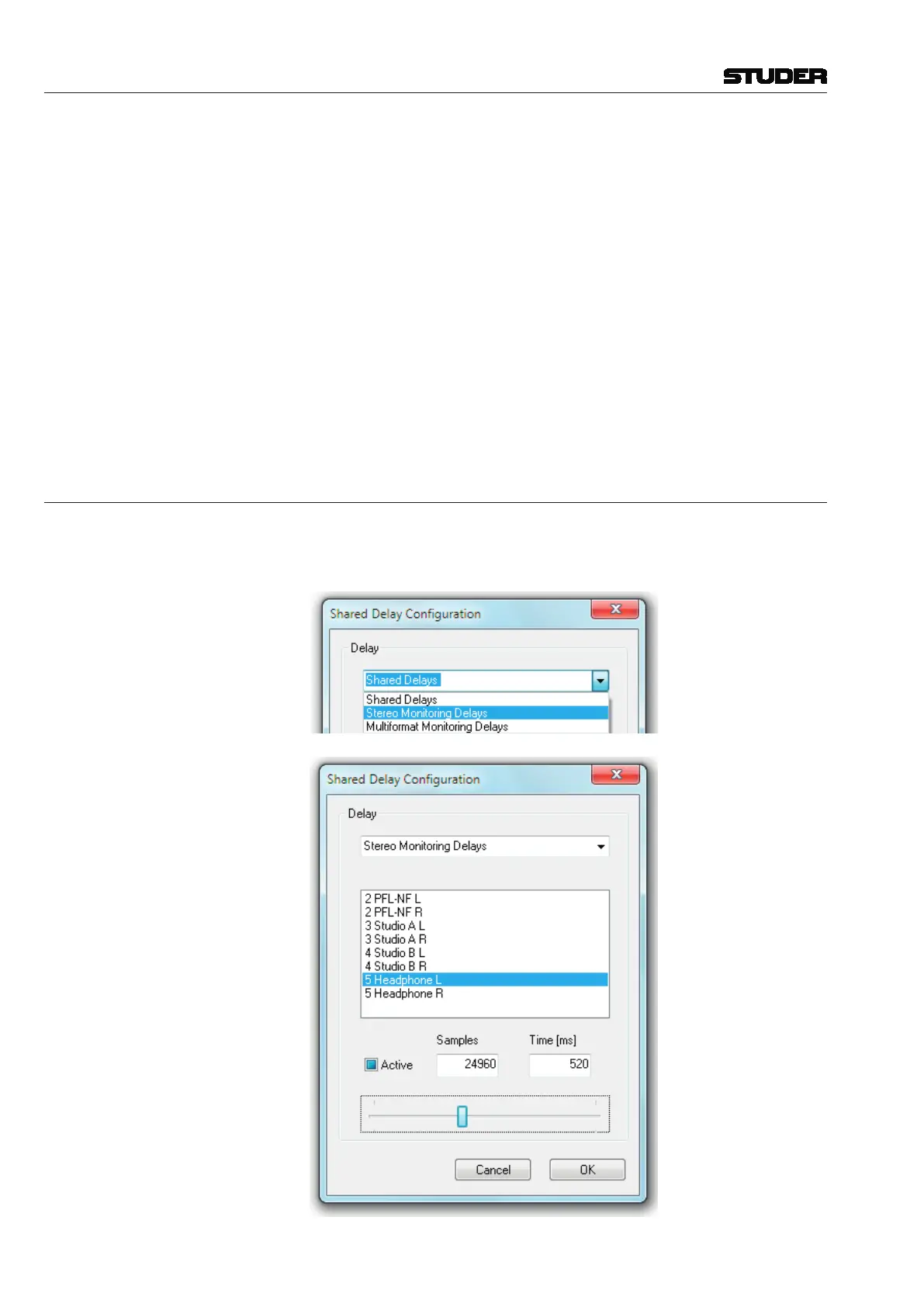
4.6.1.2.3 Shared Delay
The settings of the Stereo and Multi-format Monitoring Delays (for control
room, PFL, headphones etc.) are made in the same dialog window where the
‘Shared Delay’ processes are set.



 To Next Page