Vista 1 Digital Mixing System
Parameters 3-25
Document generated: 18.04.17
SW V5.3
3.4 Channel-Related Views
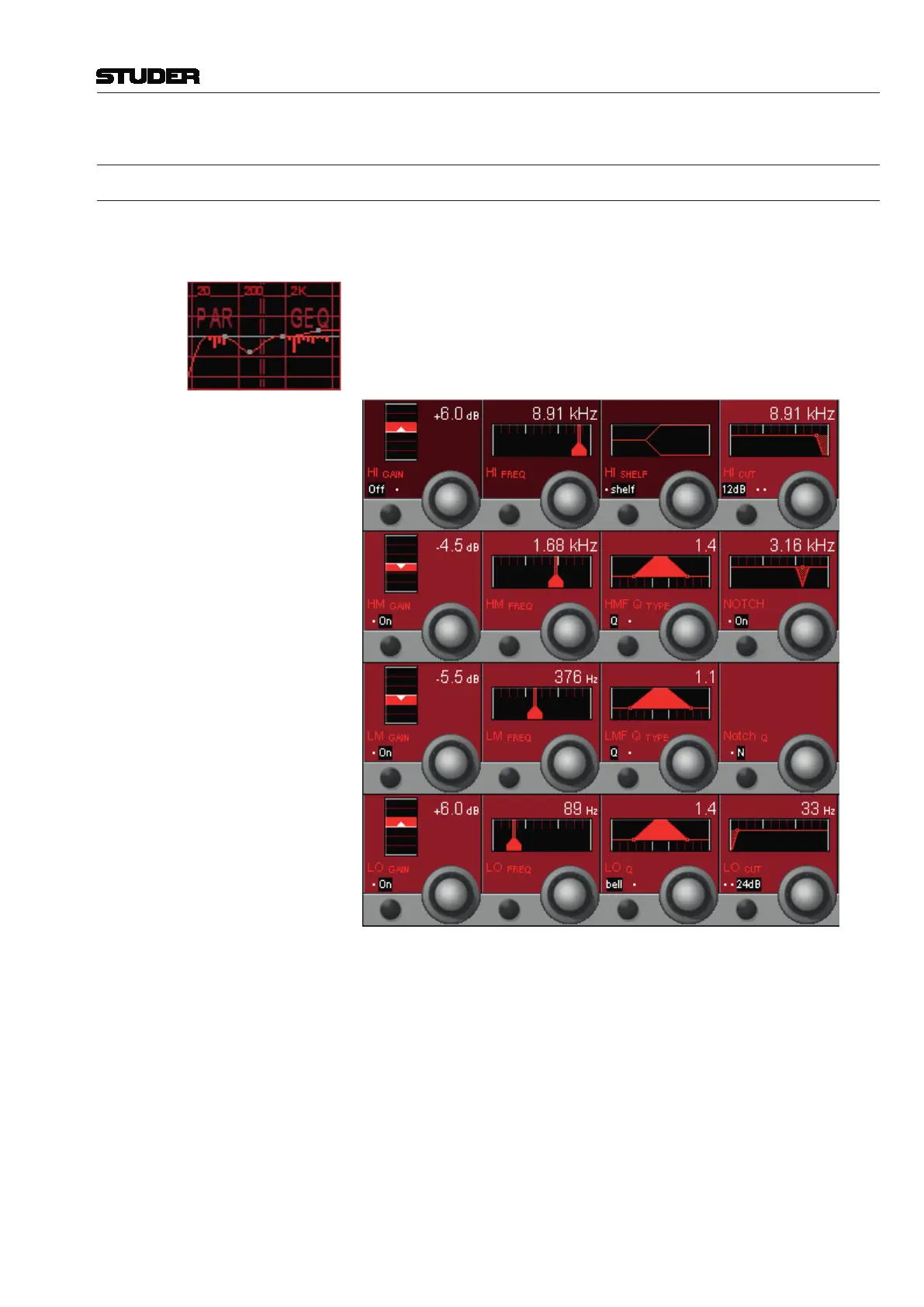
3.4.1 Parametric EQ and Filter Parameters
Note Since SW V4.7 there is an additional 30-band graphic EQ available; both
graphic and parametric EQs can be set up either for all or specific channels
using the Vista Configuration Editor.
If both EQs are configured within one single channel, the display is split into
two different touch areas, showing the combined response of both EQs. It
allows unfolding either the graphic or the parametric EQ parameters of this
channel on the Vistonics screen for adjustment. For details of the graphic EQ
please refer to the next chapter.
EQ Parameters:
HI / HM / LM / LO On/Off On/off function for the selected (high, high-mid, low-mid, low) EQ band.
HI / HM / LM / LO GAIN Rotary Boost/cut adjustment; ±18 dB in steps of 0.5 dB.
HI / HM / LM / LO FREQ Rotary Center frequency (or, if ‘shelf’ is selected for the HI or LO frequency band:
turnover frequency) adjustment. For all four bands, the center/turnover fre-
quency can be adjusted from 20 Hz through 20 kHz, in 120 steps.
Q/R or bell/shelf For the HM and LM bands, the Q type can be selected from Q (constant-Q)
and R (constant-range) filter types.
For the HI and LO bands, bell (same as ‘constant-Q’ for HM/LM bands) or
shelf (shelving-type filter) can be selected.



 To Next Page