Vista 1 Digital Mixing System
3-56 Parameters
Document generated: 18.04.17
SW V5.3
3.4.7 Channel View - Stereo Channel
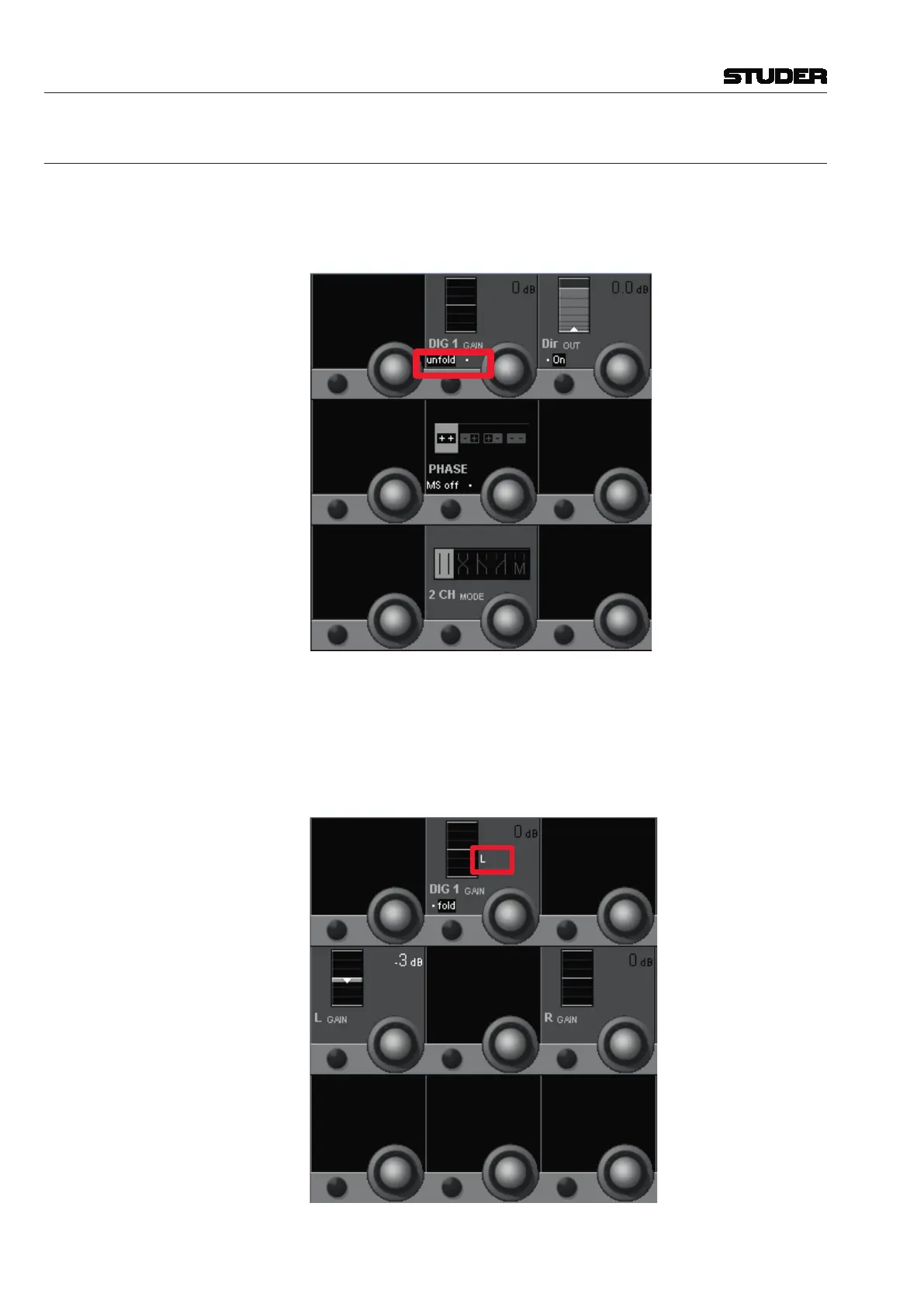
From SW V5.3 onwards, an Input Gain Unfold can be found on stereo chan-
nels. This functionality allows the operator to have separate input gain levels
on both legs of a stereo channel. As with the 5.1 channels, this feature can be
found in the CHANNEL VIEW.
After pressing the unfold button, a new view reveals the two separate gain
levels. With these L Gain and R Gain levels, the input gains can be set indi-
vidually for the L and R channel leg. As soon as the L Gain and R Gain value
differs from 0 dB, this is indicated with an “L” or “R” letter in the “main” Dig
1 Gain icon. The main Dig 1 Gain only acts as a “CGM” and remote controls
the L Gain and R Gain values while keeping their offset.



 To Next Page