Vista 1 Digital Mixing System
1-12 Introduction
Document generated: 18.04.17
SW V5.3
1.1.7 TFT Level Meters (Option for 32 fader Vista 1)
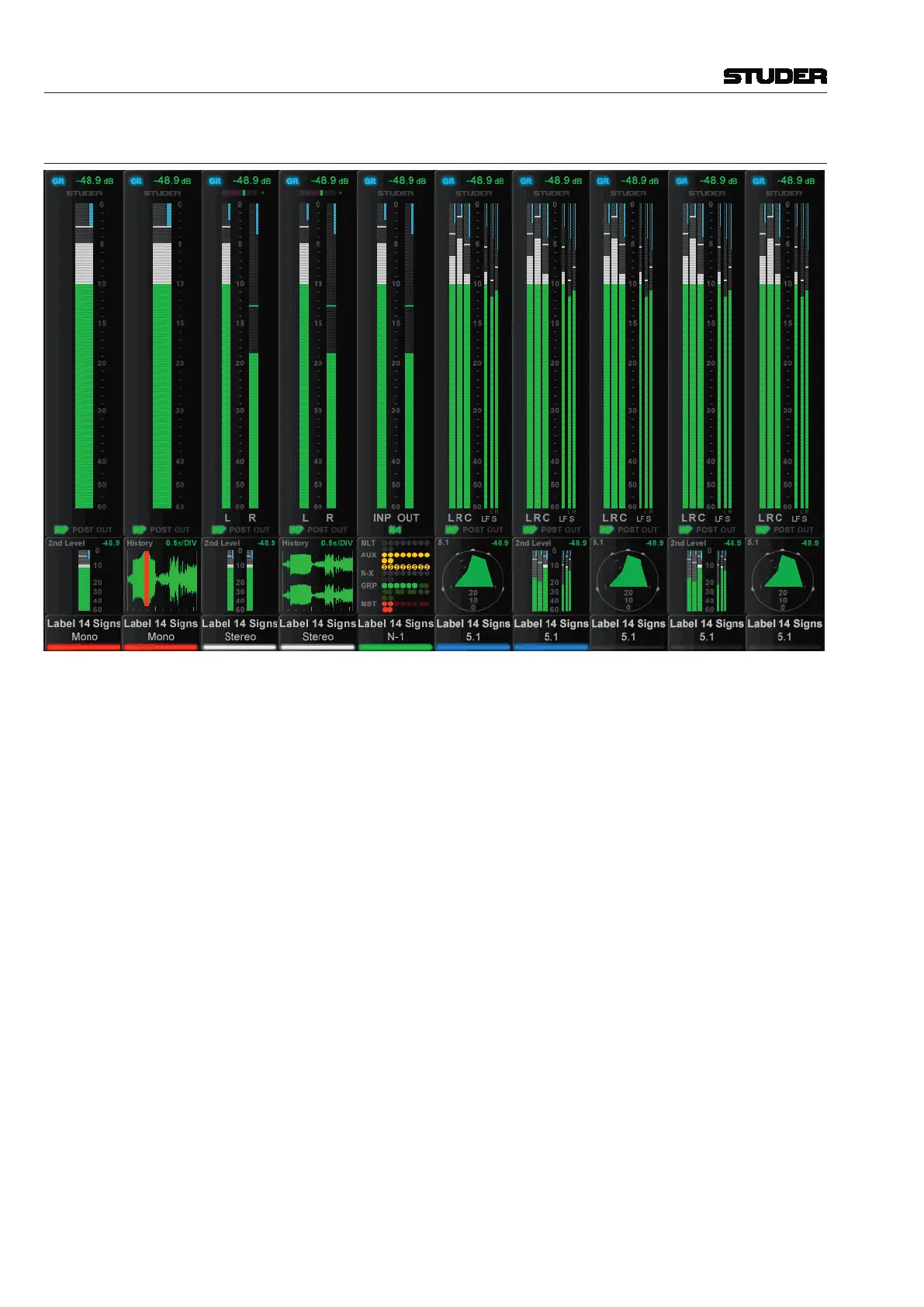
As an option, additional TFT screens may be fitted to the top of the 32 fader
desk to provide a full mono, stereo or surround meter for every fader on the
desk. The illustration above is an example of a meter screen, with mono,
stereo and surround channels and different views in the lower area – such
as metering of the L2 channel, history, bus assignment and surround view.
Further information is displayed as well, such as fader glow color, gain
reduction, correlation for stereo signals, or surround signal type.
Normally the meter assignment automatically follows the fader assignment
both for audio and for meter display type. 1., 2 or 6 green/white bards display
the audio level according to the fader channel format. At the bottom of the
main meter is an indication of the source of the signal in the channel path;
INP = pre processing, POST = post fader, and OUT = direct output (only valid
if routed to a physical port). Below the main meter is an assignable display
that shows one of the following:
• Audiolevelmonitoringoftheequivalentchannelonthelayer2fader‘L2’
mode (only available if ‘L2’ mode is enabled)
• Audiowaveformdisplay;showstheaudiohistorywhichisveryusefulfor
finding clicks and overloads
• Busroutingdisplay
• Surroundvectortypedisplay(forsurroundchannelsonly)
The control bay metering differs from the meter screen on the fader bays; it is
mainly made to show output channels. Different meter views are available for
this screen. It can be switched to a predefined meter view to see all auxiliary
outputs. Or to all groups, or all programme masters, direct outs, bus outputs,
N–1s, matrix channels, etc. In addition there are user pages assignable to



 To Next Page