Vista 1 Digital Mixing System
4-6 GC Operation
Document generated: 18.04.17
SW V5.3
Because the graphical controller’s user interface can be configured to suit the
individual needs of specific users, all the graphics shown in this operating
instructions manual may differ slightly from what you will see on the GC
display of your Vista digital console.
4.2 The GC Screen
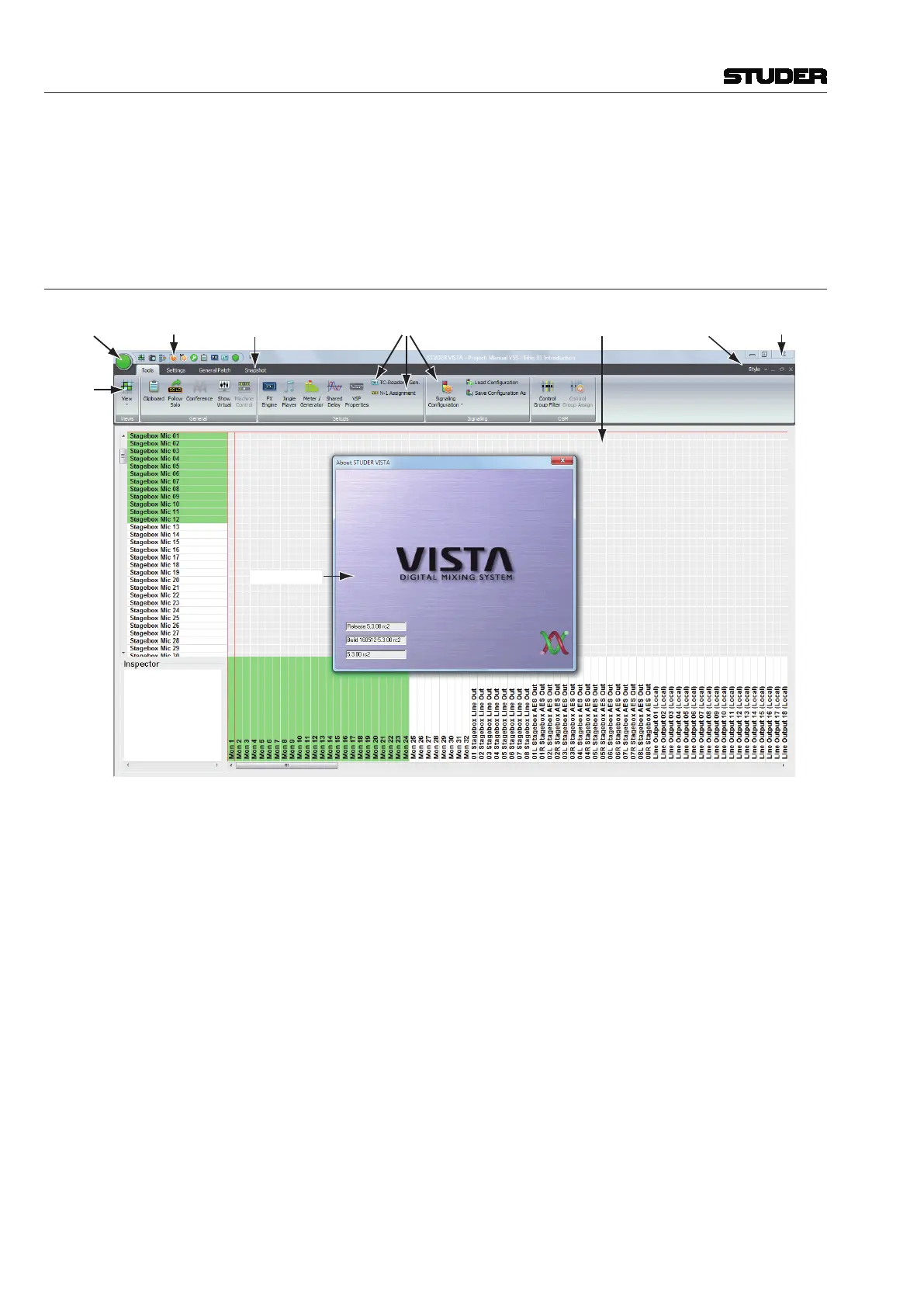
Upon starting the GC for the first time, the screen will look similar to this:
Ribbon Style Selector
Workspace
Ribbon Tab Menu Items
Ribbon Category Tabs
Quick Access Toolbar
Application Button
View Button
Main Window Controls
Vista Logo Splash
Please note the most important parts of the screen:
• TheApplication Button, allowing access to most of the Vista system’s
bookkeeping functions. Refer to chapter 4.5;
• TheView Button, containing various short-cut icons to navigate to the
most important pages;
• TheQuick Access Toolbar, a mini-toolbar that can be customized to contain
frequently used menu items, independant of the currently selected view;
• TheRibbon Category Tabs, are containing menu items belonging to the
tab’s category. The category tab is automatically selected if the view is
changed by using the view button;
• TheRibbon Tab Menu Items, displaying the necessarry menu items that
are matching the currently selected view;
• TheWorkspace, where you will open the Main GC pages and do other
useful things;
• TheRibbon Style Selector, allows to choose the ribbon color style;
• TheMain Window Controls (minimize, maximize/window mode, quit);
• TheVista Logo Splash, which will disappear a few seconds after the start.



 To Next Page