Vista 1 Digital Mixing System
Vista FX 1-9
Document generated: 18.04.17
SW V5.3
9.3.3 Create Send Return Effects
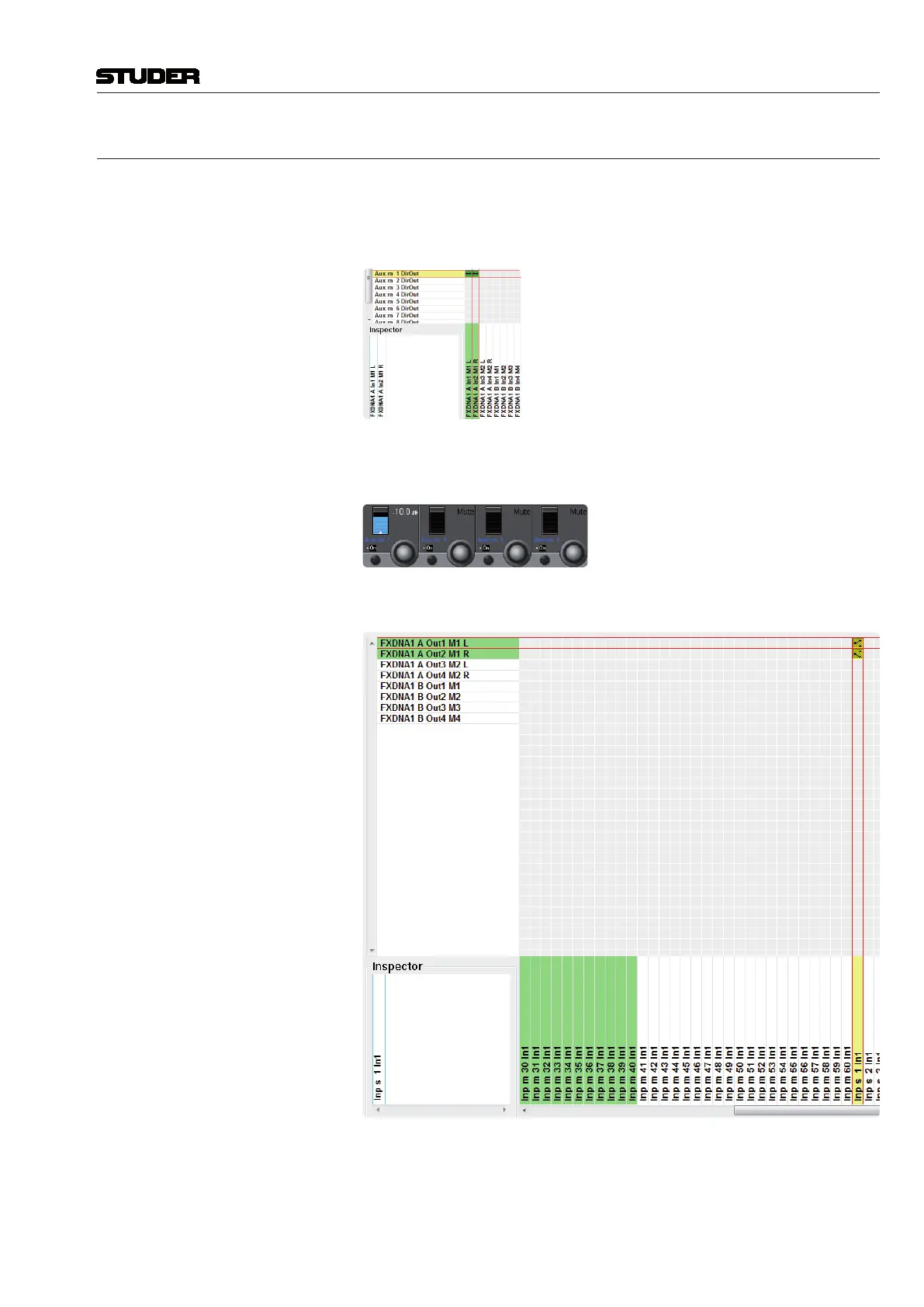
To setup the desk for working with a ‘Send-Return’ effect, a few steps of
preparation need to be carried out :
1. Patch the Direct Out of the desired Aux master to the effect input port.
This will change the colour of the Aux send icons, as well as the Aux master
to blue. This is to indicate that the chosen Aux bus is used as an effect send.
2. Patch the effect out port to the desired return channel (input channel).
This return channel then gets the blue FX icon instead of the panning icon in
the Vistonics touch area (the panning can still be done in the channel ‘misc’
view).



 To Next Page