Vista 1 Digital Mixing System
GC Operation 4-135
Document generated: 18.04.17
SW V5.3
4.7.3 Setings: Meter Source Setup
GROUP
1
MAIN
1
GROUP
2
MAIN
2
GROUP
1
EXT
1
GROUP
2
EXT
2
1 2 3 4
5 6 7 8
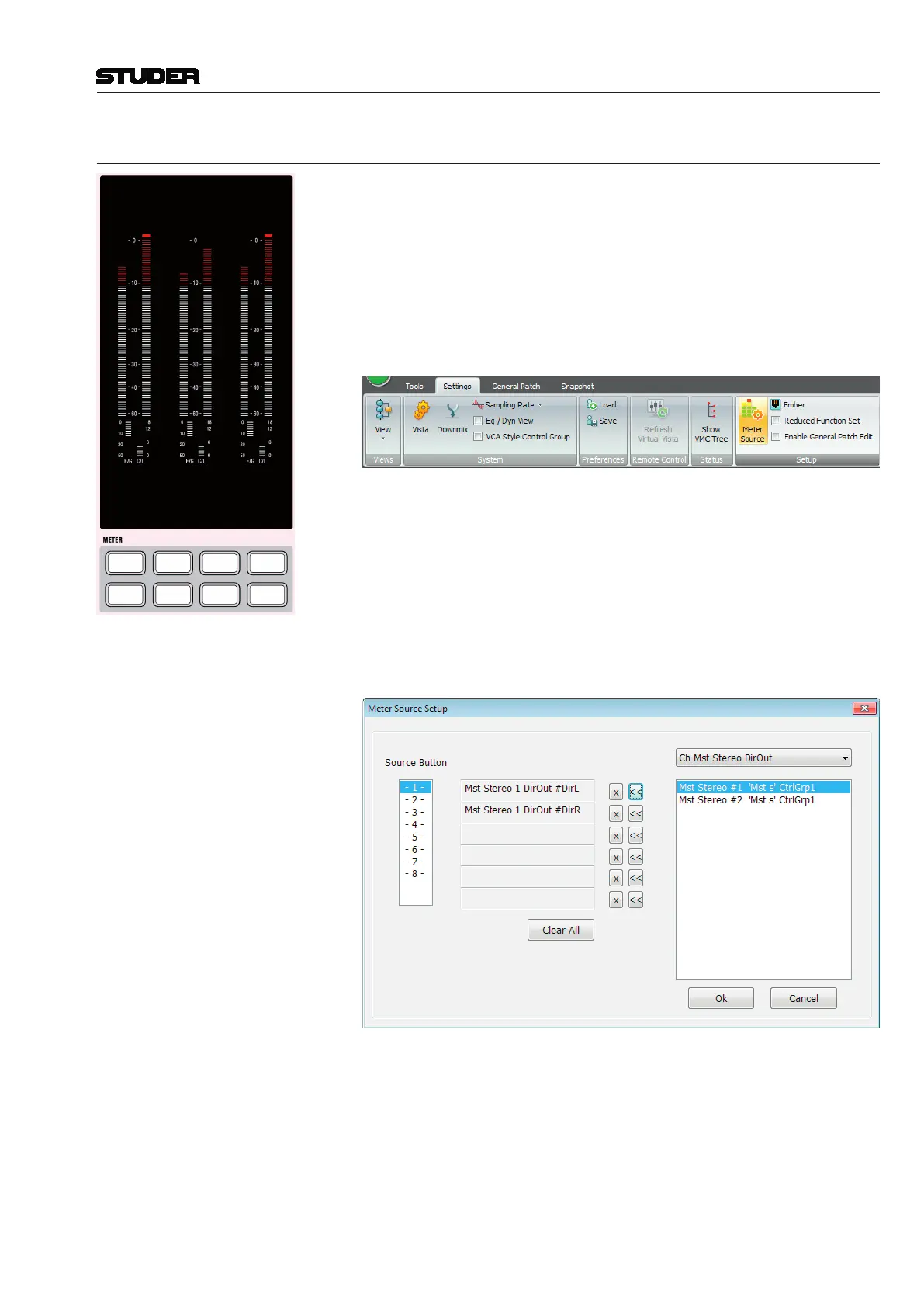
The master level meter assignment is preconfigured using the Graphical
Controller. Selection of these preconfigured sources will then be done with
the eight hardware METER keys below the meter window; these keys have
clip-on caps for inserting individual labels mirroring the individual setting.
The METER key numbering 1-8 is shown left.
In order to change metering sources, the operator needs to be logged-on as a
system administrator. This is done in the Settings Ribbon Tab, category Setup.
The Meter Source button needs to be pressed.
The Meter Source Setup window opens up and displays all necessary param-
eters to assign metering sources to the six VFD bargraph meters. The steps
below describe the setup process :
Step 1 The desired METER source selection key is selected with a click.
Step 2 In the pulldown menu at the right-hand side all sources assignable to the
meters are shown.
Click to select the source, then click on the << arrow button of the desired
bargraph. Please note that here the numbering is 1 through 6 from top to
bottom, while on the actual desk meters it is 1 through 6 from left to right.
Step 3 Once this is done for all 6 meters, proceed to the next source selection key



 To Next Page