Vista 1 Digital Mixing System
GC Operation 4-141
Document generated: 18.04.17
SW V5.3
Now the edited source and target lists can be saved as new Source, Target or
Page-Groups. If User Patch Groups already exist, it is also possible to save
the edited lists by overwriting an existing User Patch Group.
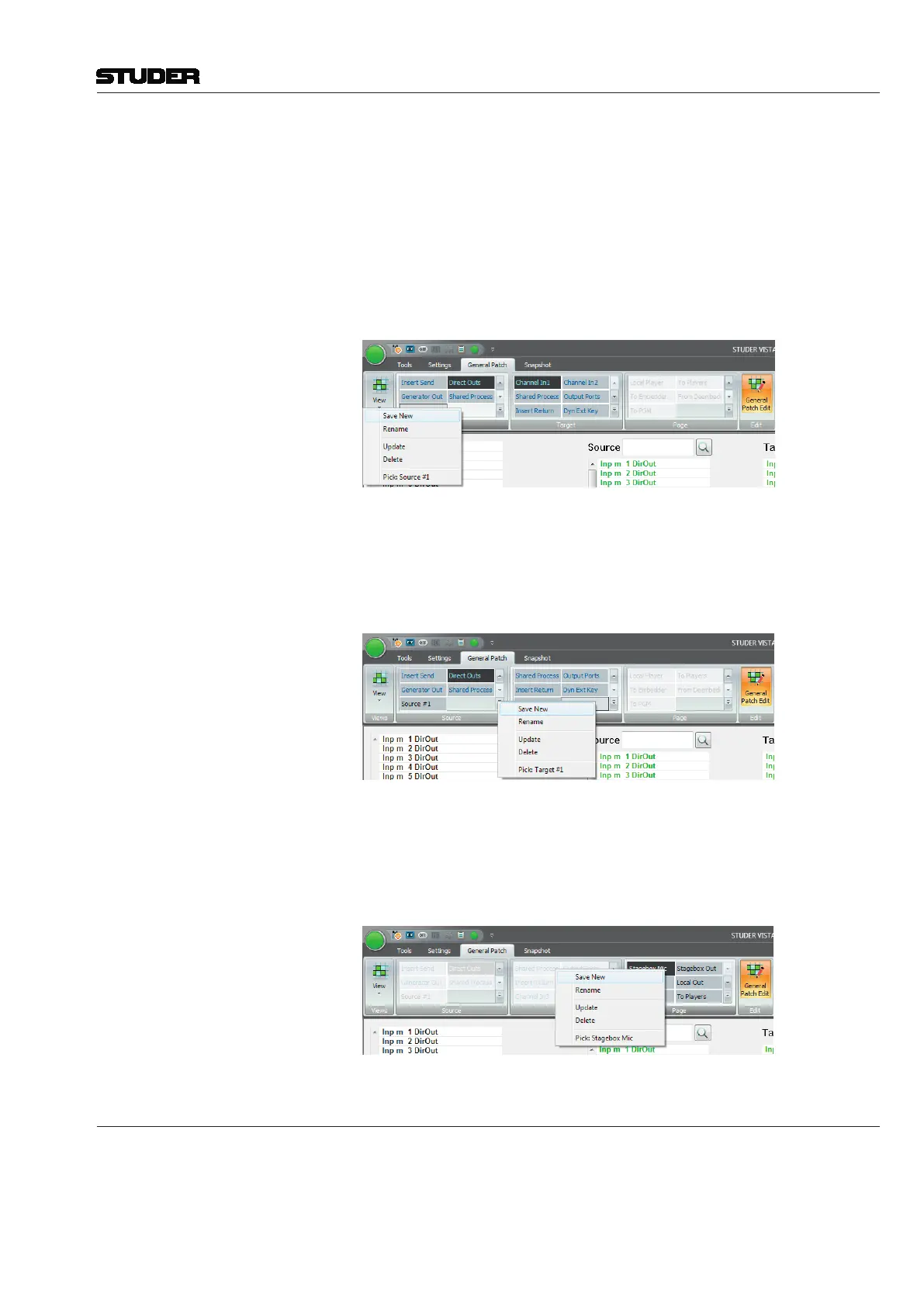
Save as User Source Patch Group Right-clicking on an existing User Source Group will open a context menu.
Select either Save New to create a new User Source Patch Group or select
Update and the User Patch Group you right-clicked will get overwritten.
When saving, only the edited vertical source list on the left side will be saved
to the User Source Patch Group.
Save as User Target Patch Group Right-clicking an existing User Target Group will open a context menu. Select
either Save New to create a new User Target Patch Group or select Update
and the User Patch Group you right-clicked will get overwritten.
When saving, only the edited horizontal target list at the bottom will be saved
to the User Target Patch Group.
Save as User Page Patch Group Right-clicking an existing User Page Group will open a con-text menu. Select
either Save New to create a new User Page Patch Group or select Update
and the User Patch Group you right-clicked will get overwritten.
When saving, both the edited vertical source list on the left side and the hori-
zontal source list at the bottom will be saved to the User Target Patch Group.
4.7.7 Settings: Edit Monitoring Files
The Monitoring menu item contains several functions regarding the Vista
loudspeaker control:
Edit Monitor File: This action brings up the Monitoring Setup editing utility. The title bar will



 To Next Page