Vista 1 Digital Mixing System
4-72 GC Operation
Document generated: 18.04.17
SW V5.3
4.4.5.3.1 Console Setup
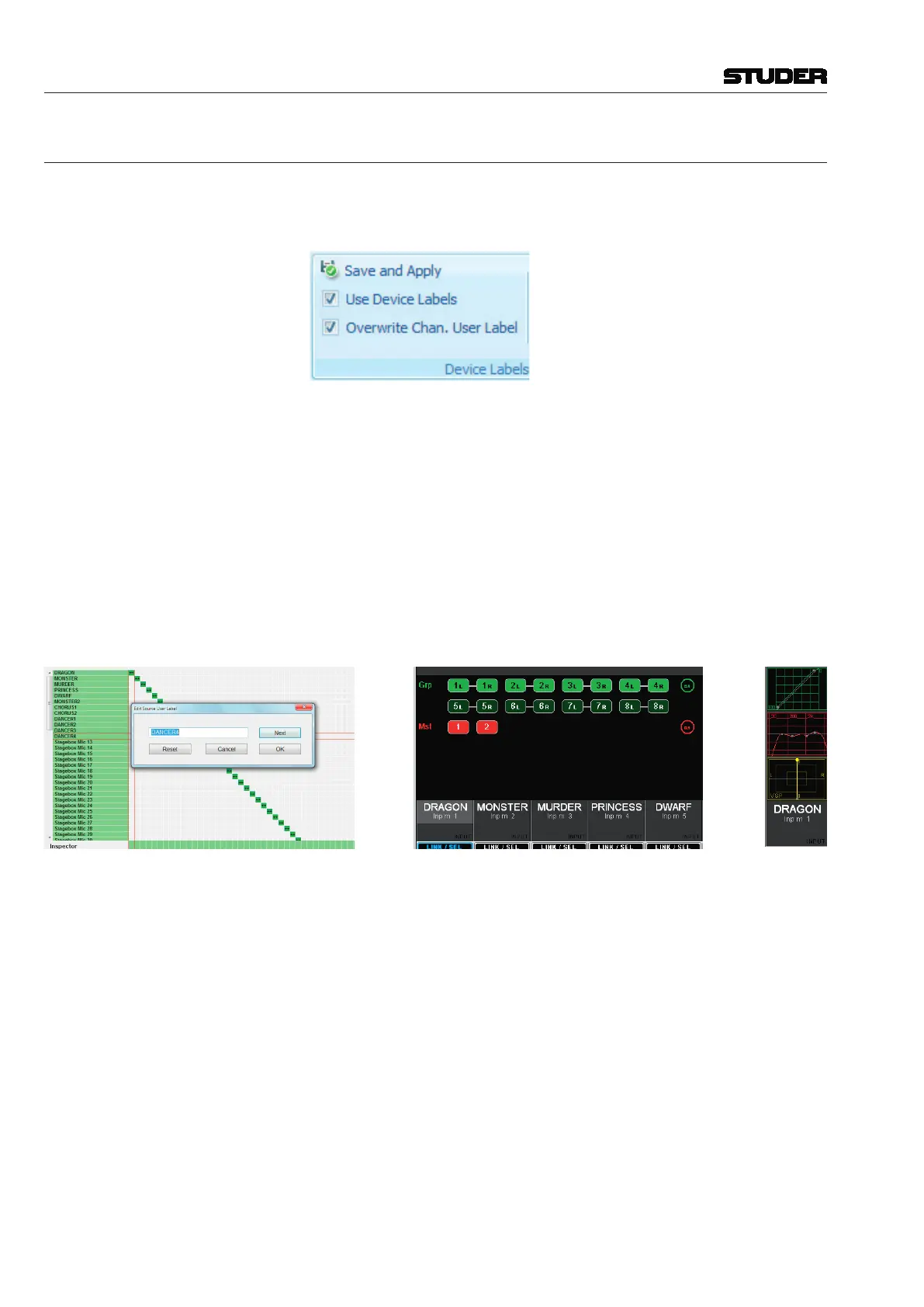
Tip: Always work with active device labels (Ribbon tab Settings, category
Device Labels) Use Device Labels, and Overwrite Chan. User Label
with Device Label must be active.
In this phase, all the necessary console setup work is made. No actors or
musicians need to be on stage. Therefore this setup phase can also be done
with Virtual Vista without having the physical console available.
• Selectonefromtheready-madeconfigurations(seechapters 2.1.5 and 6)
the one that is best suited for your needs, and create appropriate project
and title names for the particular production.
• Dothelabelingofinterfaces(devicelabels).
• Createpatchpoints–frominterfacestoinputchannels,fromoutputchan-
nels to output interfaces, as well as every other patch connection that is
needed (e.g. shared processes).
• Addtheuserlabelstotheinputinterfaces,i.e.,thelabelsofthecharacters
of the play.
• Createastripsetup.
• Dothebusassignmentasrequiredfortheparticularproduction.
• Savethisina‘basicsettings’snapshotorpreset.



 To Next Page