Vista 1 Digital Mixing System
4-30 GC Operation
Document generated: 18.04.17
SW V5.3
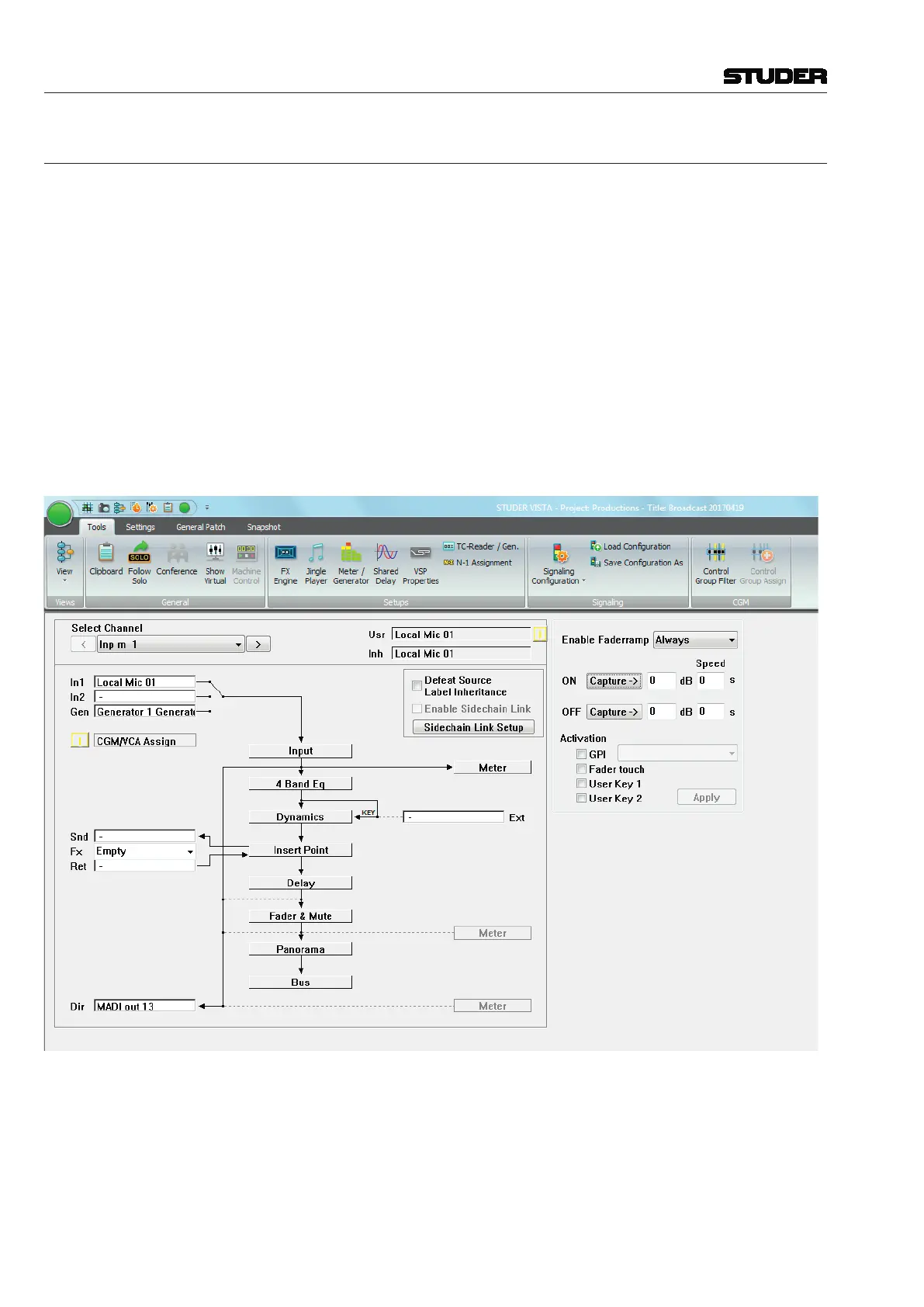
4.4.3 Channel Patch
The Channel Patch page of the graphical controller can be called up in three
different ways:
• FromtheView button, by clicking on the appropriate icon
• UsingtheQuick Access Toolbar icons, by clicking on the appropriate icon;
• Usingthe CHAN PATCH function key on the control surface – which is
probably the fastest way.
To quickly switch back from General Patch to Channel Patch page, just click
the right touch pad button while the cursor is positioned over the X-Y field
in the General Patch.
As its name implies, the Channel Patch is channel-oriented, which means that
only one channel is displayed at a time.
To select a channel to be displayed in the Channel Patch page:
• PresstheLINK/SEL key on the desired Desk Channel Strip, or
• UsetheChannelSelectoronthetopoftheChannelPatchpage.



 To Next Page