Vista 1 Digital Mixing System
Parameters 3-15
Document generated: 18.04.17
SW V5.3
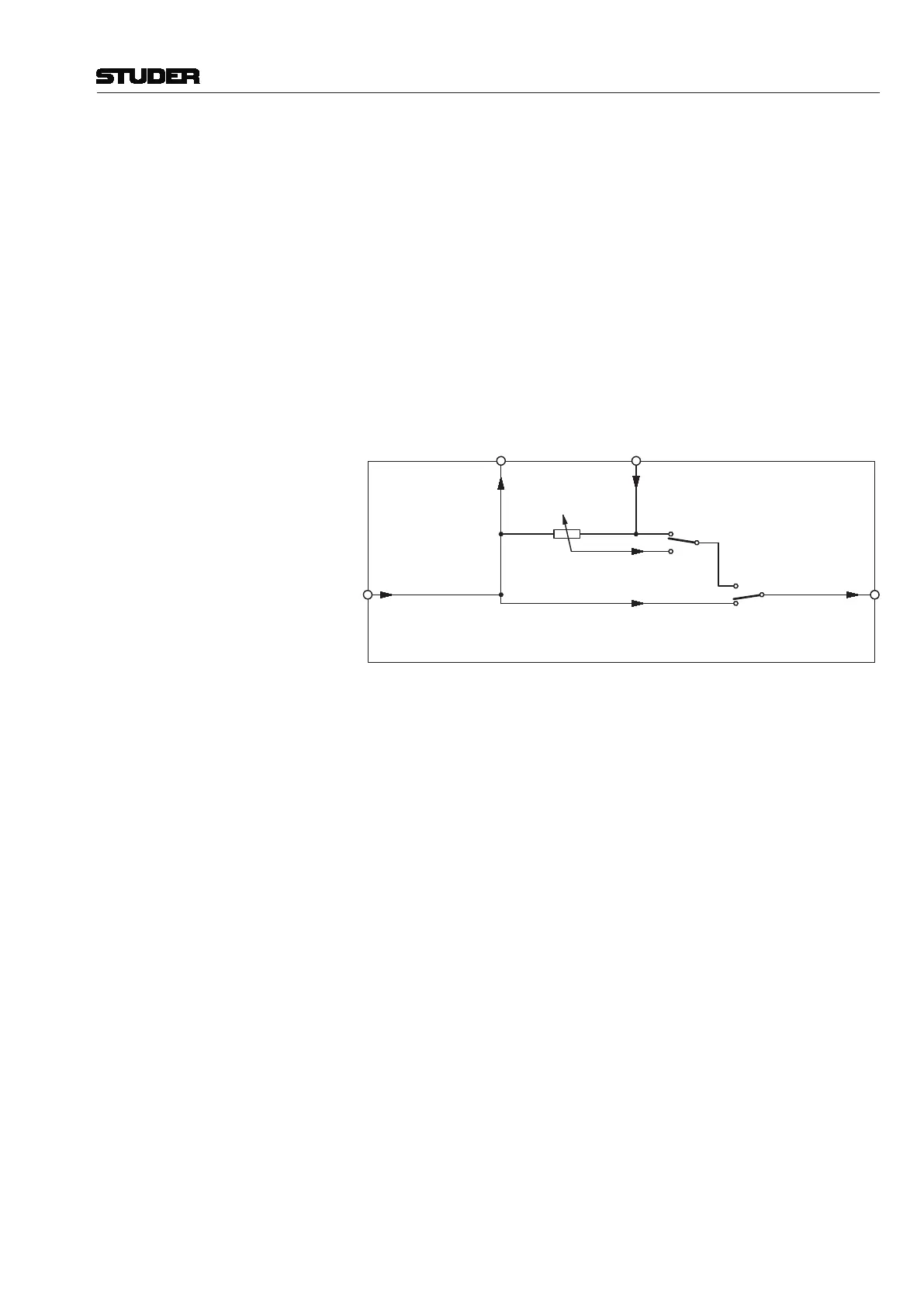
Insert Parameters: The insert section provides selection and control of the insert point (INSERT
ON/OFF) and the INSERT MIX function (ON/OFF), plus defining the dry/
wet mix ratio (INSERT MIX %).
INSERT On/Off is selected with the INSERT hardware key above the Vistonics section. ‘On’
activates the insert return signal; ‘off’ selects the Input Signal (that corre-
sponds to the insert send signal).
INSERT MIX On/Off On activates the insert mix function; Off selects only the insert return signal.
When the insert mix function is set to On, the ratio of the dry (send) to the
wet (return) signal depends on the selected mix ratio. In other words, mixing
between the insert send and the insert return signals is possible.
INSERT MIX Rotary If the MIX function is On, this parameter allows mixing or blending of the
dry (send) and the wet (return) signals. 0% setting: dry signal only; 100%
setting: wet signal only.
INSERT MIX
0% ("dry") 100% ("wet")
INSERT MIX
OFF
ON
INSERT
ON
OFF
Insert
Input
Signal
Insert
Output
Signal
Insert
Send
Insert
Return
Part of a DSP Channel (Insert Section)
(HW Key)
Note If the insert is routed to an external, non-digital device (such as an analog
compressor patched through D/A and A/D converters), the delay introduced
by the D/A-A/D conversion will result in a comb-filter effect if the insert return
and mix are active and the MIX % is set anywhere between DRY and WET.
When inserting external, analog devices, the MIX% should always be set to
WET (i.e., to 100%), unless this comb-filter effect is desired - or the delay is
compensated by adding delay on other signal paths. The latter is made very
easy by using a gang and adding delay to multiple console channels.



 To Next Page