Vista 1 Digital Mixing System
3-38 Parameters
Document generated: 18.04.17
SW V5.3
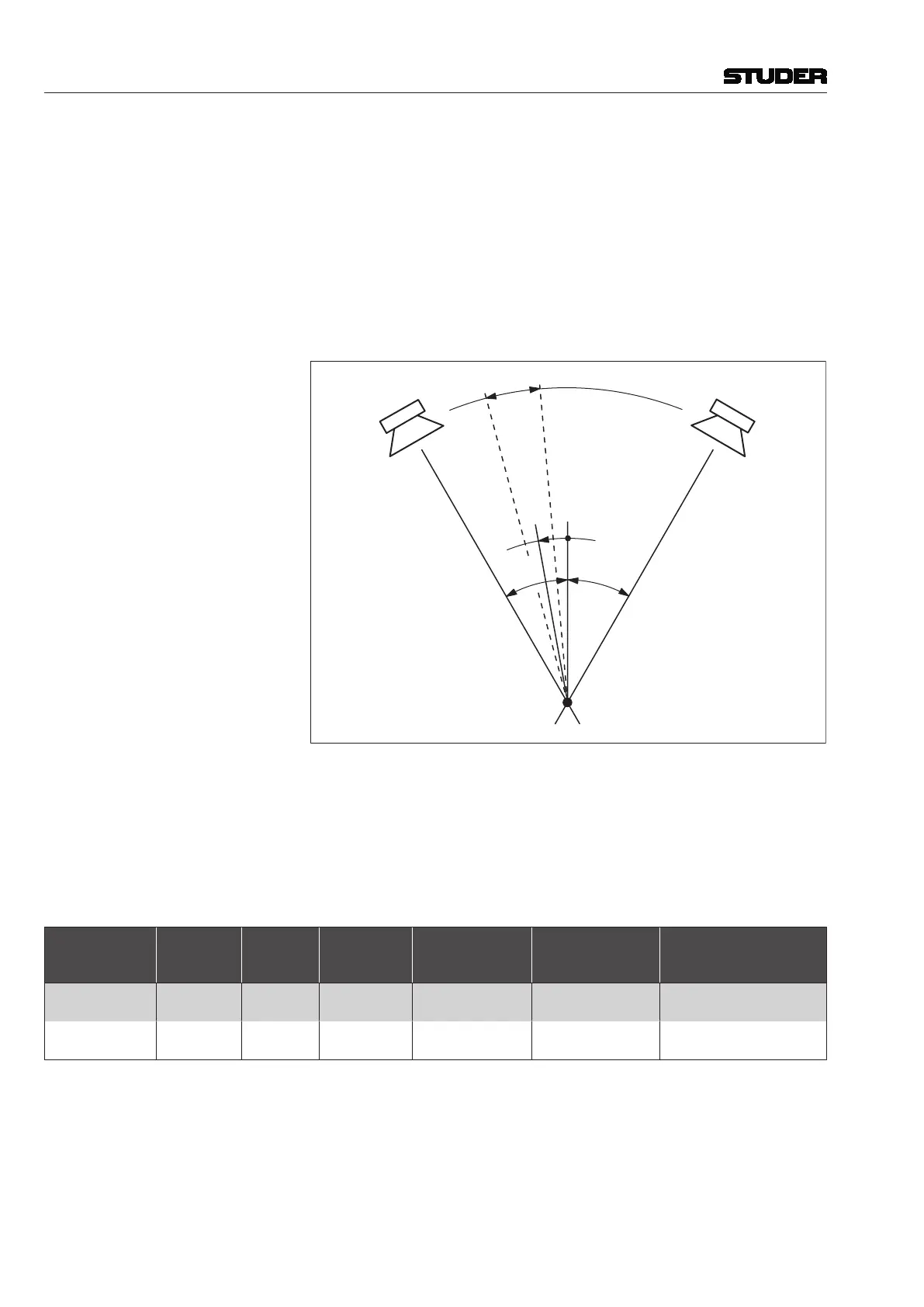
LR PAN for Stereo Channels The PAN ON/OFF and PAN functions are extended to enable working with
either standard (L/R) stereo or with MS (mono/side) signals. In addition,
features are available to increase the stereo image manipulation possibilities,
such as
• Inputdirectionor
• Inputbalance,
• Stereowidth(panwidth),and
• Stereodirection.
Whether the stereo width function is available depends on the currently loaded
configuration.
A
B
Left Right
Listening Position
Direction
Stereo
Width
+30°–30°
Virtual Surround Panning (VSP) Various surround panning algorithms can be used for mono input, group,
multi-track input, and multi-track monitor channels; this depends on the cur-
rently loaded configuration.
Basically, two different surround panning algorithms are available: Multi-
format pan, and VSP (Virtual Surround Panning), see table; some more
information on these algorithms is given in the ‘Parameters’ sections below.
Algorithm:
Format
2-CH to
7.1-CH
LCR, F/B,
Ls/Rs Pan
Divergence
Seamless Center
Channel Usage
Pan Mode
VSP Controls:
Ambience, Distance,
Absorption, Room Size
Multi-Format
Pan
X X X X Amplitude –
VSP Pan
X X X X
Amplitude, HRTF,
Sphere, ORTF, AB
X
Depending on the currently loaded configuration, one of the or both algo-
rithms above may be present in the console at a time.



 To Next Page