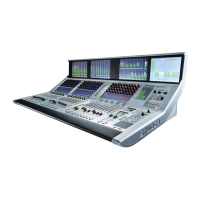
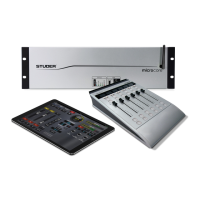
Vista 1 Digital Mixing System
GC Operation 4-3
Document generated: 18.04.17
SW V5.3
4.6.1 The Tools Ribbon Tab ....................................................................................................................................... 105
4.6.1.1 General ...................................................................................................................................................................105
4.6.1.1.1 Clipboard ....................................................................................................................................................................105
4.6.1.1.2 Follow Solo ................................................................................................................................................................105
4.6.1.1.3 Offline Conference .....................................................................................................................................................105
4.6.1.1.4 Show Virtual ...............................................................................................................................................................108
4.6.1.1.5 Machine Control.........................................................................................................................................................108
4.6.1.2 Setups .....................................................................................................................................................................109
4.6.1.2.1 FX Engine ..................................................................................................................................................................109
4.6.1.2.2 Meter/Generator .........................................................................................................................................................109
4.6.1.2.3 Shared Delay ..............................................................................................................................................................110
4.6.1.2.4 VSP Properties ...........................................................................................................................................................111
4.6.1.2.5 TC-Reader/Generator ................................................................................................................................................. 111
4.6.1.2.6 N-1 Assignment ..........................................................................................................................................................111
4.6.1.3 Signaling ................................................................................................................................................................114
4.6.1.3.1 Load Signaling Configuration .................................................................................................................................... 119
4.6.1.3.2 Save Signaling Configuration As ...............................................................................................................................120
4.6.1.4 CGM .......................................................................................................................................................................120
4.6.1.4.1 Control Group Basics .................................................................................................................................................120
4.6.1.4.2 Control Group Setup ..................................................................................................................................................121
4.6.1.4.3 Control Group Filter ...................................................................................................................................................122
4.6.1.4.4 Control Group Assignment ........................................................................................................................................123
4.6.1.4.5 Hierarchical CGMs ....................................................................................................................................................124
4.6.2 The Settings Ribbon Tab ................................................................................................................................... 125
4.6.2.1 System ....................................................................................................................................................................125
4.6.2.1.1 Vista Settings ..............................................................................................................................................................125
4.6.2.1.2 Downmix Settings ......................................................................................................................................................128
4.6.2.1.3 Sampling Rate ............................................................................................................................................................128
4.6.2.1.4 EQ/Dyn View .............................................................................................................................................................129
4.6.2.1.5 VCA Style Control Groups (‘Motors Off’) ................................................................................................................130
4.6.2.2 Preferences .............................................................................................................................................................132
4.6.2.2.1 Load............................................................................................................................................................................132
4.6.2.2.2 Save ............................................................................................................................................................................132
4.7 Fourth Level: SysAdmin functions .................................................................................................................133
4.7.1 Tools: Control Group Assign ............................................................................................................................ 134
4.7.2 Settings: Show VMC Tree ................................................................................................................................ 134
4.7.3 Setings: Meter Source Setup ............................................................................................................................. 135
4.7.4 Settings: Ember Control .................................................................................................................................... 136
4.7.5 Settings: Reduced Function Set ........................................................................................................................ 137
4.7.6 Settings: General Patch Edit.............................................................................................................................. 137
4.7.7 Settings: Edit Monitoring Files ......................................................................................................................... 141
4.7.8 Settings: Enable Monitoring Setup-Mode ......................................................................................................... 143
4.7.9 Settings: Reinitialize Monitoring ...................................................................................................................... 143
4.7.10 Settings : Device Labels (Save and Apply) ....................................................................................................... 144
4.7.11 Settings: Use DeviceLabels............................................................................................................................... 144
4.7.12 Settings: Overwrite Channel User Label........................................................................................................... 144
4.7.13 Settings: Configure ExernalRouter I/O ............................................................................................................. 144
4.7.14 Settings: Connection Setup ............................................................................................................................... 144
4.7.15 Settings: Regenerate Intelligent Fix Labels ...................................................................................................... 144
4.7.16 General Patch: Enable Pro-Bel Setup ............................................................................................................... 145
4.7.17 General Patch: Pro-Bel Setup............................................................................................................................ 145
4.7.17.1 3
rd
-Party Control of Console Patch (Native Pro-Bel P-02/08 Support) .................................................................145
4.7.17.1.1 Pro-Bel P-08 support ..................................................................................................................................................148
4.7.17.1.2 Exclude Certain Patch Targets from Being Changed by Snapshots ..........................................................................149
4.7.17.1.3 Label Import from 3
rd
-Party Systems .........................................................................................................................149
4.7.17.1.4 Support of External Monitoring Source Selector Panels ...........................................................................................150


 To Next Page