Vista 1 Digital Mixing System
GC Operation 4-21
Document generated: 18.04.17
SW V5.3
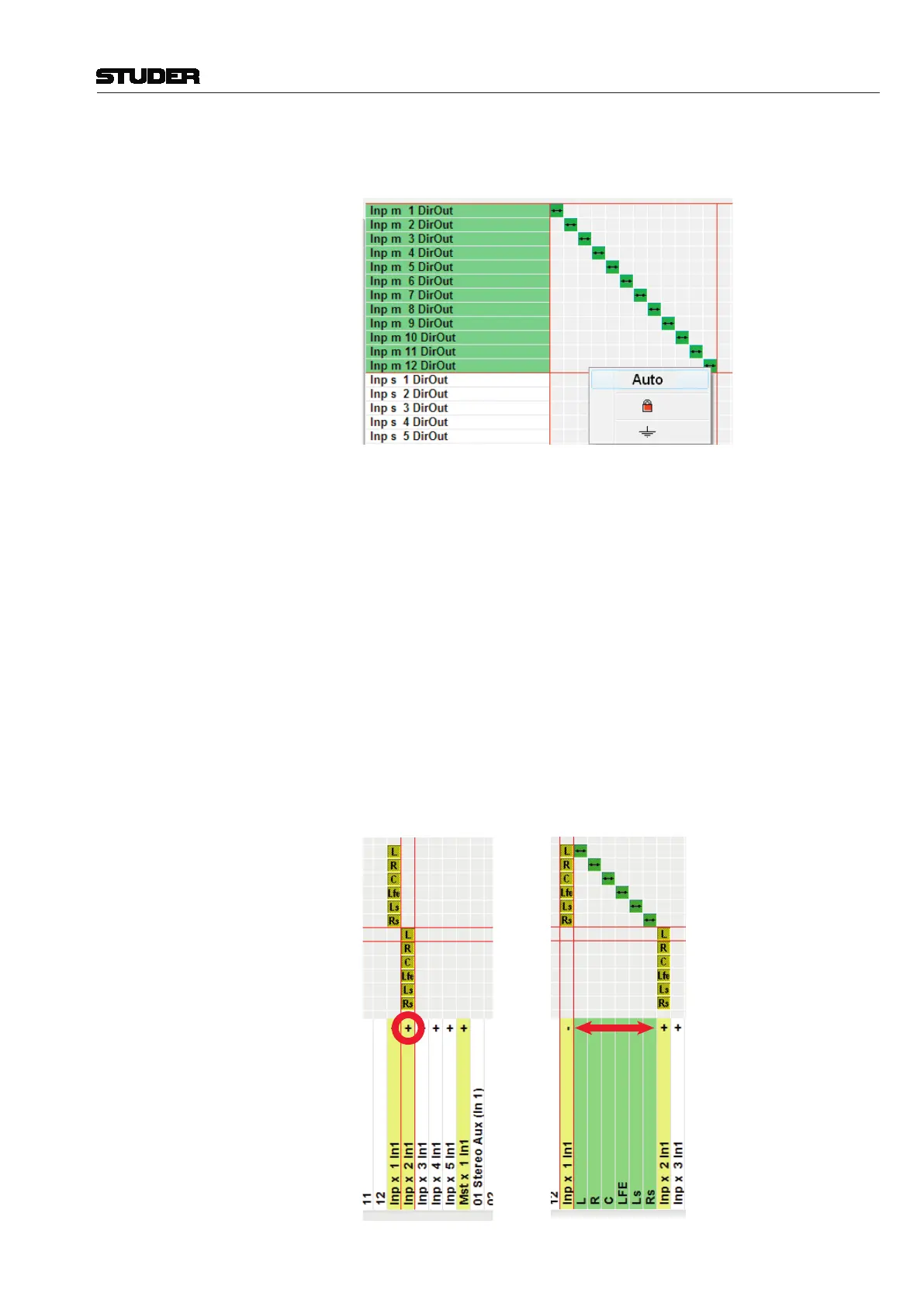
Tip A feature is available for fast diagonal patching of multiple Sources to mul-
tiple Targets. The example below shows this feature used in practice.
• Bykeeping the left touch pad button pressed while dragging the pointer
across a region in the General Patch view, multiple connections can be
selected now.
• Whilethelefttouchpadbuttonisstillpressed,aright-click opens a selec-
tion window; when Auto is selected, any desired number of patch points
can be connected at the same time.
In the same way, multiple patch points also may be locked, unlocked or cleared
in one go.
• Adouble-click on a patch point allows either connecting or disconnecting
this patch point immediately.
Patching Surround Sources A surround source can very easily be patched to a 5.1 input channel by using
the ‘auto’ patch facility, where all six discrete mono sources are patched at
once and with one single click. Moreover, there is a ‘+’ unfold icon with every
5.1 target. When clicking on it, all 6 individual legs of the surround target are
shown and can be patched in any desired order. Clicking on ‘-’ closes this
view to show only one single patch connection again.



 To Next Page