Vista 1 Digital Mixing System
GC Operation 4-35
Document generated: 18.04.17
SW V5.3
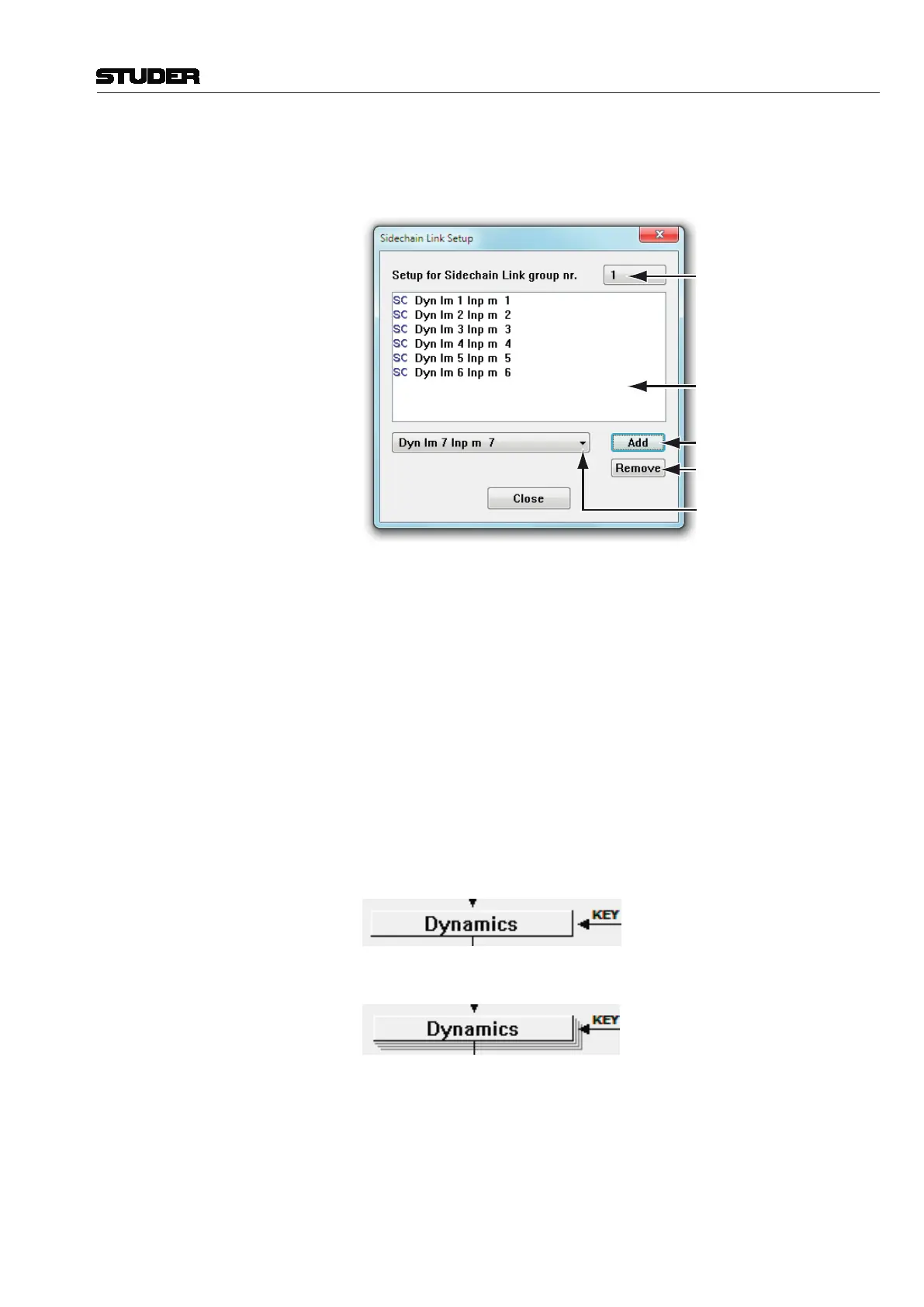
Sidechain Link Setup: Click on the Sidechain Link Setup button to bring up the Sidechain Link
editor screen, which allows selecting available links and adding/removing
of channels to/from the links.
Select Available Sidechain Links
View the Selected Link Numbers
Add the Selected Channel to the
Selected Sidechain Link
Select Available Channels
Remove the Selected Channel from the
Selected Sidechain Link
Vista is able to link more than only two side chains – in fact, up to eight – per
Sidechain Link. For these reasons, a number of Sidechain Links (each for up
to eight member channels) may be defined by the currently loaded configu-
ration. Basically, there can be any number of configured Side chain Links.
A channel can be a member of only one Link at a time.
To set up the Sidechain Links:
• SelectaSidechainLinkusingtheon-screenicon;
• IfthereareanymembersintheLink,theywillnowbedisplayed;
• AddnewmemberchannelswiththeAddbutton;
• Removemembersbyselectingoneormoreoftheminthelistandpressing
the DEL key on the keyboard;
• ProceedtoeditthenextLinknumber.
Tip If a channel is a member of a Sidechain Link, the graphical representation of
its dynamics block in the Channel Patch will change from this
to this:



 To Next Page