Vista 1 Digital Mixing System
4-98 GC Operation
Document generated: 18.04.17
SW V5.3
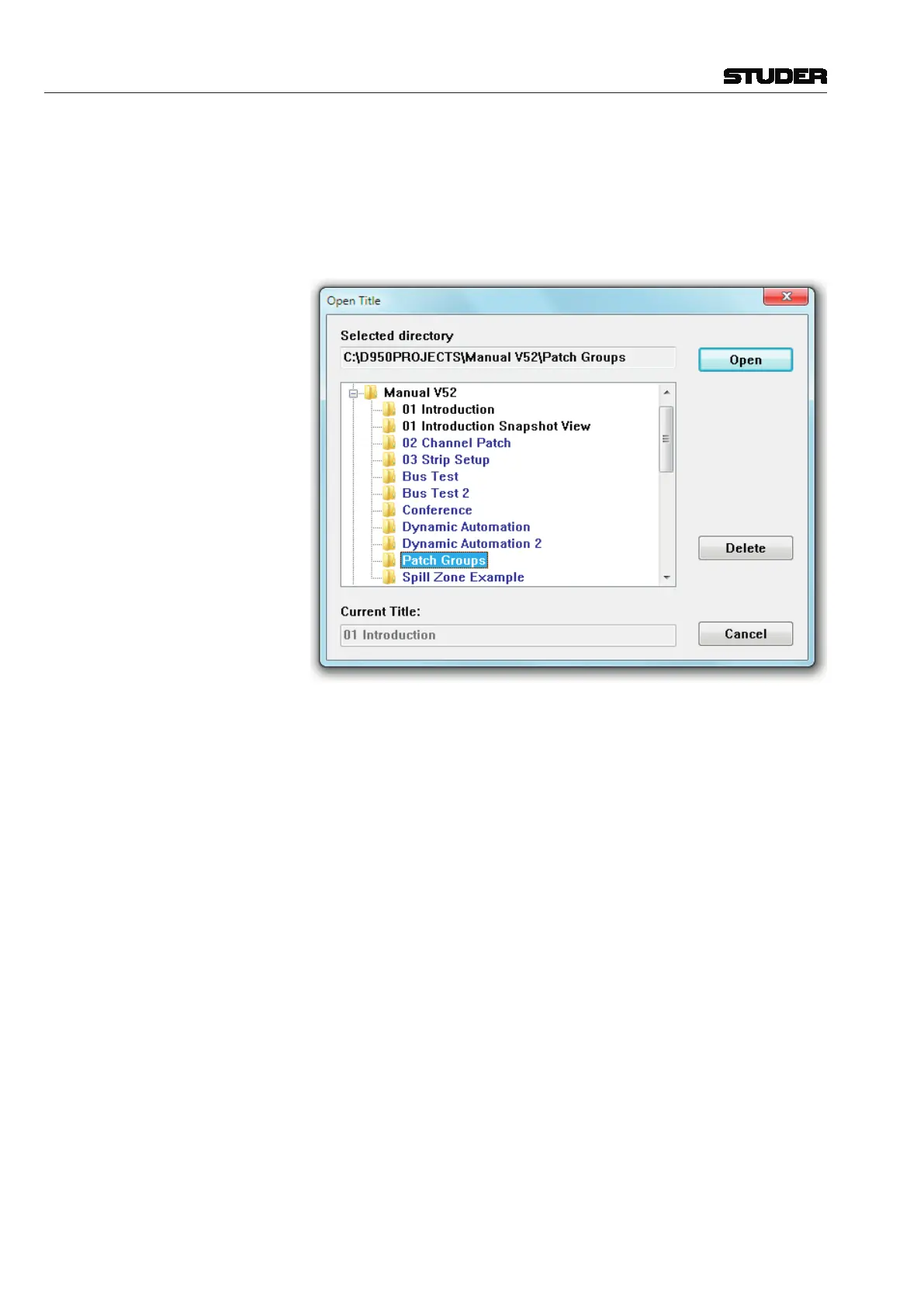
Open Title This action opens the list of project folders from the D950PROJECTS directory.
This enables the selection and opening of an existing title from a selected
folder. Titles can also be deleted from this menu item.
To open an existing title, first double-click on the desired project subdirectory,
an action that will move you into its Subdirectory:
The desired title can now be opened by double-clicking on the title folder or
by highlighting it and clicking the Open button. This action will perform the
following:
• Makethenewtitlethecurrent title, making available all snapshots, mixes,
etc;
• Indicatethecurrenttitlenameinthetitlebar.
A title can be deleted by highlighting a title’s name (while in Open Title) and
clicking on the Delete button. You will be asked to confirm this action. You
cannot directly delete a project folder using this technique. However, if you
delete the last title from within a project folder, you will be notified that the
empty folder will be automatically deleted.
Note Titles are color-coded according to the status of the DSP configuration that
was in use during their creation. Black, blue, and red title names indicate the
following:
Black The DSP configuration needed for this title is currently loaded;
Blue The DSP configuration needed for this title is not currently loaded.



 To Next Page