Vista 1 Digital Mixing System
4-152 GC Operation
Document generated: 18.04.17
SW V5.3
4.8 Fifth Level: The Surveyor
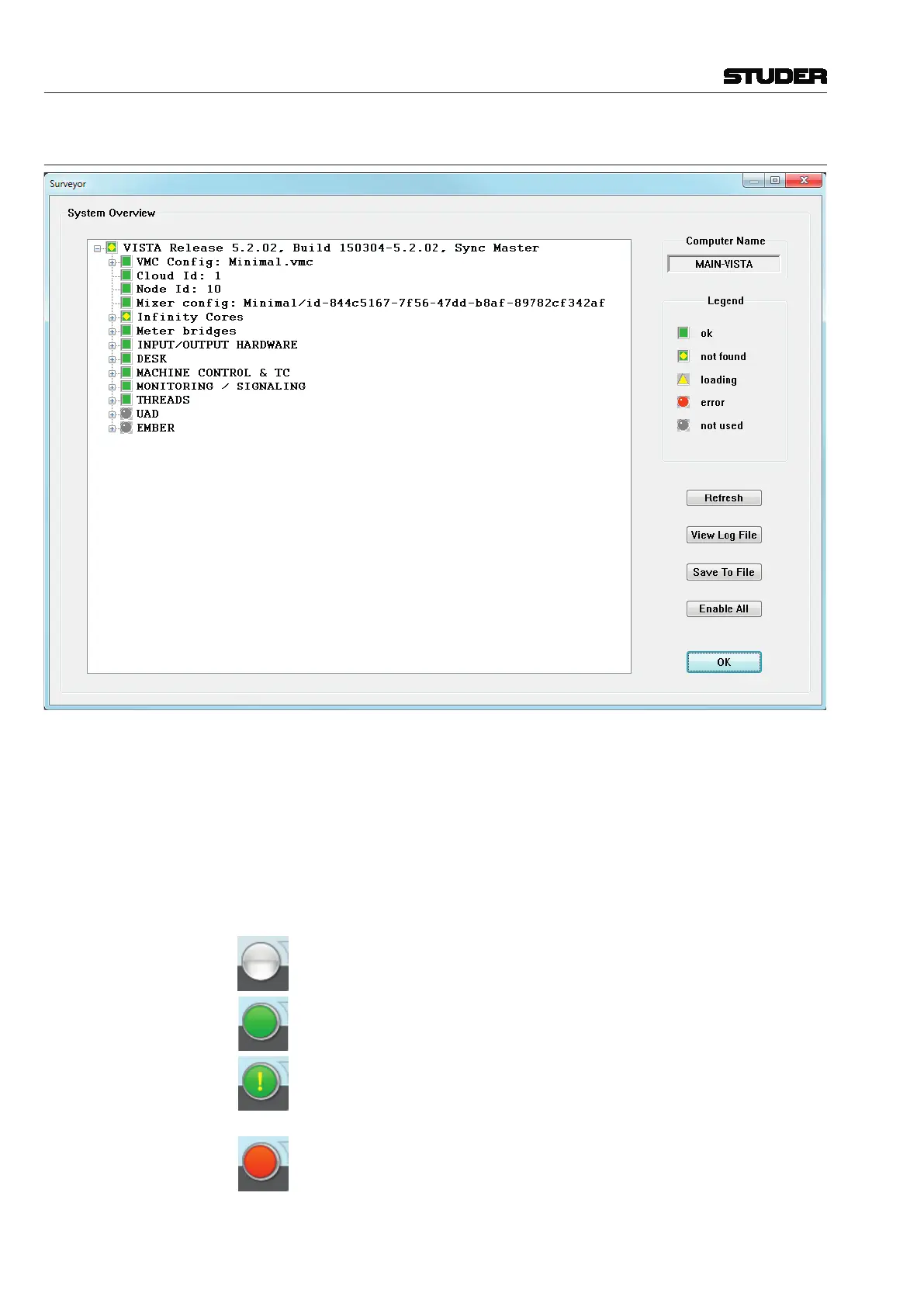
Vista constantly monitors the status of all major hardware and software sys-
tems. This information is provided to the user via the Surveyor. The Surveyor
is also the primary diagnostic tool used for troubleshooting and fault finding.
The Surveyor displays its information in two ways:
• TheIcon/ButtonshownonthelefthandsideoftheRibbonmenubar;
• TheSurveyorpage.
The Surveyor Icon/Button: The Surveyor Icon/Application Menu Button is always located in the Ribbon
menu bar. It is intended to keep the operator informed about general system
status. The icon changes to indicate the overall condition of the Vista. These
indications are as follows:
Grey circle: The system is starting up.
Green circle: The system is working and OK.
Green circle with yellow exclamation mark: Not Found. A system element
cannot be found. This is sometimes seen while a configuration is loading. If
this icon remains on, a problem is indicated
Red circle: Error. An error, fault, or failure is detected in the system. If this
icon remains on, a problem is indicated..



 To Next Page