18
FLIGHT PHASES
PREFLIGHT
J43126AA 00
© THALES AVIONICS S.A.
AIRBUS A318/319/320/321
SID................................Select
Select SID and press corresponding
LSK.
Ex: FIST5A.
If needed to change the RWY and SID
already entered:
Go to DEPARTURE RWYs page, then,
Change RWY.
In some cases it may be necessary to
proceed with an intermediate step and
select TRANS if not already selected.
The take-off RWY & SID are now
entered in the TMPY F-PLN.
TMPY F-PLN [6L]……Press
The MCDU switches to TMPY F-PLN
page.
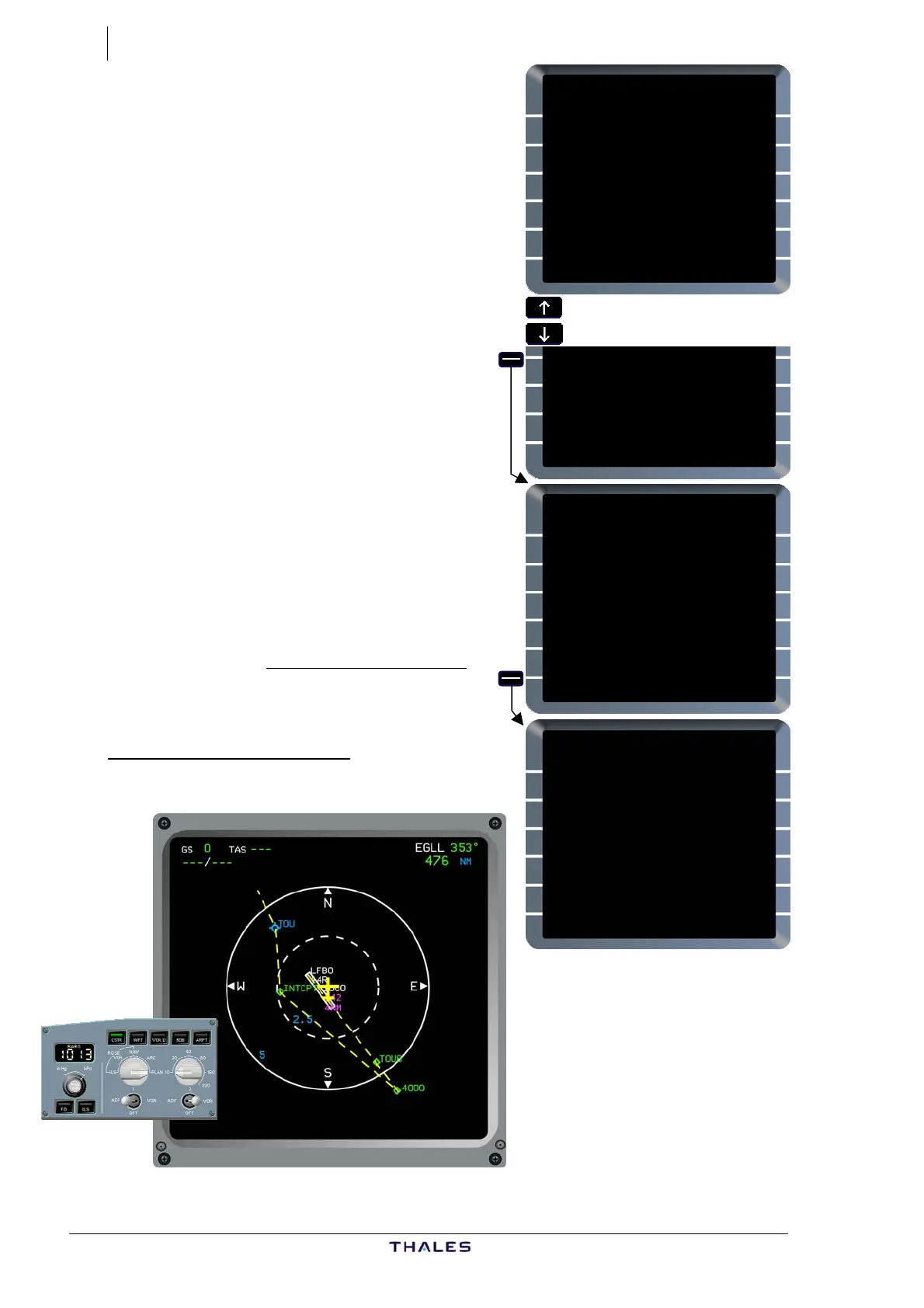
On ND, the RTE is displayed as a
dashed yellow line.
Due to multiple TMPY F-PLN concept on
Thales FM2, it is not required to insert
TMPY F-PLN until it has been completed
and checked.
Monitor ND in PLAN mode
Each entry should be
monitored on the ND, in
PLAN mode, with the
appropriate range and
CSTR selected on EFIS
panel.
This enables to check any
anomaly, or discontinuity
or incorrect insertion.
DEPARTURE FROM LFBO {}
RWY SID TRANS
14R ------ ------
SIDS AVAILABLE TRANS
{AFRI5A
{AFRI5H
{AMOL5A
{AMOL5H
TMPY EOSID
<F-PLN NONE
£
{FIST5A
{FIST5H
{GAI5A
TMPY EOSID
<F-PLN NONE
£$
DEPARTURE FROM LFBO {}
RWY SID TRANS
14R FIST5A NONE
SIDS AVAILABLE TRANS
{FINO5H
FIST5A
{FIST5H
{GAI5A
TMPY EOSID
<F-PLN NONE
£$
FROM TMPY THV001 {}
FIST5A TIME SPD/ALT
LFBO14R ---- ---/ 490
H144° BRG144° 1
900 ---- ---/ -----
C144° TRK144° 4
D144H} ---- ---/ *4000
C356° 8
TOU ---- ---/ -----
FIST5A 47NM
FISTO ---- ---/ -----
TMPY TMPY
{ERASE INSERT*
£$



 To Next Page