MULTIPHASE
4 MCDU MENU PAGE
1.2. MCDU DISPLAY
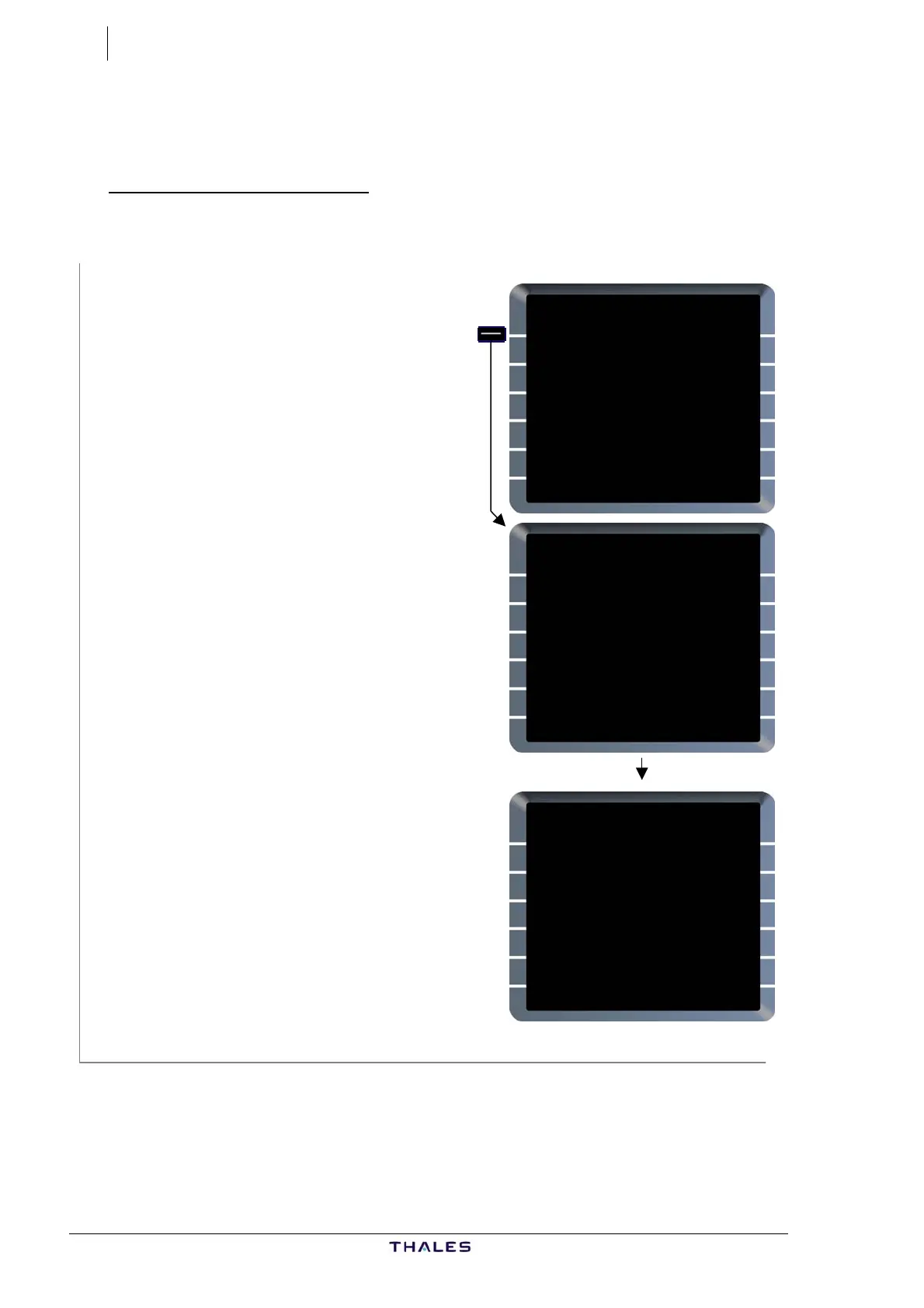
Selection of a subsystem
Ex: Selection of FMGC
If FMGC is not yet active:
FMGC [1L] is displayed white.
FMGC [1L] .....................Press
FMGC (SEL) is displayed blue.
− During the time between the
subsystem selection and the
display of the subsystem page, the
MCDU MENU page remains
displayed with "WAIT FOR SYSTEM
RESPONSE" s-pad msg (white),
During this period all button
pushes are ignored.
− When FMGC becomes active, A/C
STATUS page is displayed.
MCDU MENU
<FMGC (SEL)
<ACARS
<AIDS
<CFDS
RETURN>
WAIT FOR SYSTEM RESPONSE
MCDU MENU
<FMGC
<ACARS
<AIDS
<CFDS
RETURN>
SELECT DESIRED SYSTEM
A320-211
ENG
CFM56-5-B4
ACTIVE NAV DATA BASE
21JAN-18FEB THV1040101
SECOND NAV DATA BASE
{24DEC-21JAN
PILOT STORED
03RTES 00RWYS
CHG CODE 00WPTS 00NAVS
[ ] DELETE ALL}
IDLE/PERF SOFTWARE
+0.0/+0.0 STATUS/XLOAD>
J43126AA 00
© THALES AVIONICS S.A.
AIRBUS A318/319/320/321



 To Next Page