FMS GENERAL DESCRIPTION
6 FMGS OPERATION
3.2. TEMPORARY FLIGHT PLAN
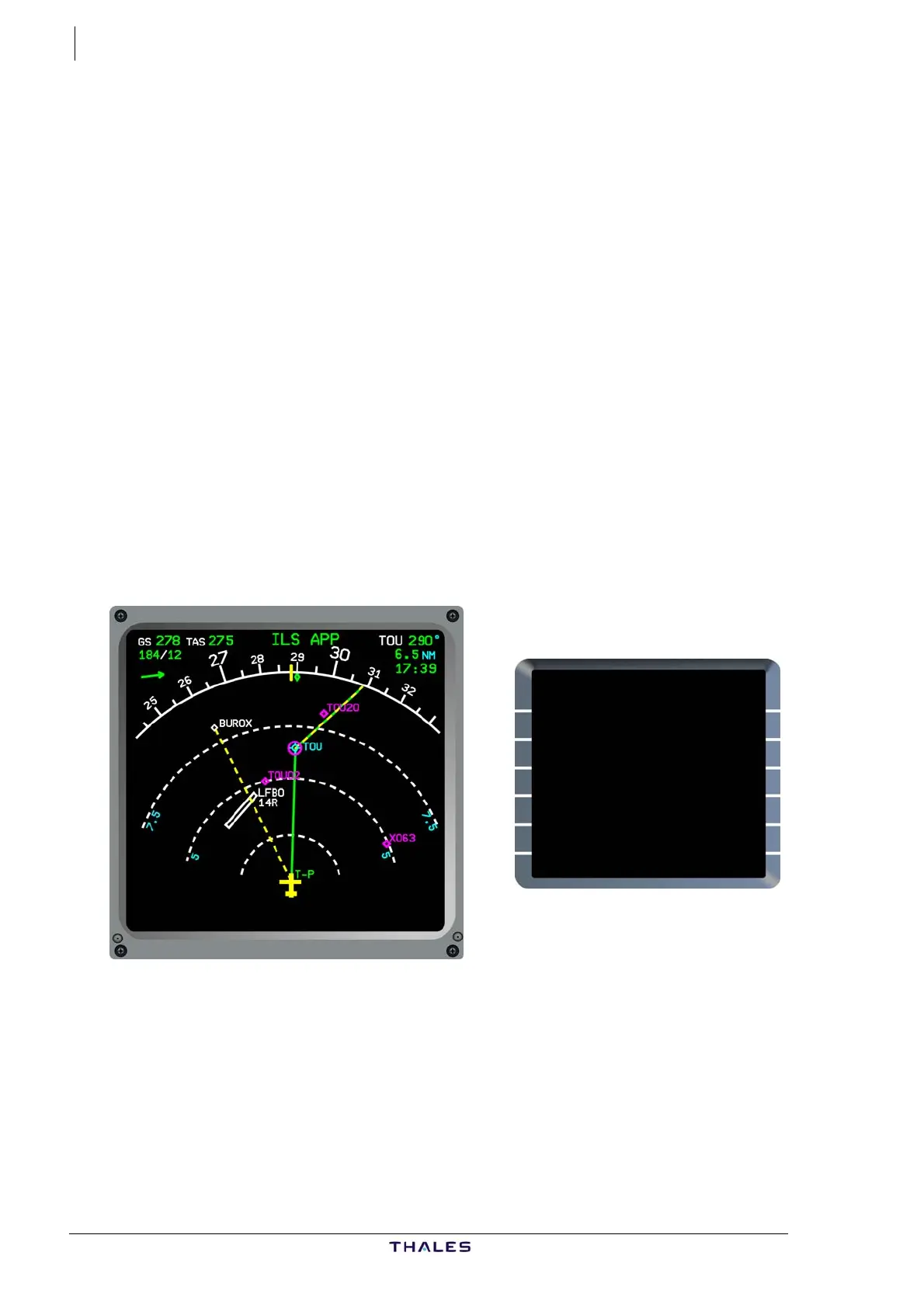
When any revision is made to the Active Flight Plan, including a DIR
TO, a Temporary Flight Plan is displayed on both ND and MCDU.
The new Flight Plan is shown by a dashed yellow line on the ND and in
yellow text characters on the MCDU, while the Active flight plan
continues to provide guidance and to be displayed in green on the ND.
Multiple revisions can be made in the Temporary Flight Plan, with the
capability to erase the last or all entries before inserting.
The FMS computes track, profile and predictions of the Temporary
Flight Plan, according to the entered revisions.
This specific Thales feature enables the pilot to visualize revisions on
the ND, and thus avoid incorrect entries.
Because of this feature, it is not necessary to insert the Temporary
Flight Plan after each revision in turn, which would waste time. It is
therefore recommended to complete the series of revisions before
insertion.
See Part III:MULTIPHASE for more details.
FROM TMPY THV001 {}
UTC SPD/ALT
T-P 1732 / FL70
BRG265° 5
(LIM) 1738 *250/ FL100
TRK265° 4
BUROX 1739 305/ FL110
---F-PLN DISCONTINUITY--
TOU 1740 305/*FL133
DIR TO DIR TO
{ERASE INSERT*
$£
J43126AA 00
© THALES AVIONICS S.A.
AIRBUS A318/319/320/321



 To Next Page