28
MULTIPHASE
LATERAL F-PLN management
J43126AA 00
© THALES AVIONICS S.A.
AIRBUS A318/319/320/321
ABEAM PTS / DIRECT TO functions
DIR key..........................Press
The DIR TO page is accessed, showing
the next 4 ACTIVE F-PLN WPTs in L
data fields; scroll up to view
subsequent WPTs.
If WPT is in ACTIVE F-PLN
Required WPT .... Select/Press
Scroll up if necessary to place desired
WPT in view, or enter in scratchpad
the desired WPT.
Ex: “Cleared from present position
direct to VANAD”. Press [3L] adjacent
to VANAD.
TMPY DIR TO page is displayed on
MCDU, showing selected DIR TO WPT
in [1L] (yellow).
If ABEAM PTS are desired:
ABEAM PTS [3R] ....................
....................... Confirm/Press
If Option 1 is defaulted, ABEAM PTS is
displayed yellow, if not press [3R].
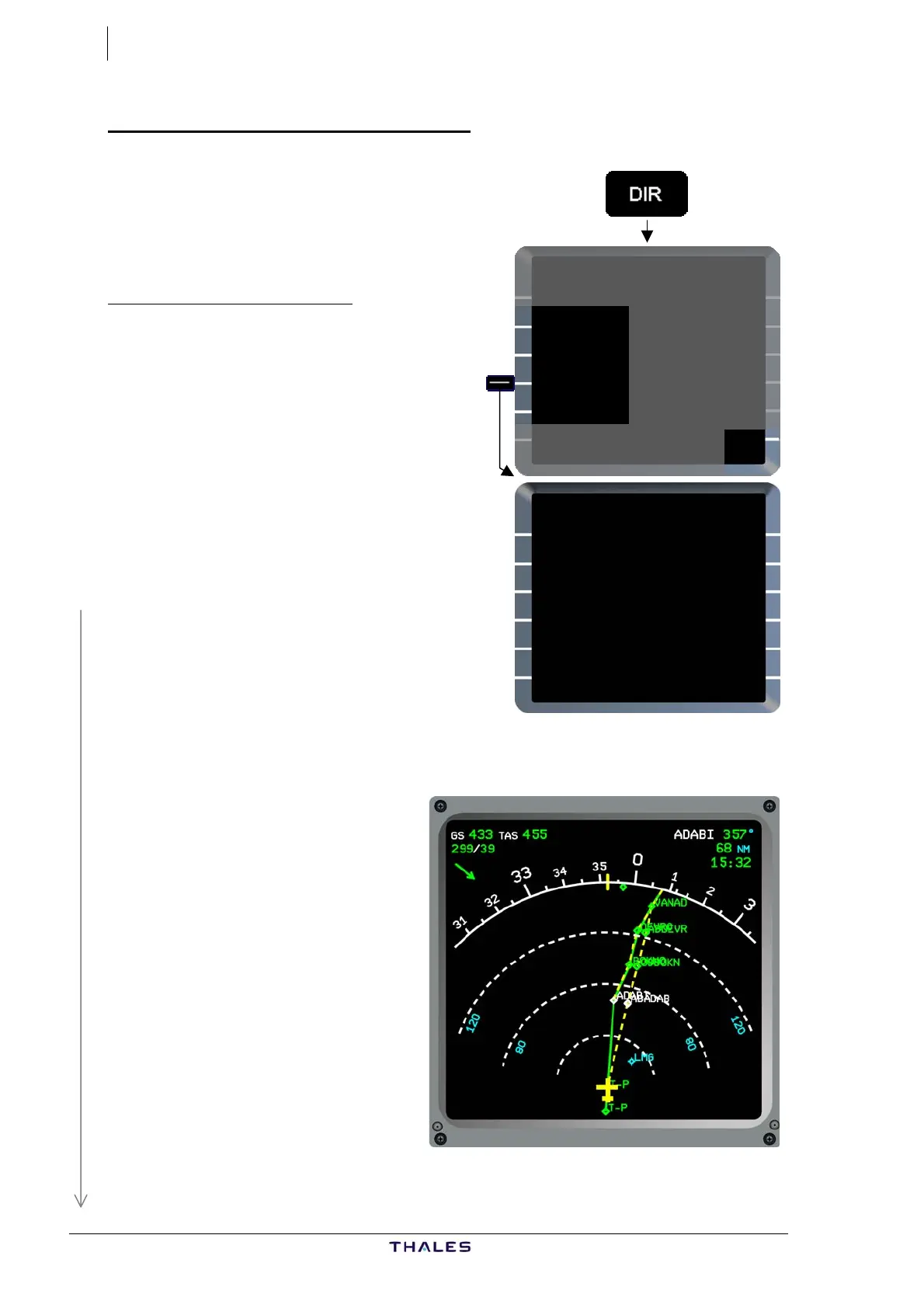
ND shows direct track (dashed yellow), as entered, superimposed on
existing ACTIVE F-PLN.
Abeam WPTs are named
ABxxxxx, xxxxx representing
the first five characters of the
relative WPTs.
Ex: ABADAIB, ABBOKNO,
ABDEVRO
Check DIR TO track (dashed
yellow) is correct on ND.
DIR TO
WAYPOINT UTC DIST
[ ] ---- ---
F-PLN WPTS
{BOKNO DIRECT TO
WITH
{DEVRO ABEAM PTS
RADIAL IN
{VANAD [ ]°
RADIAL OUT
{VADOM [ ]°
£$
DIR TO
WAYPOINT UTC DIST
VANAD 1543 145
F-PLN WPTS
{BOKNO DIRECT TO }
WITH
{DEVRO ABEAM PTS
RADIAL IN
VANAD 200° }
RADIAL OUT
{VADOM [ ]°
DIR TO DIR TO
{ERASE INSERT*
£$



 To Next Page