32
FLIGHT PHASES
PREFLIGHT
J43126AA 00
© THALES AVIONICS S.A.
AIRBUS A318/319/320/321
Check F-PLN
The F-PLN must be checked in accordance with SOPs.
The following procedure is recommended:
EFIS control panel:
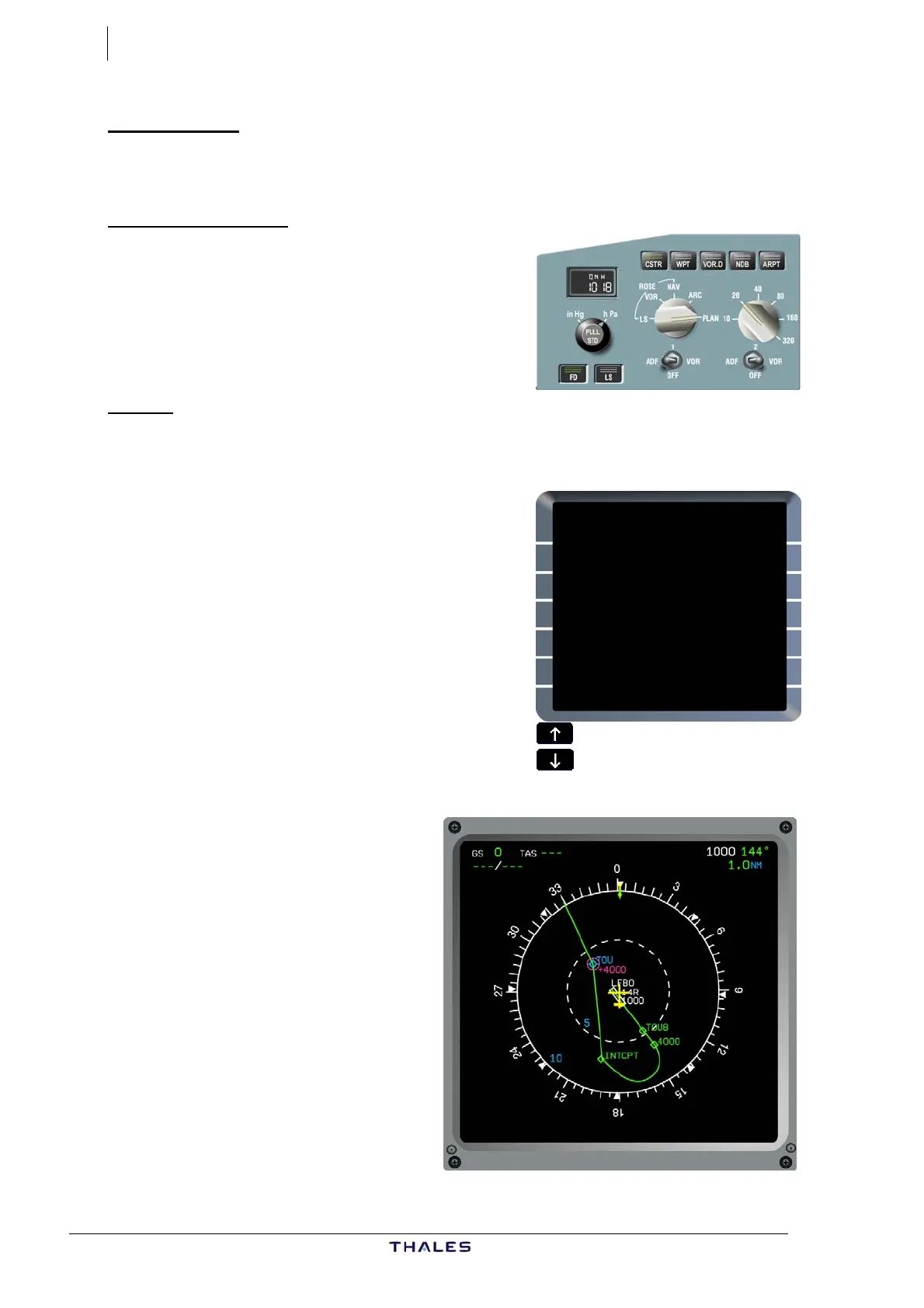
ND PLAN mode..............Select
RANGE..........................Adjust
CSTR .............................Select
In order to display and verify
F-PLN constraints.
MCDU:
F-PLN key.......................Press
Vertical slew keys .... Scroll up
Departure airport is displayed at the top of
the MCDU, and at the center of the ND.
Scroll up the F-PLN and:
− Cross-check SID routing, altitude &
speed constraints displayed as published
on chart,
− En-route WPTs,
− Cross-check tracks & distances shown
between each WPT, comparing with
printed CFP, scrolling up as necessary.
The magnetic TRK is shown between 2nd &
3rd WPTs, and great circle distance in NM is shown between each WPT.
By scrolling the F-PLN, with ND
set to PLAN mode, the route
displayed shifts and the WPT on
first line of F-PLN page is shown
at centre of ND.
To change an incorrect AIRWAY
or WPT, delete by CLR key.
Check and clear any F-PLN
DISCONTINUITY as appropriate.
FROM THV001 {}
FIST5A TIME SPD/ALT
LFBO14R 0000 141/ 490
H144° BRG144° 1
900 0000 153/ 900
C144° TRK144° 4
D144H} 0002 " / *3130
C356° 8
TOU 0005 250/ FL85
(SPD) 3NM
(LIM) 0005 *250/ FL100
DEST UTC DIST EFOB
EGLL27R 0122 532 4.4
£$



 To Next Page