APPENDICES
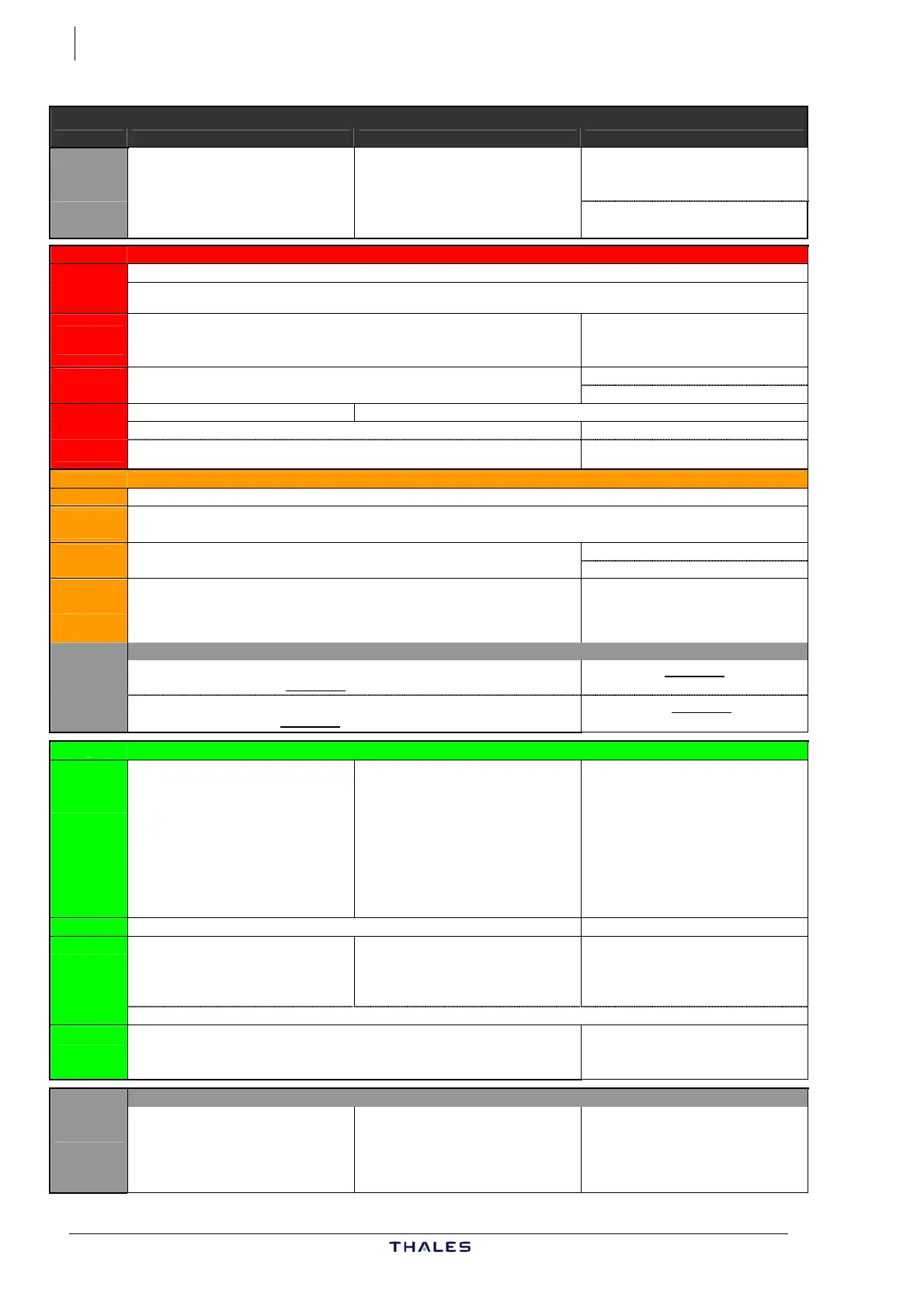
2 FMS RESETS
AUTO RESET OF ONE FMGC
Single reset Double reset Triple reset
An automatic reset is termed as
double, if a second reset occurs within
one minute after the first.
A reset is termed as triple, if a third
reset occurs within one minute after the
second.
After a triple reset the FMGCs switch
to SINGLE MODE.
ON THE FAILED SIDE
ND Red flag MAP NOT AVAILABLE
SET OFF SIDE RNG/MODE message (amber) is displayed,
if the two ND ranges or modes selected on the EFIS control panels are different
AP - FD -
A/THR
If engaged, AP - A/THR may be lost.
If engaged, managed modes may revert to selected.
If engaged, AP-FD-A/THR are lost.
If engaged, managed modes revert to
selected.
FMA Reflects degradation Reflects degradation
Failed side FD becomes blank
MCDU May revert to MCDU MENU page Reverts to MCDU MENU page
FM FAIL may be momentarily illuminated FM FAIL is illuminated
<FMGC (OPP) prompt may be momentarily displayed, then replaced by <FMGC
(OWN) prompt.
<FMGC (OPP) prompt is displayed
ON THE OPPOSITE SIDE
ND Not affected
AP - FD -
A/THR
Not affected
FMA Reflect degradation AP/ATHR become blank
Failed side FD becomes blank
MCDU IND momentarily illuminated
On POSITION MONITOR page, the
failed FM position remains dashed.
INDEPENDENT OPERATION message (amber)
momentarily displayed on scratchpad
ECAM and AURAL warning
if AP disconnects:
Red warning
AUTO FLT AP OFF and aural warning
Red warning
AUTO FLT AP OFF and
aural warning
if A/THR disconnects:
Amber caution
AUTO FLT A/THR OFF and aural warning
Amber caution
AUTO FLT A/THR OFF
and aural warning
RECOVERY
FMS All data in affected FM are saved.
All data in affected FM are erased, but
through dual function, the FMGCs
resynchronize.
Affected FMGC switches to degraded
mode and is not available.
The affected FM position is
reinitialized to the IRS position, and
the EPE is set to zero. A position
difference may appear between
FMGCs.
FMGCs must be used in SINGLE
mode
AP - A/THR Re-engage as necessary Use opposite AP
MCDU If MCDU MENU page is displayed: Wait 2 minutes
Select <FMGC (OWN) prompt Select <FMGC (OWN) prompt Select <FMGC (OPP) prompt
Otherwise the current page remains
displayed
OWN FMGC IN PROCESS message (white) is displayed on scratchpad
ND
If SET OFF SIDE RNG/MODE message (amber) is still displayed, recycle EFIS
panel RNG/MODE
The EFIS panel on the side of the
remaining FMS must be used for both
NDs display.
MANUAL RESET
Not required
If C/B pulled during the minute
following a Double Reset this may
lead to a “Degraded mode".
The FMGC may be reset.
Apply the following procedure:
- Pull C/B for 5 seconds,
- Wait 1 minute,
- Pull again C/B for 5 seconds.
Or Pull C/B for 12 minutes.
J43126AA 00
© THALES AVIONICS S.A.
AIRBUS A318/319/320/321



 To Next Page