179
OUTPUTTING RESULTS
6.1.1. Making Movies - Automatic
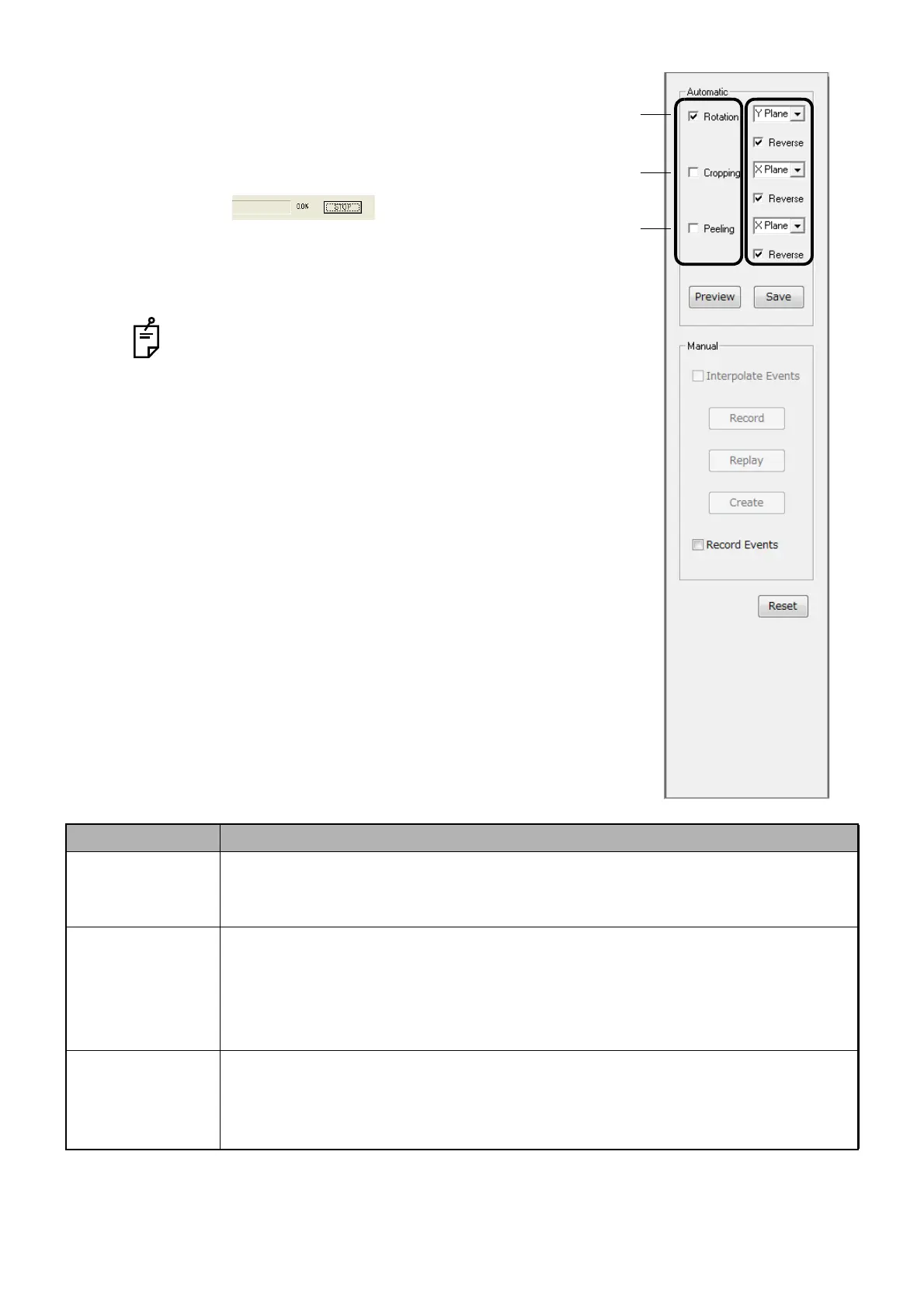
1 Select a necessary item among the following parameters A.
2 Click the [Preview] button, and the operation of the selected
item starts.
3 Click STOP in the process pop-up win-
dow to abort previewing procedure.
4 Set one of the following parameters B to adjust operation.
Click Reset to restart the movie making process.
Make sure that the Volume window is not blocked by
any images or other open windows.
5 After a movie is made, click [Save] to save it.
[Parameters list]
Parameters A Parameters B
1. Rotation X Plane: Rotates in the X Plane direction.
Y Plane: Rotates in the Y Plane direction.
Z Plane : Rotates in the Z Plane direction.
2. Cropping X Plane : Crops in the X Plane direction.
Y Plane : Crops in the Y Plane direction.
Z Plane : Crops in the Z Plane direction.
XZ Planes : Crops in the X/Z Plane directions.
XYZ Planes : Crops in the X/Y/Z directions.
3. Peeling X Plane: Peels in the X Plane direction.
Y Plane: Peels in the Y Plane direction.
Z Plane : Peels in the Z Plane direction.
(Select the [Reverse] check box, and operation is done in the reversed direction.)
1
2
3
Parameters A Parameters B












 To Next Page