GPS/Steering Setup
93
PN 4004700–ENG Rev. K
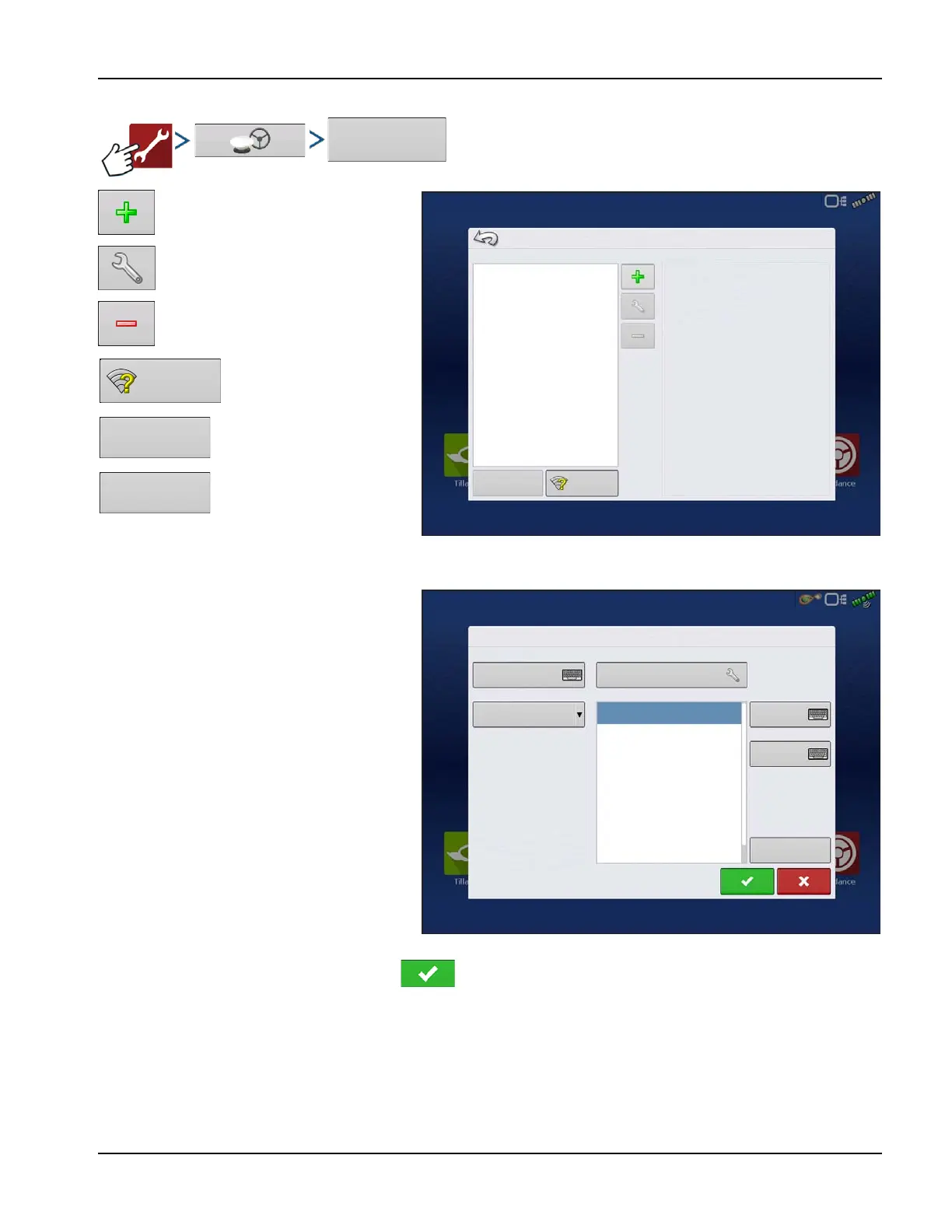
RTK Settings - NTRIP RTK on InCommand
Create profile
Edit profile
Delete profile
Access wireless Networking
Connect to NTRIP Stream
Disconnect from NTRIP Stream
÷
NOTE: Display must be connected to
network/hotspot with active internet connection before a profile can be created.
When creating or editing an NTRIP profile, the
following information must be entered in the
InCommand display:
1. Profile Name
• User Specified
2. Baud Rate
• GNSS receiver specific
3. Server
4. Streams
5. Username
6. Password
÷
NOTE: The information for items 3-6 is
obtained from the NTRIP Network
Provider.
Once the information has been entered, press
to begin using NTRIP.
NTRIP Client Settings
Profiles
Active Connection
Status: Disconnected
Profile:
Server:
Stream:
Connect
Networking
NTRIP Profile Settings
NTRIP-1
Server
Username
Agleader
Password
********
Profile Name
RTCM2_IMAX
RTCM3_NEAR
RTCM3_IMAX
RTCM2_NEAR
CMR_NEAR
CMRP_NEAR
Info
RTCM3_MAX
38400
Baud Rate
Streams
165.206.203.10:10000



 To Next Page