74
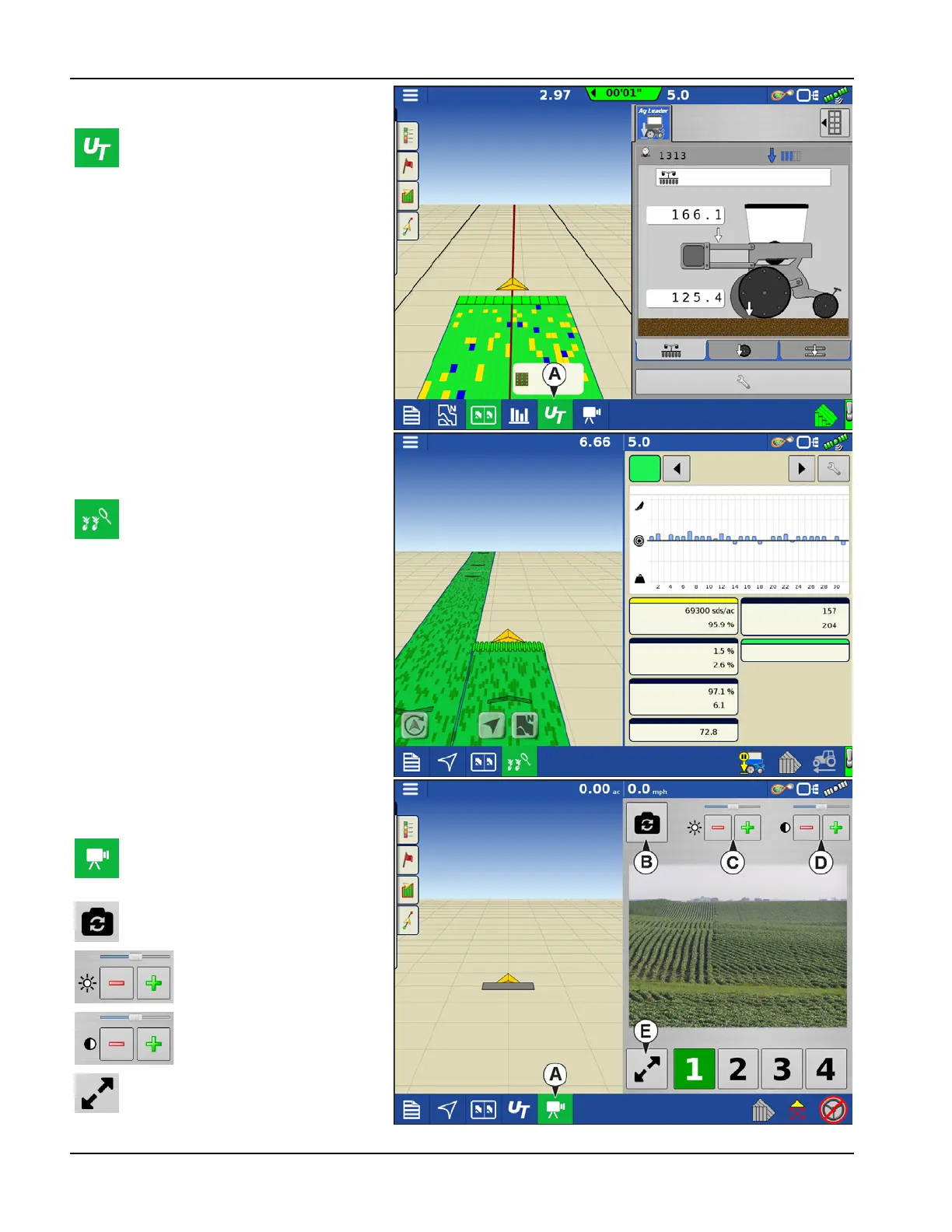
Universal Terminal Split Screen
Split Screen Advanced Seed
Monitoring
Split Screen Video
By pressing the UT button (A) from the
map screen the display will split the
screen between Map screen and
Universal Terminal.
When using a Seed Monitoring
Module, pressing the advanced seed
monitoring button (A) will split the
screen between the active map and
the advanced seed monitoring page.
(A) With Cameras attached, pressing
the video button with split the screen
between the active map and the
video page.
(B) Mirror Video Input
(C) Brightness Adjust
(D) Contrast Adjust
(E) Full Screen/Split Screen selection
All Rows
Skips:
Doubles:
Meter Speed:
Spacing Quality:
Seed Spacing:
All
Rows
Down Force Trends
Population
Gauge Wheel:
Singulation:
Down Force:
Down Force Trends



 To Next Page