90
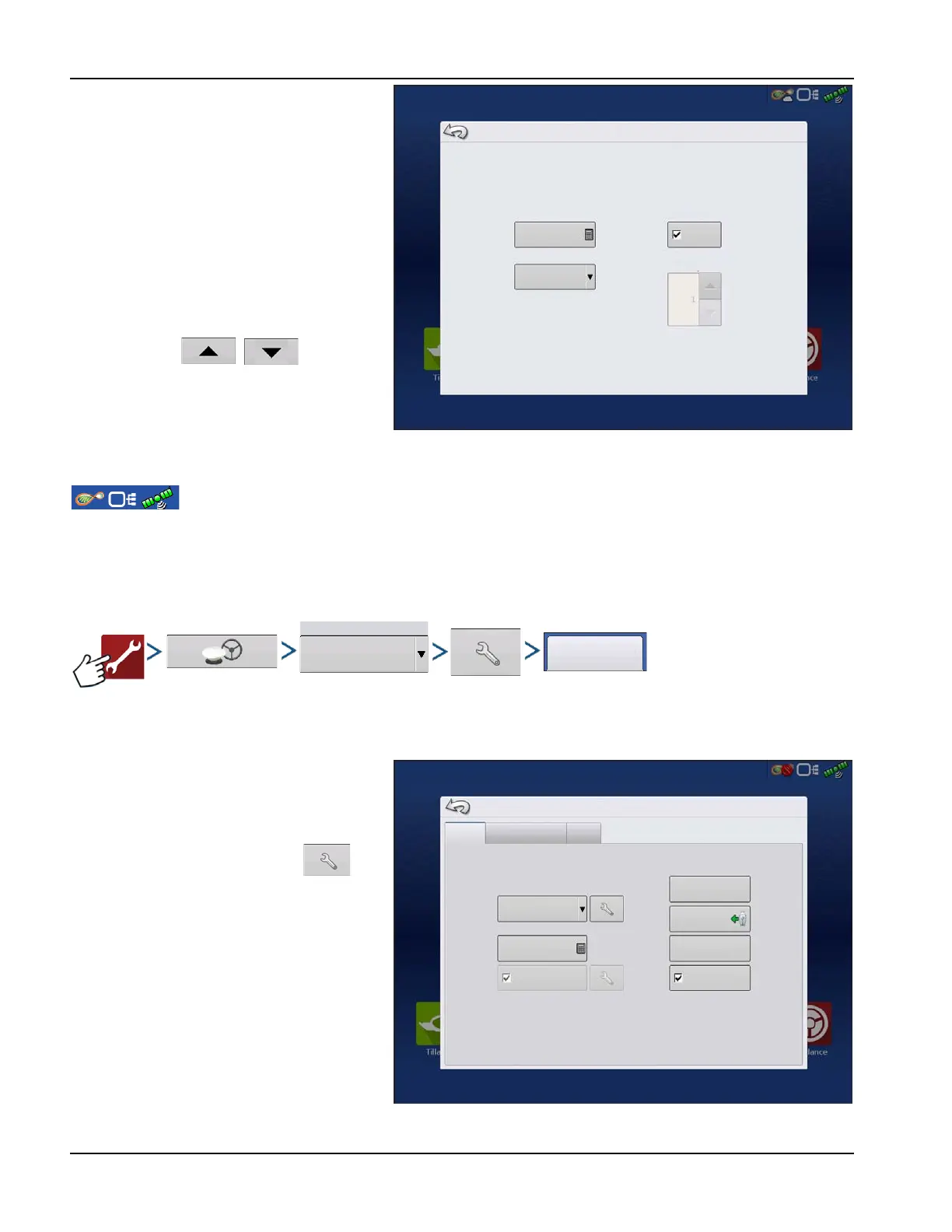
Spacing—Enter the distance represented by
each square of the lightbar ½–6 ft (3–182 cm).
Mode
• Chase—Center the vehicle by following
the indicator lights.
• Pull—Center the vehicle by turning in the
opposite direction of the indicator lights
on the lightbar.
Internal Lightbar—Check Enable to utilize the
internal lightbar.
External Lightbar LED Brightness—If
applicable, press / to enter in a
number specifying the brightness of the LED
lights on the optional L160 external lightbar. The
number 1 is the dimmest setting and 10 is the
brightest. Default setting is 5.
GPS Button
During field operation, the GPS (Status Indicator) button in the upper right-hand side of the Status Bar
should appear green, which means display is receiving a differential GPS signal. If this icon appears yellow, system is
receiving GPS but are not receiving a differential signal; and if it appears gray, GPS is lost. In either case, check GPS settings.
Guidance/Steering, Lightbar Settings, and Required Differential Correction for Guidance.
Serial GPS Settings
÷
NOTE!: Default settings for the 6000/6500 receivers should not need to be adjusted from factory settings.
Differential Source—Select choice of GLIDE,
WAAS/EGNOS, TerraStar®, RTK External, RTK.
Options available are based on receiver type and
unlocks.
Differential Source Wrench Icon —
Pressing the Differential Source Wrench button
opens different settings screens, depending on
the differential source selected.
Age of Differential—Displays the elapsed time
since reception of last differential correction
signal. The Age of Differential button is only
functional when GPS is connected.
StableLoc® checkbox—StableLoc maintains
accurate steering – even when correction signal
is temporarily lost – by seamlessly transitioning
to the next available signal source. When the
signal is restored, the system will then transition
back to the higher accuracy source, eliminating position jumps. Press to enable.
Lightbar Settings
Spacing
Mode
Chase
Internal Lightbar
Enable
External Lightbar
LED Brightness
6
1
General
60
Port A (Connected)
Port B
WAAS/EGNOS
Differential Source
Age of Differential
NMEA Talker
Reset to
Defaults
Upgrade
Firmware
Features
StableLoc
GPS Settings



 To Next Page