DisplayCast
59
PN 4004700–ENG Rev. K
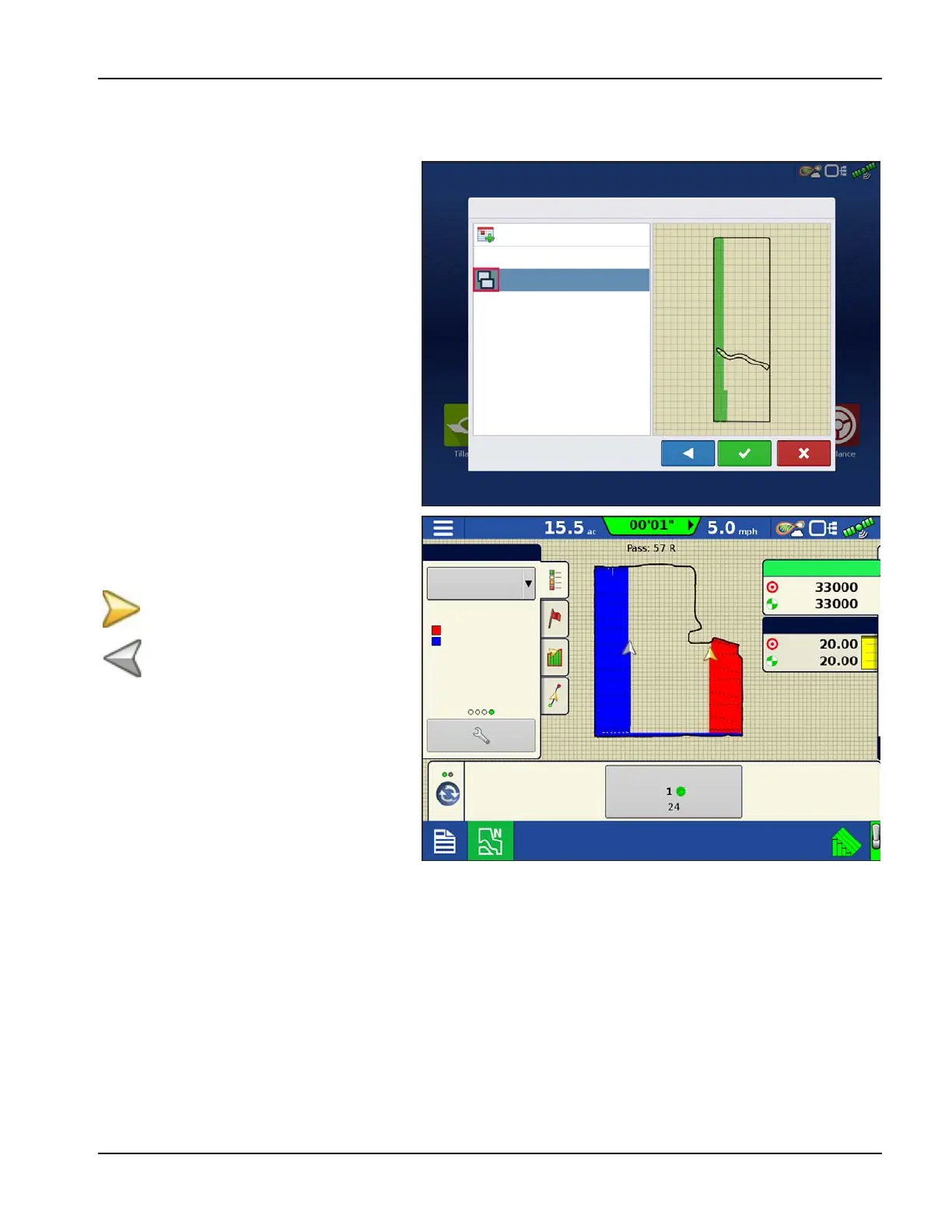
Starting an event for multiple displays in the same field and operation
InCommand displays running the same operation and sharing maps for Autoswath must be in the same event. If each
display starts separate events the maps will not automatically update on screen for Autoswath.
1. The first display to the field starts the initial
event and loads a configuration to the
Mapping screen.
2. An active event will be available to load
during the Field Operation Wizard for all
other displays in the operation to select.
A. Active events within the same
operation are identified with a
DisplayCast symbol next to the
event name. Additionally the
preview window will populate and
update with the current coverage
for the field.
B. From this point forward, the
coverage and attribute maps will
automatically fill in with data from
all active displays in the event.
On the Mapping screen, each machine logged
into AgFiniti will have a vehicle icon indicator.
Gold icon represents current vehicle
location
Gray icon represents other vehicles in
the same field.
Start New Event
Event Selection
Event: 2016-09-24_11:52:13
Event: 2017-10-21_11:52:13
32% UAN
Hydraulic Drive Planter
SureDrive Planter
Hybrid 1
sds/ac
gal/ac
Planter Drives (rpm)
Equipment
Legend
Hybrid 1



 To Next Page