Configurations
21
PN 4004700–ENG Rev. K
• Export data
• Upgrade firmware
• Advanced options
• Advanced Options with USB
• Ability to create/restore backups from USB
• Options for exporting log files
• Export by grower
• Export data at shutdown
• Export all log files
Forgotten Passwords
When a Manager forgets his password he won't be able to access Setup. Tech Support will be able to generate a password
based on the serial number and firmware of the monitor.
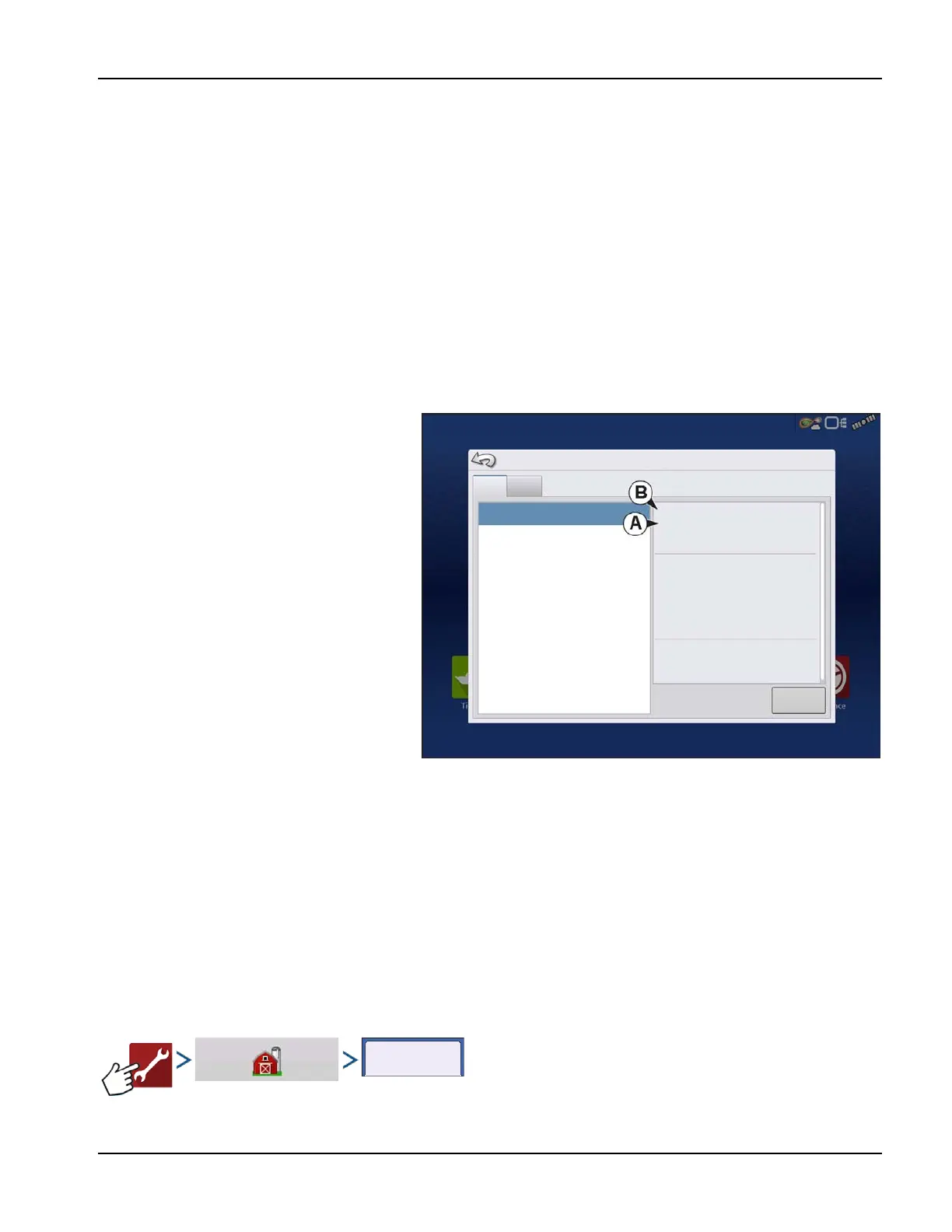
Password generator will require the following
information:
A. Display serial number
B. Release—Firmware version
Only needed when a Manager forgets their
password and works within the display until
firmware is upgraded.
How will Tech Support identify if the person
calling in is a Manager or not?
They will ask the caller, “Are you a Manager in the
display?” If the customer answers yes, Tech
Support will generate the password. If the
customer answers no, Tech Support will require
a Manager to authorize the display to be
unlocked.
What if a customer doesn’t want to risk
forgetting passwords and generating new
ones?
A display does not need to be locked with a password. The display can be operated without passwords. Operators can also
be setup with limited or customized access without passwords.
÷
Tips
• Managers keep a record of all passwords set in the display.
• Operators write down personal password.
• To avoid Operators obtaining unwanted access to a display, instruct them to call a Manager for help with
passwords before Tech Support.
Businesses tab
The businesses are displayed in lists, with the active business displayed in bold face type. All new data is logged to the
active business; therefore a business must be set as active before logging any new data to it.
Devices
Release: 1.0
Legal Description
Hardware Rev: 1.0.0.44
Application:
Branch:
Build:
Schema:
Interchange: 20
Database: 6
Run Time: 00:28:55
Boot Counter: 716
Diagnostics
File Format: 6
Serial Number: 2420000012
CAN A
Hardware ID: 4004300
CAN B
DISPLAY



 To Next Page