112
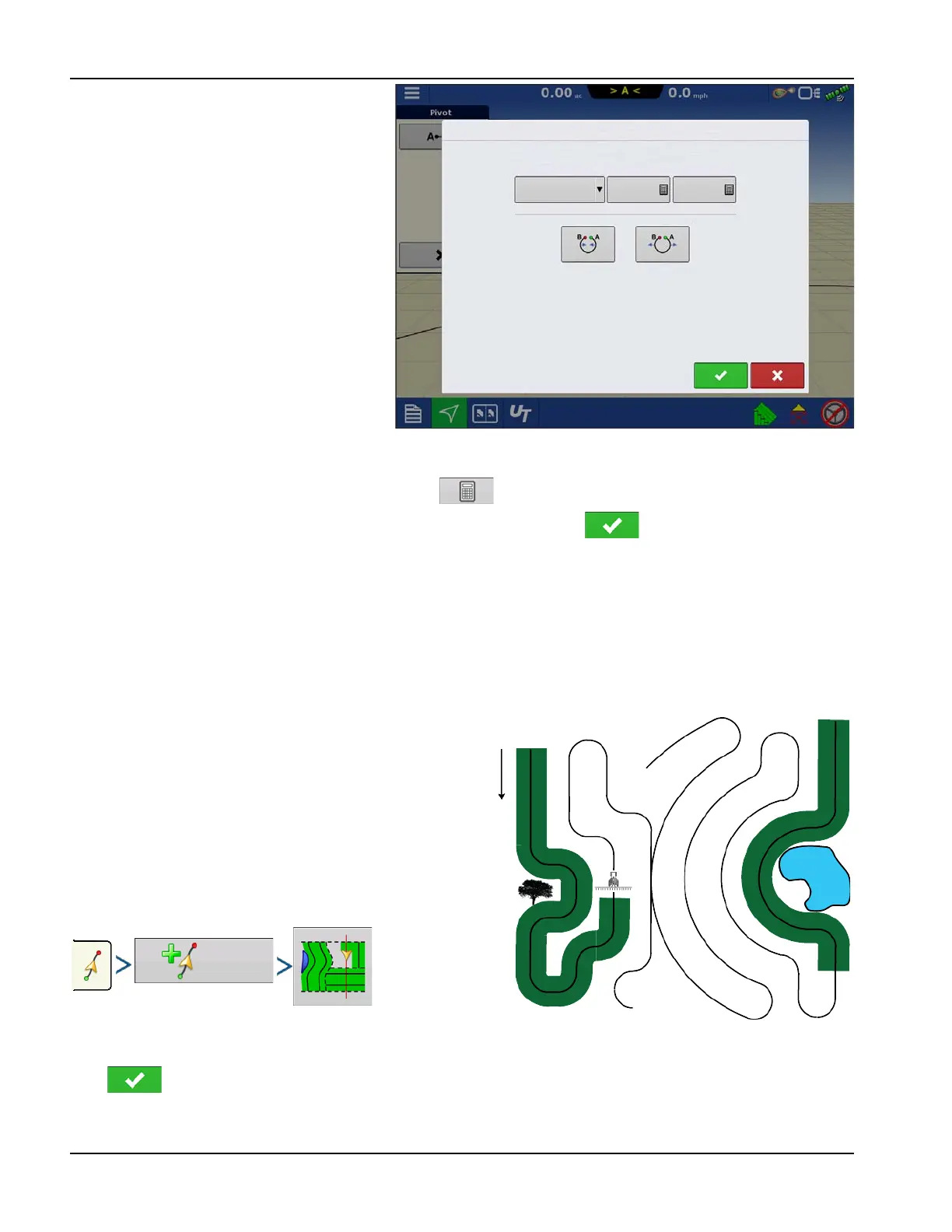
1. Set the Field Edge. Do this when the Pivot
Field Edge window appears on display.
From here, choose one of three options:
Shift By Distance—This sets the field
edge as the distance and direction in
relation to the AB Line created. In the Pivot
Field Edge Distance portion of the
window, enter the distance in feet and
inches.
Shift By Rows—This sets the field edge
as the number of crop rows multiplied by
the number of spacing. In the Pivot Field
Edge Distance portion of the window,
enter the Number of Rows and Row
Spacing.
Cancel
The vehicle uses the driven pass as the AB
Line.
2. If Shift by Rows was chosen in the previous step, use to enter the Number of Rows and Row Spacing. Choose
the direction relative to the AB Line (either Outward or Inward), and press to continue.
3. Steer the vehicle so that green lights are centered in the lightbar as path is driven.
÷
NOTE!: To work from the center of the field outwards, the initial pivot must have:
• A radius of at least two swath widths.
• An arc length of at least two swath widths.
New Pattern—SmartPath®
The SmartPath™ pattern is designed to give guidance from any
previously-driven pass. This is used in irregular-shaped and
terraced fields where all passes cannot run parallel to each other.
SmartPath allows moving to a different area of the field, and
resuming a previous guidance pattern later.
SmartPath can be used to create straight AB patterns within the
SmartPath pattern. Cycle between Straight AB and SmartPath at
any time within SmartPath guidance pattern.
Select SmartPath
System defaults pattern type to last used. Press the pattern icon
to select a different pattern.
Press . Automatically return to the Mapping screen.
Pivot Field Edge
Meters
Shift By
Distance
Inward
Outward
Pivot Field Edge
Shift Pattern



 To Next Page