126
• Weather information
• Soil condition
Conditions
Equipment
Equipment attributes specific to operation being performed
Product
Product attributes specific to operation being performed
Memo
Press
to input, edit, or delete Field Notes.
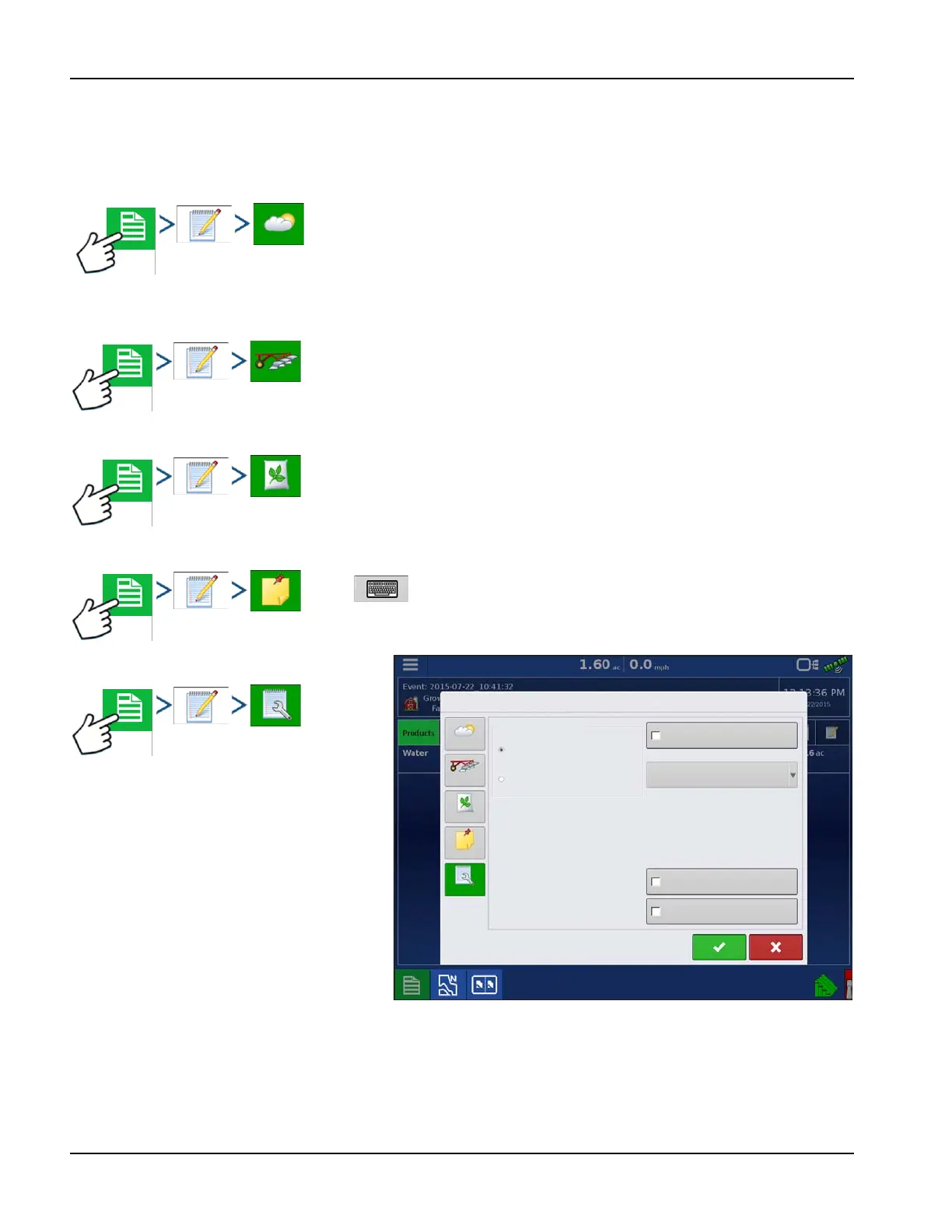
Settings
Change settings that affect the creation of
application reports.
• Auto Generate Application Report
Check this option to have the display
automatically generate an application
report each time a new event is started.
• Copy Notes from Previous Region
Check this option to copy all values already
specified in Report Details for the previous
region over to a new region.
• Prompt for Field Notes
Check this option to have the display automatically launch the region summary data collection dialogue box each
time a new region is created during application rate control.
• Report Map Appearance
• Multi-Color Rate
Weather Soil Conditions Crop Timing
Sky Condition
Wind Direction
Wind Speed
Air Temperature
Humidity
Tillage Type
Crop Residue Level
Soil Condition
Soil Moisture
Soil Temperature
Operation Timing
Target Crop Type
Growth Stage
Field Notes
Multi-Color Rate
Single Color Coverage
Conditions
Equipment
Product
Memo
Settings
Copy Notes from Region to Region
Prompt for Field Notes
Report Map Appearance
Automatically Create
Application Reports
Creation Trigger
Event Change



 To Next Page