AgFiniti
41
PN 4004700–ENG Rev. K
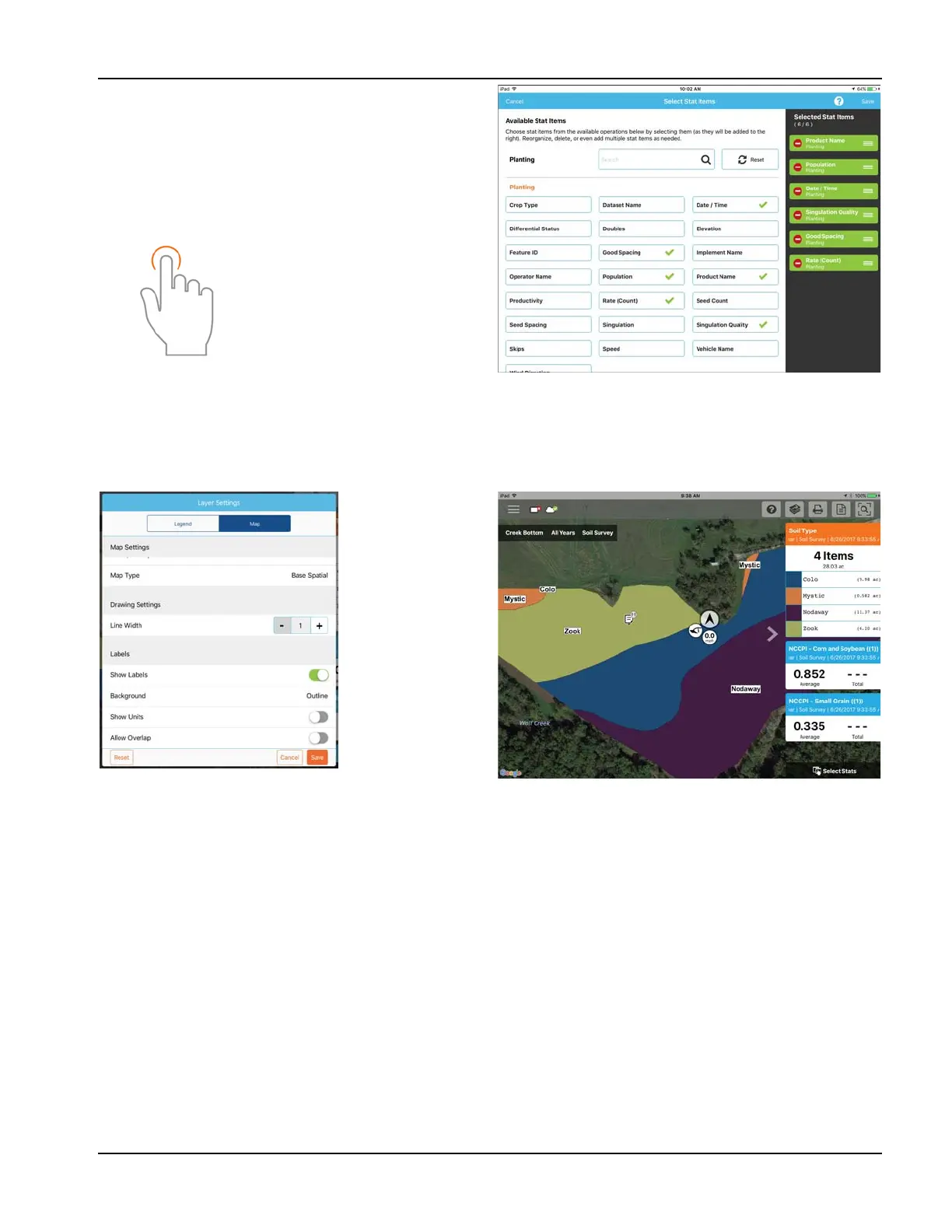
Tap on a Stat Card to add to the list on the right. To remove a
Stat Card, tap on the red circle.
÷
NOTE!: When changing or resetting Stat Cards,
AgFiniti Mobile will do so by filtered operations. For
example, if Planting is selected in the field filter and
stats are changed, it will do so only for Planting.
Labels
Labels can be turned on for sparsely populated base maps (soil sampling) and contoured maps (yield maps) and make it
easier to view information for the mapped field. To turn on labels, swipe left on the desired stat card and tap Edit Settings.
Then tap the Map option, toggle labels on and make any needed changes to their appearance.
÷
NOTE!: Make sure to set the map type to Contour in order to view labels on yield and other more dense datasets.
Use the tap gesture to make
selections.



 To Next Page