Field Operations
71
PN 4004700–ENG Rev. K
7. “Shift” will start a 10 second survey and
update the map with the new current
position.
8. Any time a reference point or shift needs
cleared it can be accomplished via Map
Shift Options.
Mapping Features
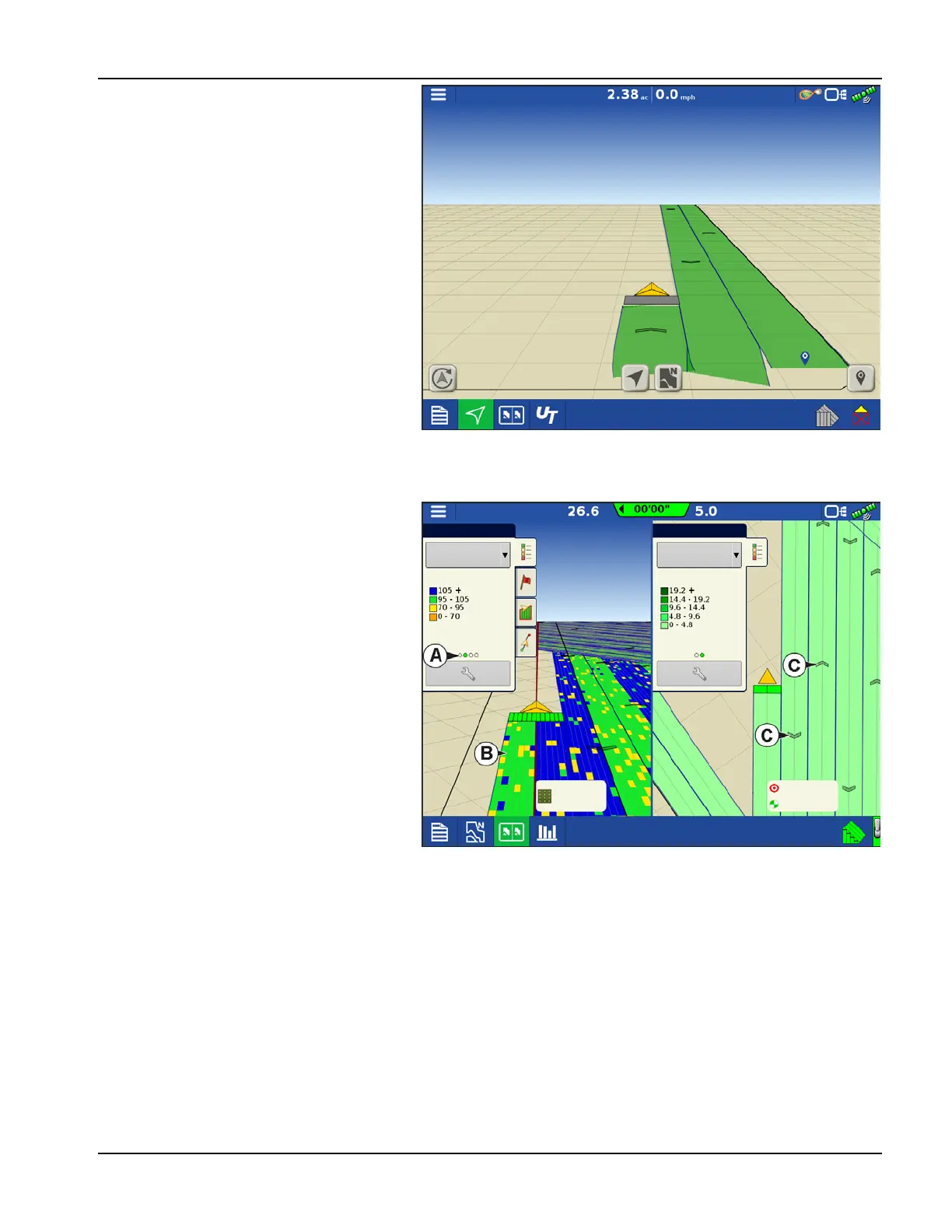
In a planting operation the InCommand 1200
display is capable of mapping information based
on individual rows.
A. Dots in the legend indicate other attributes
are available to map. Swipe to show
different attributes.
B. Screen shows row by row mapping. Display
shows and logs row by row planting
attributes in any view when paired with Ag
Leader Seed Monitor Module.
C. Travel direction indicators automatically
populate at intervals when operating. This
feature can be toggled on/off in Map
Options.
Legend
Legend
Seed Monitor
Starter
Population %
Rate
Pass: 7 L
32000 sds/ac
12.00 gal/ac
12.00 gal/ac



 To Next Page