Guidance and Steering
109
PN 4004700–ENG Rev. K
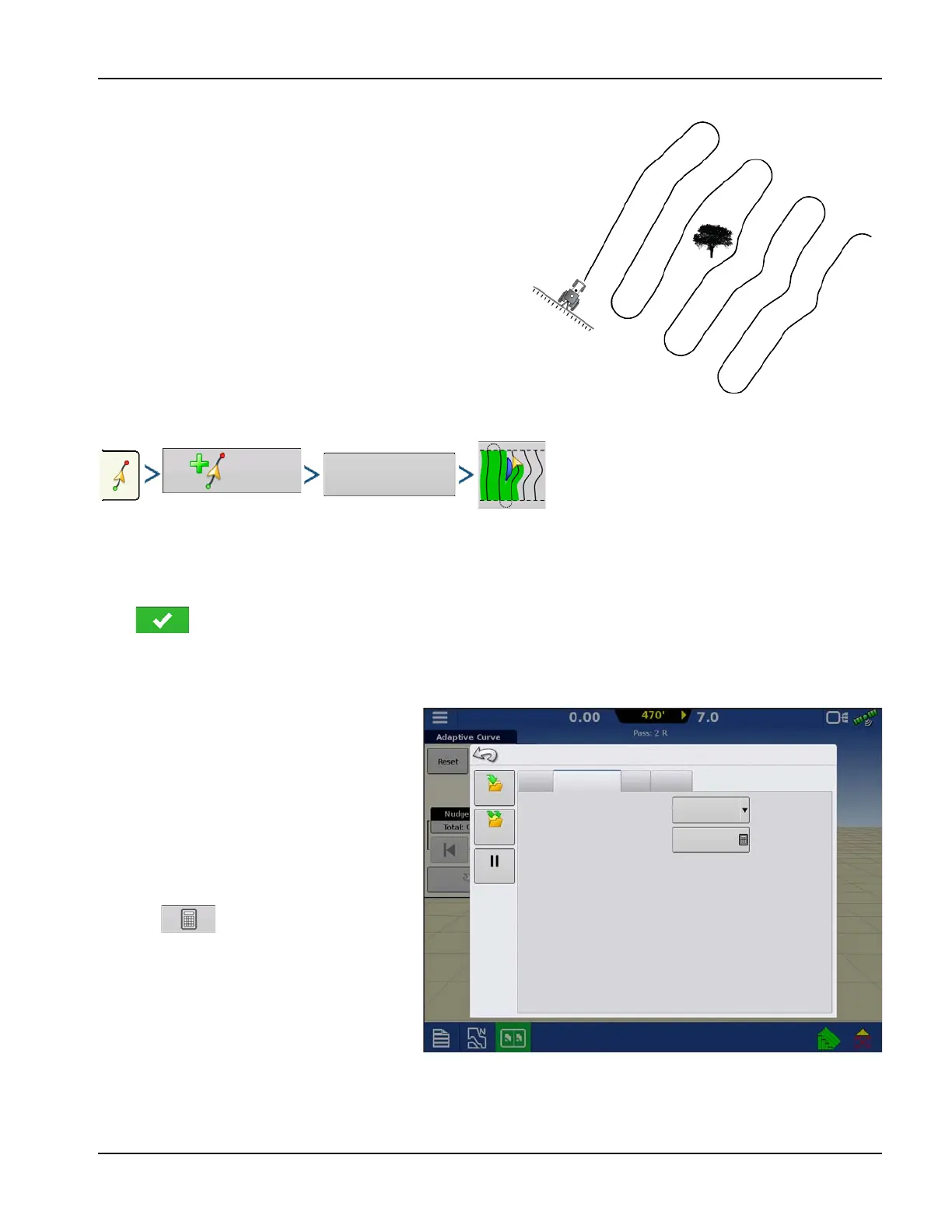
New Pattern—Adaptive Curve
Use the Adaptive Curve pattern to follow gentle contours in the
field, or to avoid obstacles. This pattern provides guidance based
on the last curve driven.
Select Pattern
System defaults pattern type to last used. Press the pattern icon to select a different pattern.
• Implement Width (from Implement Setup)
• Guidance Width input box
Press . Display returns to the Mapping screen.
÷
NOTE!: Guidance extends beyond the end of curved swaths. This makes it possible to get LED guidance back onto
the swath if the vehicle drives past the end of a swath. The extended swath lines do not appear on screen.
Adjust the degree heading at which the system
generates the next pass by doing the following:
1. Go to the Guidance screen.
2. Press the Options button.
3. The Guidance Options screen appears;
press the Adaptive Curve button.
4. At the New Pass drop-down menu, select
Heading Change.
5. Use to enter in the degree number
of Heading Threshold.
Patterns are automatically saved when the
vehicle turns for the first time.
Nudge
Adaptive Curve
Shift
Lightbar
Save
Save
Group
New Pass
Heading Threshold
Heading Change
Guidance Options
Pause



 To Next Page