Summary Reports
125
PN 4004700–ENG Rev. K
Configuration View
• Shows data of a specific configuration
• Area Only
• Daily Breakdown
• Daily Subtotals
• Configuration Total
Date Range
• View data in a certain date range.
• Only used in Operator or Configuration view.
• Defaults to first and last day of logged data in the season.
• Can only select days within that date range.
• Create Report button will create all Smart Reports within the defined date ranges.
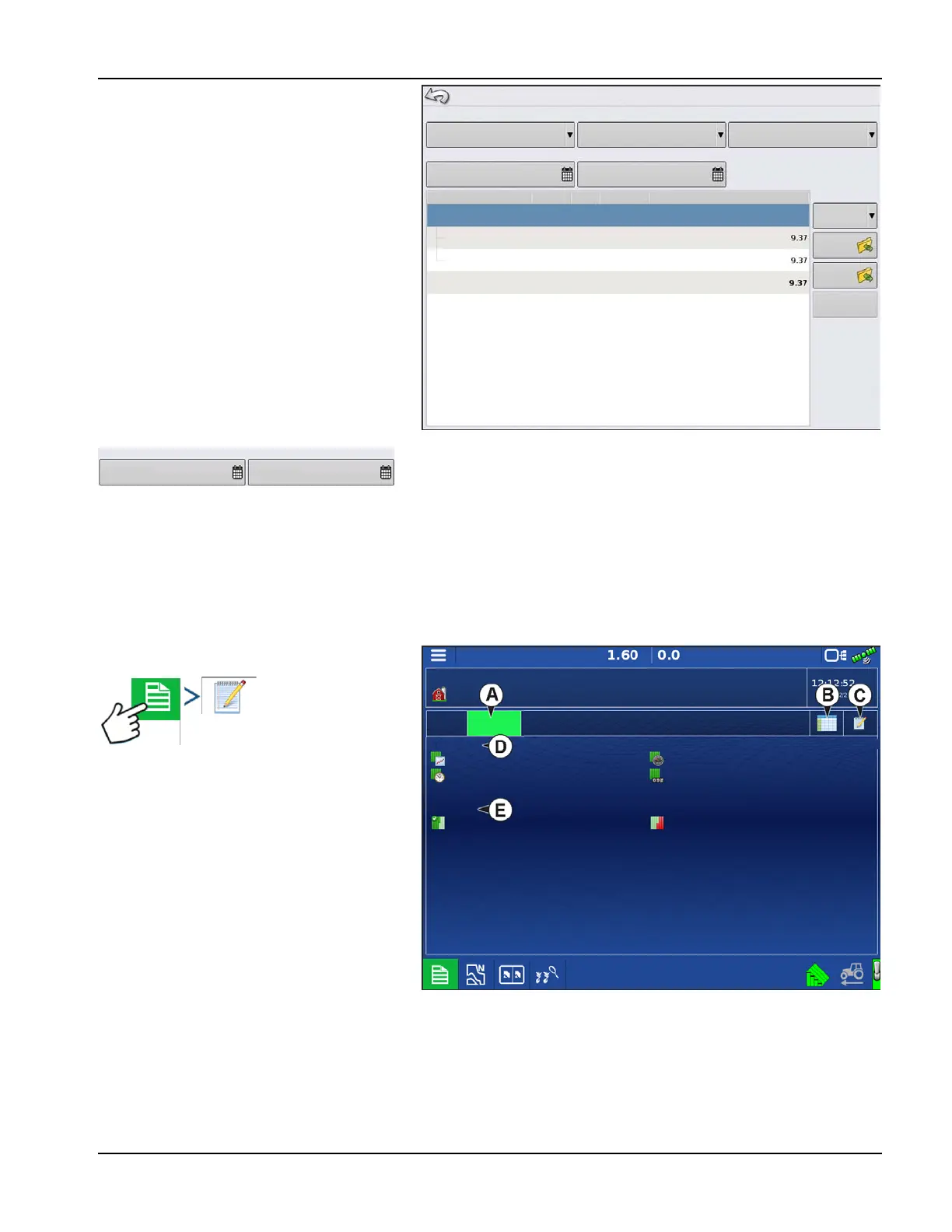
Event Summary
The event summary page allows the user to
access productivity information specific to the
current event as well as summary information,
field notes, and Smart Reports.
The Event Summary page is available during any
field operation.
A. Productivity Information
B. Summary Reports
C. Field Notes
D. Display Totals
E. Field Totals
Field Notes
The Field Notes button is where the following agronomic information is entered:
• Crop information
• Application timing
Summary Report
Season
2014 Crop
July 22, 2015
Start Date:
Operation
Liquid
July 22, 2015
End Date:
Tractor, Spray
Date Created
Configuration
Grower
Farm
Field
Area
07/22/2015
2015-07-22_10:41:32 Ag :eader Farm 1
View Mode
Configuration
Create
Report
View
Report
View
Map
North
Subtotal:
Total Area
Start Date:
End Date:
June 10, 2014 June 12, 2014
Event: 2015-07-22_10:41:32
Grower: J erstra
Productivity
Products
Display Totals
Farm: lersm
Field: NW 40
Productivity.
Operating Time:
Field Totals
Area Complete:
Average Speed:
Distance Traveled:
Area Remaining:
23.5 ac/hr
0:39:45
22.6 ac/hr (64.6 %)
4.9 mph
17248.7 ft
12.4 ac (35.4 %)



 To Next Page