AgFiniti
43
PN 4004700–ENG Rev. K
Zoom Options
Use tap to make a selection.
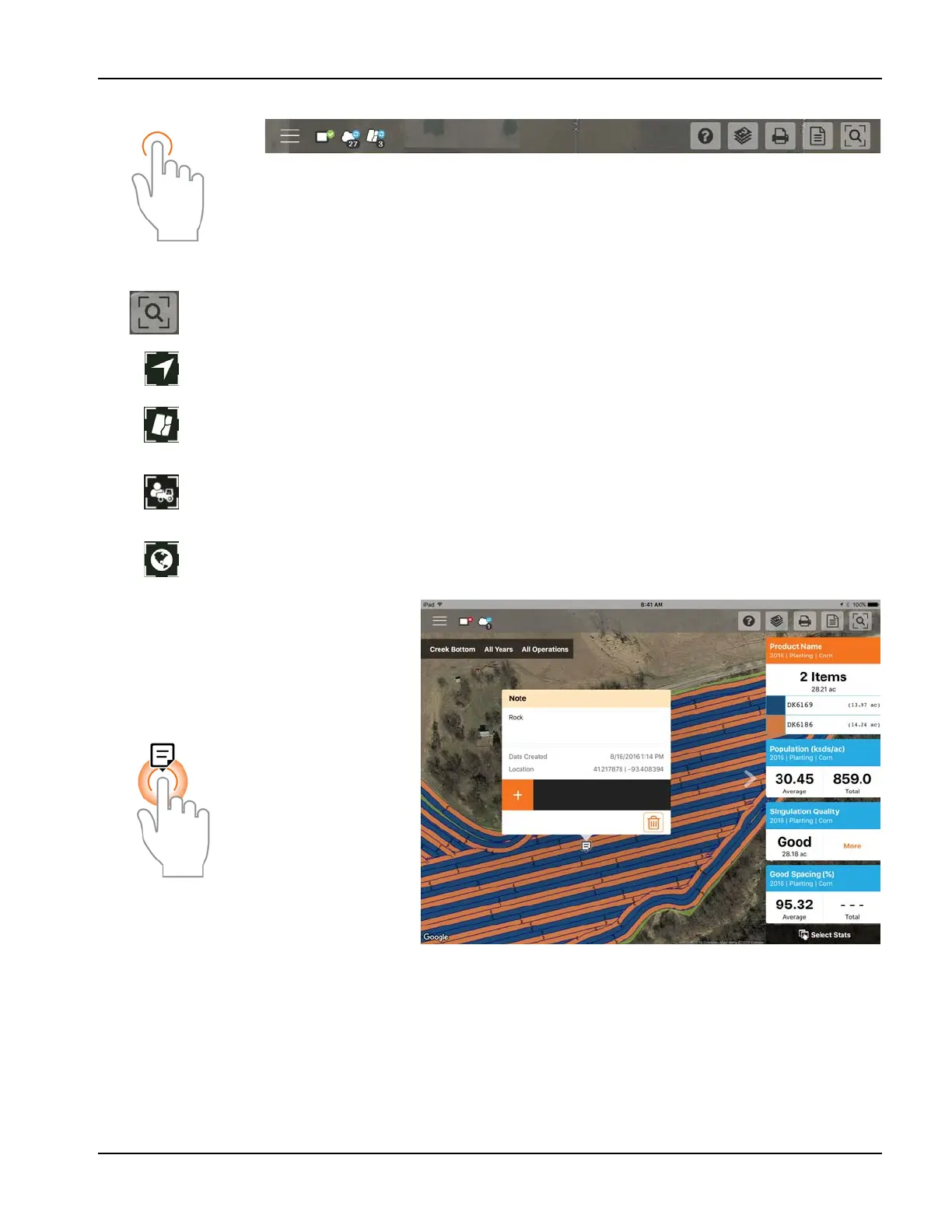
Add Note
Tap and Hold on a specific location of a field to
add a note. In the popup, enter a description by
tapping in the description field. To link an image,
tap the plus sign and choose to either take a new
picture or link an existing one.
Once the note is created, move it by tapping and
holding on the note and dragging it to the
desired location. Also, delete the note if needed.
Only notes added in this way can be edited.
Marks and Notes imported from an InCommand™ display cannot be altered.
The AgFiniti Essentials license will allow notes to sync with AgFiniti Mobile and AgFiniti Cloud and other iPads with AgFiniti
Mobile.
Access the various zoom options present in the app.
Zoom Current—Sets the zoom level to your GPS location, keeps you centered on the map, and the stat
cards will update as you move across the data for your field. Location access must be granted to the app.
Zoom Field—Sets the zoom level to the currently mapped field shown in the
Field/Seasons/Operations filter.
Zoom Device—Sets the zoom level to all devices logged in AgFiniti (with GPS location and Essentials
license). Only devices within 60 miles from the AgFiniti Mobile location will be displayed when Zoom
Devices is pressed. Vehicles farther away can be viewed but user must manually pan the map to find
them.
Zoom World—Sets the zoom level to show ALL fields in the app.
Tap and hold to
add a note.



 To Next Page