118
Guidance Options
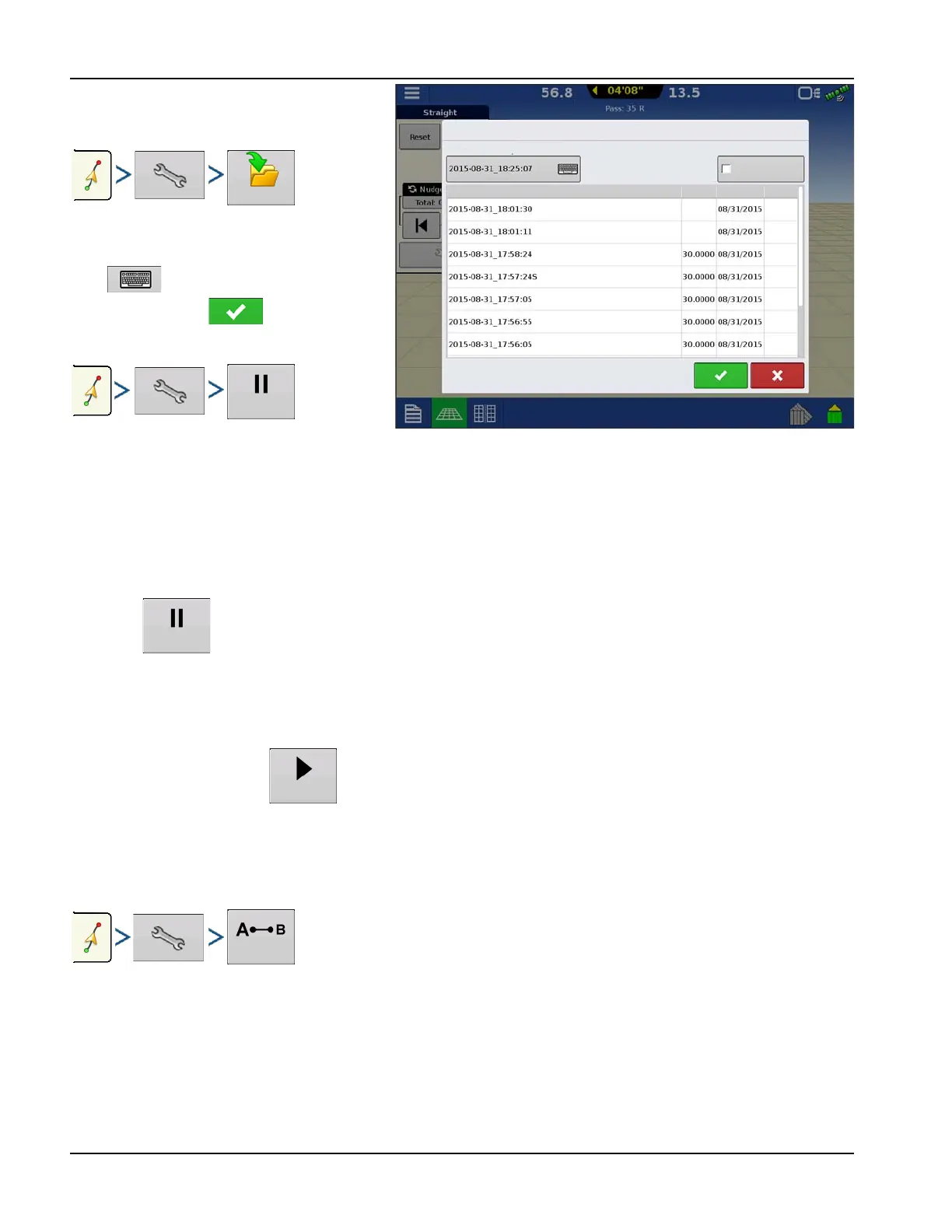
Save
This allows the pattern to be saved to the
display's internal memory.
Press and enter a unique pattern name.
When finished, press .
Pause
The Pause button allows the display to stop
logging points along an AB Line. Once this button is pressed, a Resume button will take place of the pause button until
pressed to continue logging.
÷
NOTE!: When using the display to follow a set AB Line and wish to temporarily deviate from this line, use the Pause
button to pause the display's guidance logging activity. This feature could be used, for example, by a vehicle
operator who must refill a sprayer. When paused, the display will continue to give the distance back to the original
pause point position.
• Press on the Guidance screen. When pressed, the paused location appears on the Mapping screen as a
yellow ball.
÷
NOTE!: Pause can be used even without a “B point” set. When pressed the lightbar message reads “Need B’”. When
pause is pressed after setting an AB line, the lightbar will indicate the distance away from the paused location.
• To resume pattern, press to resume creating the AB Line.
÷
NOTE!: Press the Resume button before returning to the original AB Line, to have display select closest AB Line to
vehicle.
Remark A
Chose Straight patten, the Remark A button appears on the Guidance Options screen. The Remark A button "re-marks" the
A point by moving it to the current position of the vehicle while maintaining the same heading. A brief message appears
in the on-screen lightbar, stating "Point A Remarked."
Nudge
÷
NOTE!: Only Straight patterns offer two Nudge settings. All other patterns have a single nudge setting.
Save Pattern
Save Pattern
Enter New Description:
Show All Patterns
Name
Swath
Created
Type
Group
Group
Curve
Smart
Straight
Smart
Smart



 To Next Page