88
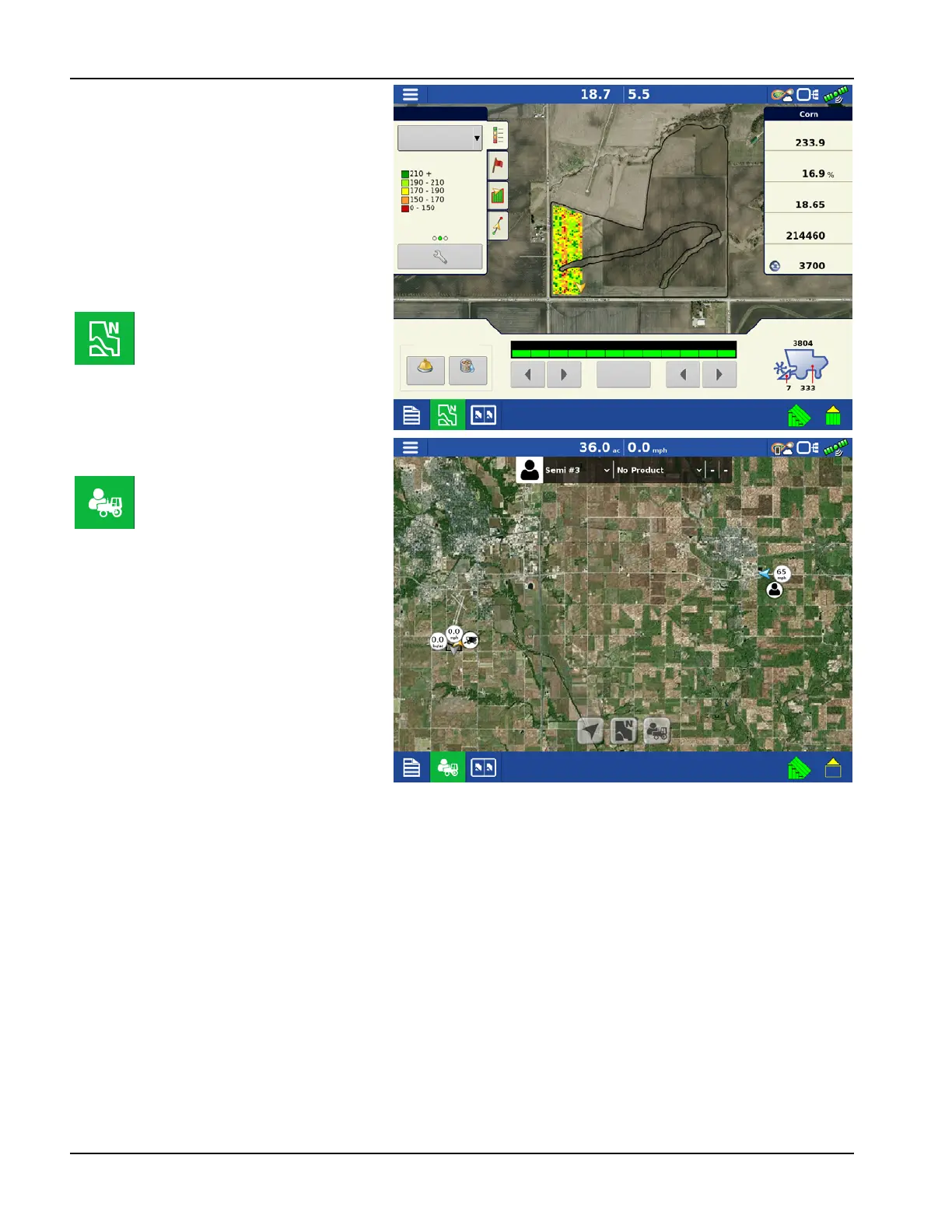
Satellite Imagery on the
Mapping Screen
When the above requirements are met, log into
AgFiniti on the display. See “Logging into an
AgFiniti Account” on page 49. The satellite
background image is downloaded automatically
each time a field is loaded to the Mapping
Screen. If needed, the satellite image may also be
hidden via the Map Options Menu. See “Map
Options” on page 69.
NOTE!: A field boundary is not required for
satellite imagery in the Zoom Devices view.
North Oriented view
(shown to right)
In the Zoom Devices view (shown
to right) an operator can zoom
out to a large area, as compared to
the North Oriented view (shown
above). Operator can also pan the
map over large distances in Zoom
Devices view. Data usage can vary
in this view depending on how
often the operator is using it.
Legend
Corn
Yield
Yield
Moisture
Area
Wet Weight
Dry Bushels
Corn
Weight
Moisture
Grain Calibration
Full
Swath
Rows: 12



 To Next Page