107
PN 4004700–ENG Rev. K
Guidance and Steering
Guidance Tab on Mapping screen
Use the Guidance tab on the Mapping screen to create a new pattern, load an existing
pattern, or adjust Guidance Options and Guidance Settings. This tab changes its
appearance after pattern is created or loaded.
Before creating any patterns, the map screen’s Guidance tab appears as shown.
÷
NOTE!: Guidance pattern will default to the one last used. Guidance patterns can be
set to widths up to 2000 ft.
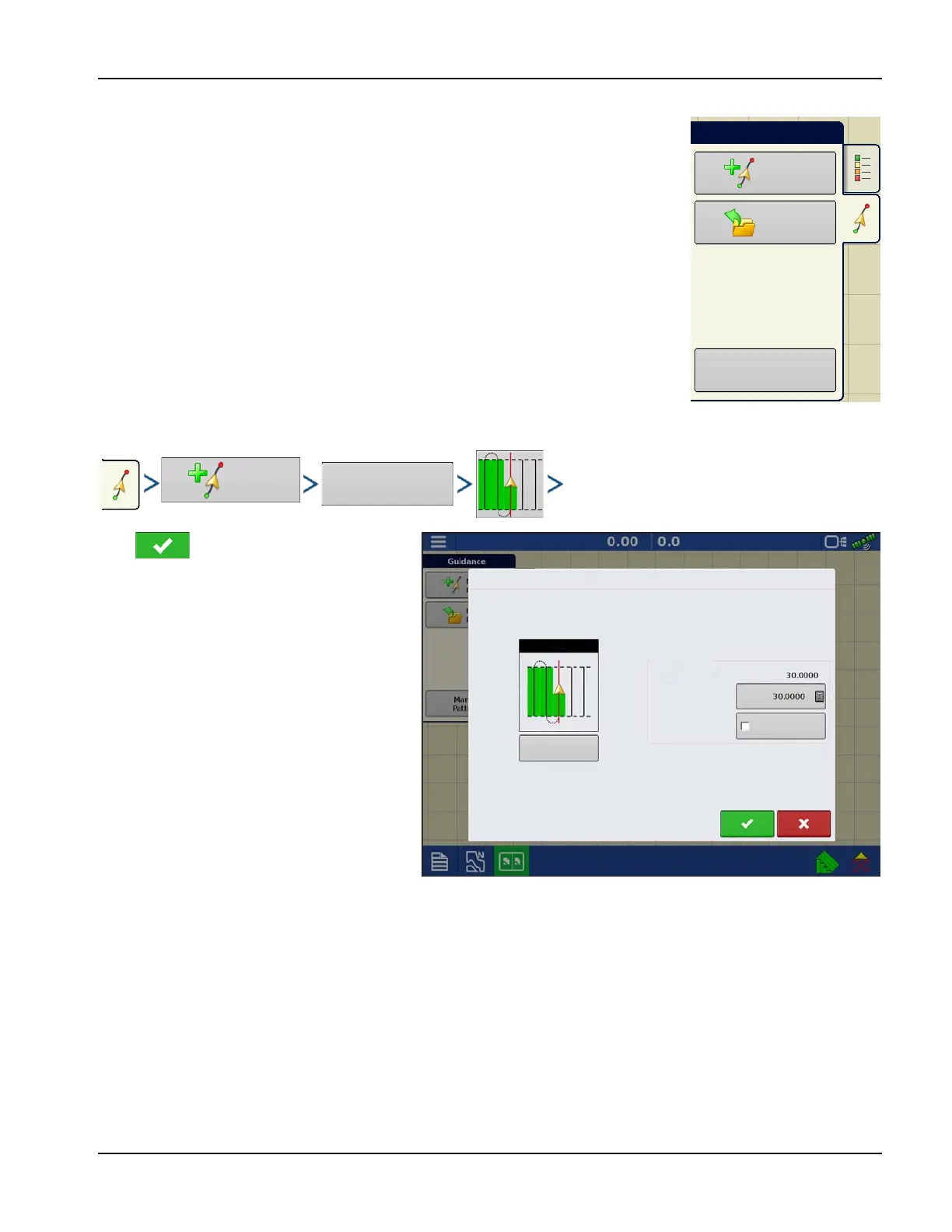
New Pattern—Straight
Select Pattern
Press . Display returns to the Mapping
screen.
System defaults pattern type to last used. Press
the pattern icon to select a different pattern.
• Implement Width (from Implement Setup)
• Guidance Width input box
• Enable Tramlines checkbox. See
“Tramlines” on page 121.
New
Pattern
Load
Pattern
Manage
Patterns
Guidance
New Guidance Pattern
Straight
Change
Pattern
Pattern Options
Implement Width
Guidance Width
Enable Tramlines



 To Next Page