Configurations
19
PN 4004700–ENG Rev. K
Custom Permission—Can allow or deny the
following options:
• Management screen
• Pan/Zoom controls
• Legend Toolbox
• Marks Toolbox
• Boundary Toolbox
• Guidance Toolbox
• Minimize Toolbox
• Each individual guidance pattern
• Ability to remove guidance pattern
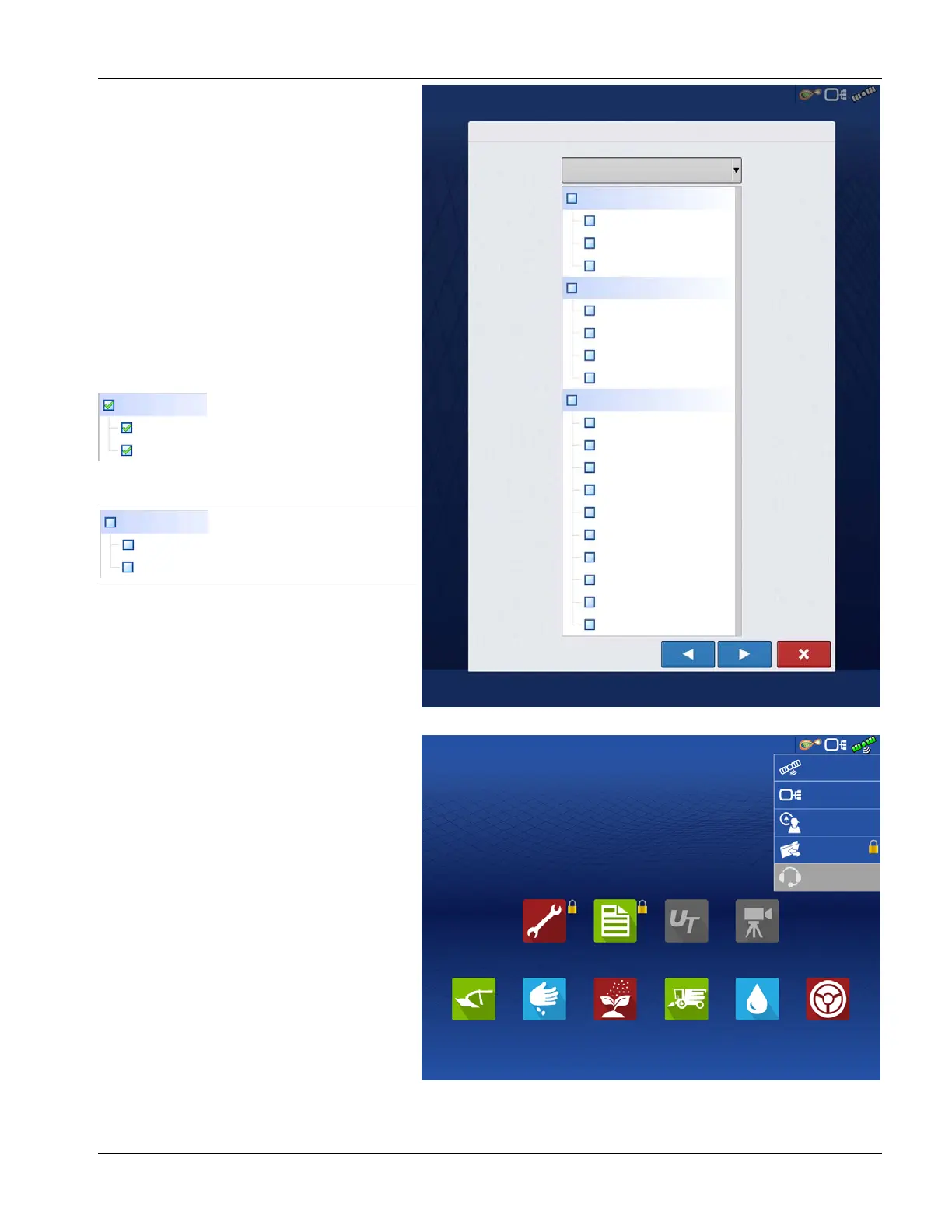
The Home and Map screen will appear different
depending on the assigned user permissions.
Basic Permissions - Home screen
• Summary screen locked
• Setup and Data Transfer are locked (as
indicated by a padlock icon on those
buttons)
• Operator Change - Option to continue or
start new operation when operators
change
Full Permissions - Home screen
• Summary screen button is accessible.
• Setup and Data Transfer are locked.
• A manager can access these buttons by
pressing the button and inputting their
password.
• Configuration is locked when field operation is started.
Display uses Traditional mode
when Field Management is
checked. Events using the
Traditional mode are tied to
the Grower/Farm/Field
structure.
Display uses Events Only
mode when Field
management is unchecked.
Management
User Setup Wizard: Permissions
Custom
Permission Level
Mapping
Patterns
View Summary
Field Notes
Legend Toolbox
Boundary Toolbox
Guidance Toolbox
Marks Toolbox
Straight AB
SmartPath
Pivot
Adaptive Curve
Identical Curve
A + Heading
Tramlines
Nudge
Shift
Remove Patterns
Field Management
Management
Field Management
Field Notes
Management
Field Management
Field Notes
Setup
Summary
Universal
Terminal
Camera
Harvest
Tillage
Planting
Application
Water
Management
Guidance
GNSS
Remote Support
CAN
Rodgers, Kyle
Data Transfer



 To Next Page