52
InCommand Display
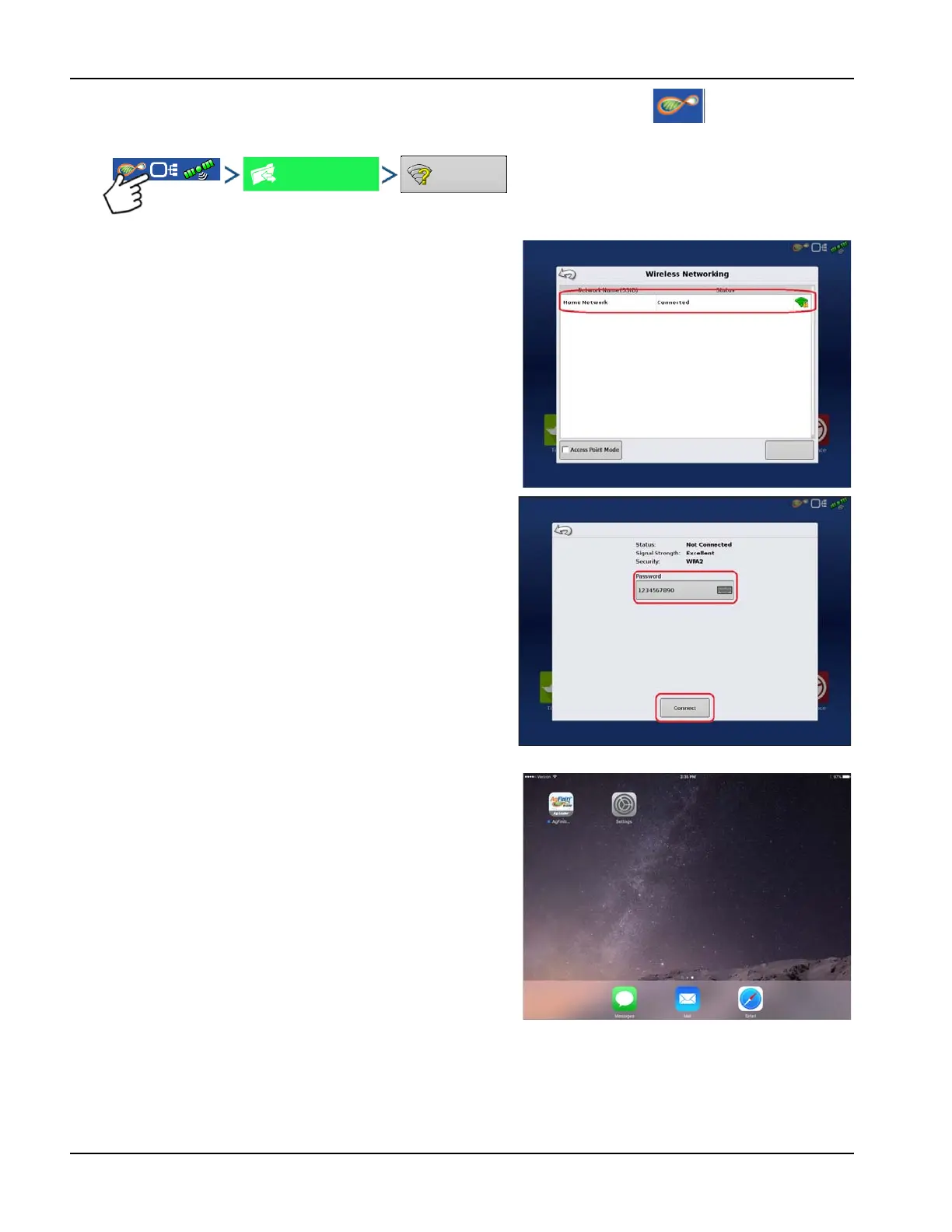
3. With the Wi-Fi adaptor installed in the InCommand display, the AgFiniti symbol will show in the top
right corner of the display.
InCommand Display
4. On the Wireless Networking page select the iPad from the
list. If the iPad isn’t available from the list try turning the
personal hotspot mode on the iPad off and then back on.
InCommand Display
5. Enter the password and press Connect.
6. The display will then be connected to the iPad.
÷
NOTE!: Repeat steps 1-6 each time the iPad is brought
into the vehicle.
iPad
7. On the iPad, open the AgFiniti Mobile app. Once the
AgFiniti Mobile is open, it will automatically attempt to
connect to the InCommand display.
÷
NOTE!: Download AgFiniti Mobile from the Apple App
store.



 To Next Page