Chapter 7
7.1 Hybrid motion capture suit
7.1.2.1 Adding wireless inertial sensors
In the menu Settings → Inertial Sensor , press Add sensor to identify and connect all
inertial sensors in range (see figure 7.1 on page 107).
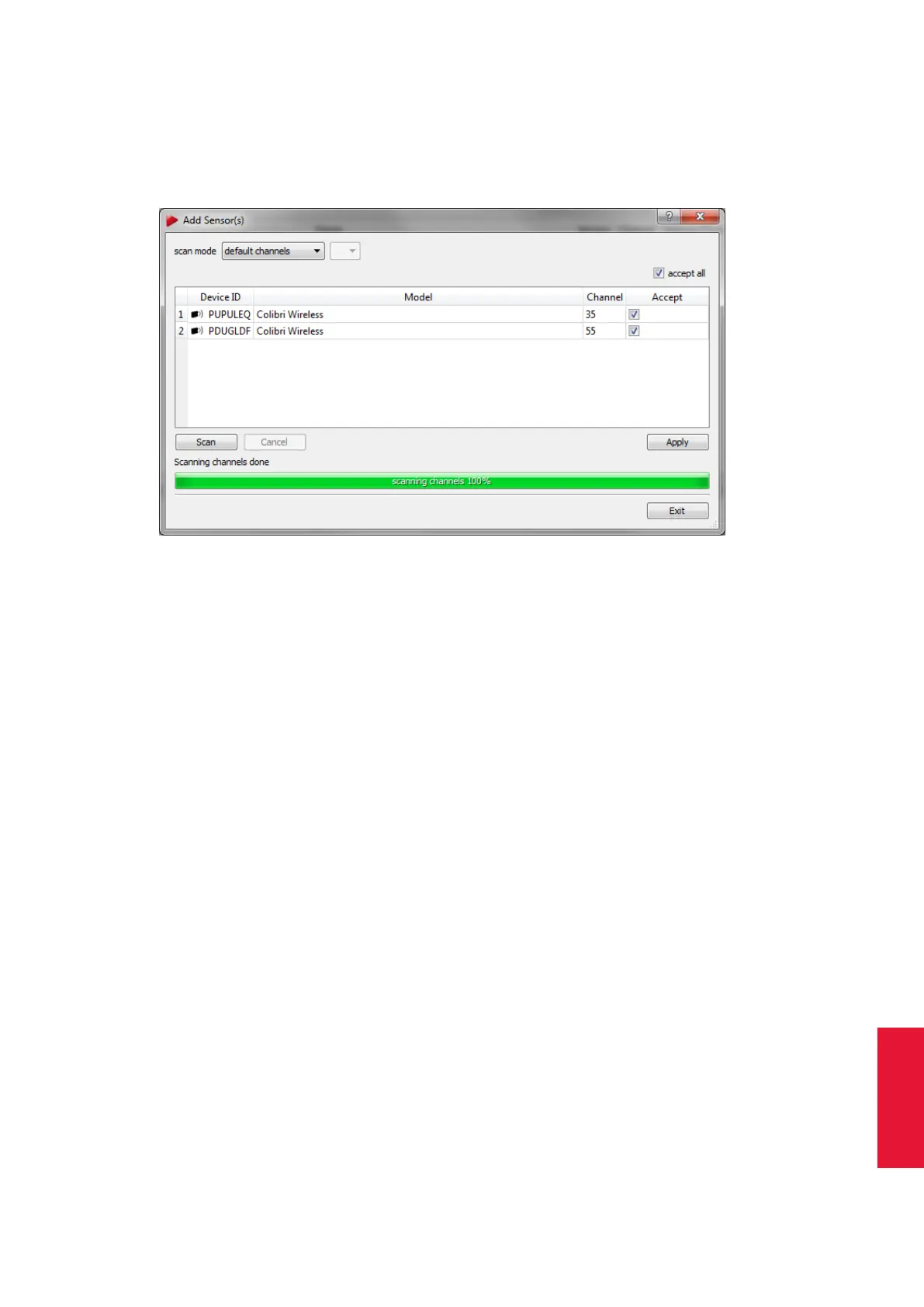
Figure 7.3: Adding wireless inertial sensors
In the upcoming dialogue (see figure 7.3 on page 109) you should find the Scan mode
being ’USB’. Please change the mode to ’default channels’ using the adjacent selection
box. In this mode DTrack2 will search for the sensors on default channels 35 and 55, even
if the current channel of dongles / sensors has been set differently. In case the dongles
/ sensor channels have been set manually, please change the scan mode to ’single’ and
select the corresponding channels in the adjacent selection box.
Press Scan and the system will identify all sensors in range running on the specified chan-
nels. Expect 15 inertial sensors for a complete ART Hybrid Motion Capture suit. Tick the
checkboxes of all sensors to be added to the configuration in the column Accept or add
all sensors by ticking ’accept all’. Then press Apply and exit this dialogue.
i
If you cannot remember the current radio channel of your sensors,
you can either choose ’all’ to scan all channels (from 1 to 80, note:
this takes some time) or identify the sensors via wired connection. To
this end connect all sensors to the ART Controller via a USB charging
cable and select the scan mode ’USB’. All attached sensors will be
listed together with their corresponding channel.
Z
Take care that all inertial sensors are assigned to a radio channel of
one of the dongles; otherwise such a sensor cannot be used during
measurement. Also take care that (roughly) the same number of sen-
sors are assigned to each dongle.
After adding the sensors the dialogue Inertial Sensor Settings (see figure 7.4 on 110) now
shows all available dongles and their assigned sensors with the following
sensor properties:
109



 To Next Page