Chapter 8
8.9 Menu About
supported.
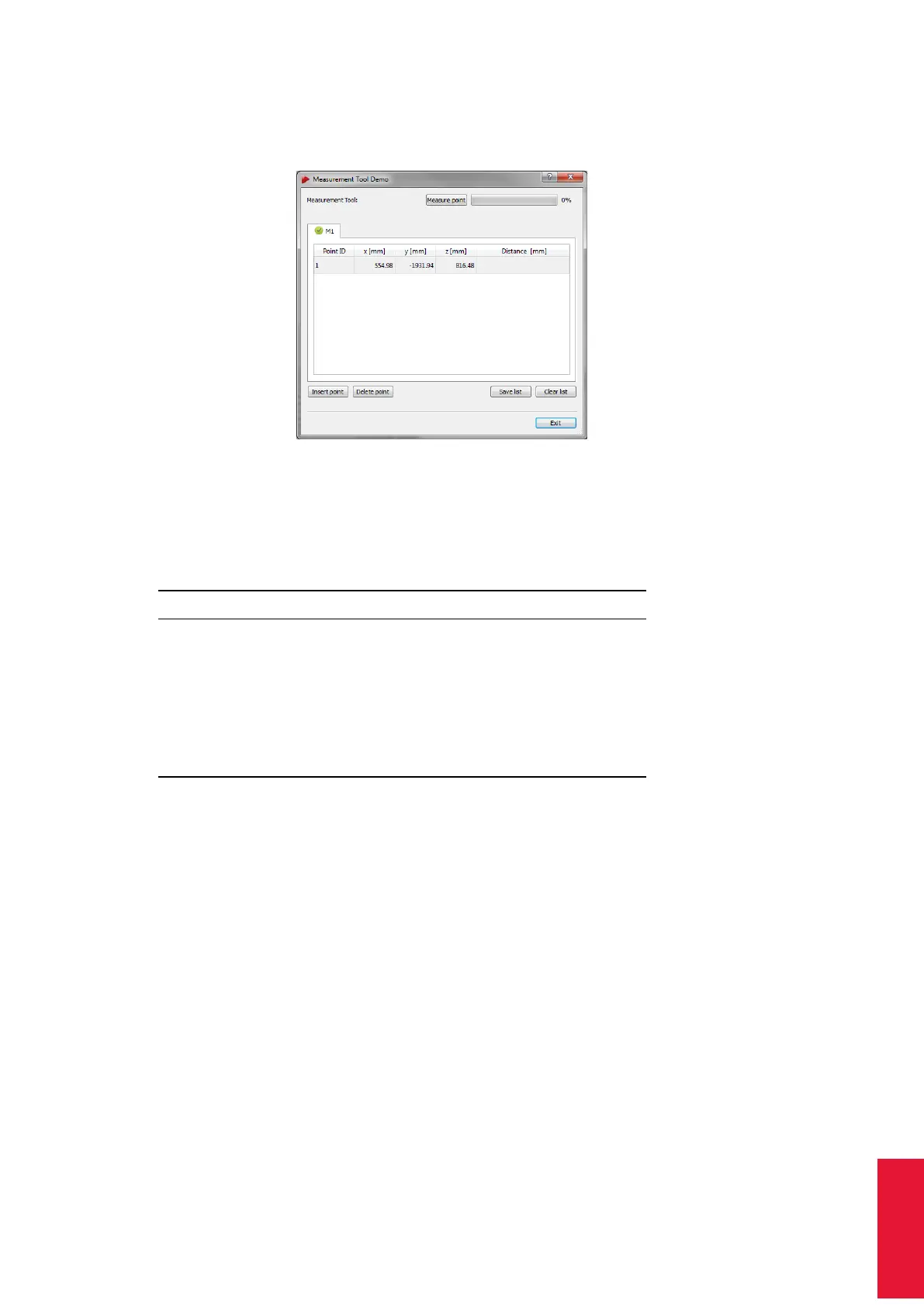
Figure 8.38: Measurement Tool Demo
The measurement of a point is started either by pressing the button Measure point per-
forming a gesture with the Measurement Tool . Tilt over the Measurement Tool as defined
in 8.5.10 on page 162.
Control Description
Measure point Place the Measurement Tool at the position you
want to measure and press this button.
Insert point Add an additional measurement to the list (above
the selected point).
Delete point Remove the selected measurement from the list.
Save list Export the list of measurements to a file (e.g. for
import in a spreadsheet program).
Clear list Delete all entries of the list.
The distances between adjacent points are computed automatically. You may insert or
delete points from the list and you may save the list to a file.
i
If the Measurement Tool is not tracked a measurement cannot be per-
formed!
8.9 Menu About
DTrack2 Offers information about the software version and release date of the DTrack2 fron-
tend software and backend software running on the controller (see figure 8.39 on page
190). Additionally name and serial number of the controller are shown. By clicking on the
button Show details a list of all included software modules is shown together with their
respective software versions. Information regarding licensing of DTrack2 can be found
under Open-Source software.
189



 To Next Page