4 ART Tracking Cameras
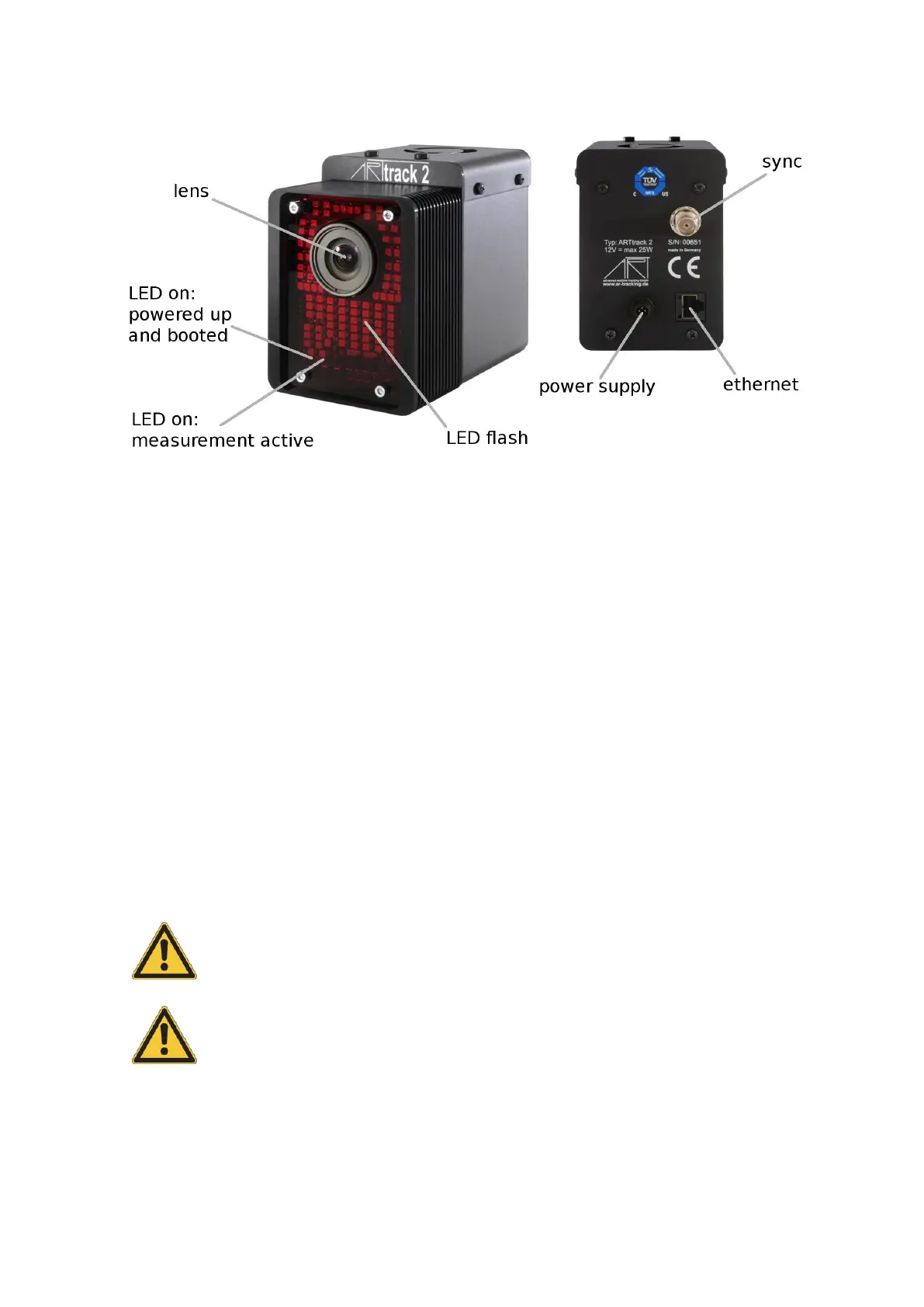
Figure 4.7: Camera ARTTRACK2
Major changes of the measurement volume may require different lenses and thus a new
determination of camera parameters. These changes have to be done at the ART labs.
Be aware that a tracking system is very sensitive to camera movements. Therefore the
cameras have to be mounted in a way that camera movements (especially vibrations) are
reduced as much as possible.
Z
Mounting on tripods may be sufficient for presentations and prelimi-
nary installations, but is not recommended as a permanent solution!
If you want to mount the camera on a tripod just mount the carrier on the bottom of the
camera.
The carrier for the ARTTRACK2 can be attached on both bottom and top side of the cam-
era. To attach the carrier remove the screws from the holes 1 and 2 and attach the carrier
with the T-piece pointing to the back of the camera in a similar way to figure 4.2 on page
30. Note, the ceiling suspension is already connected to the carrier in figure 4.2.
Only use screws supplied with the ceiling mount for mounting it. The
screws used for sealing the housings are not sufficiently long for fixing
the carrier. Also, use all the parts supplied with the ceiling mount -
especially the toothed washer is quite important.
Never unfasten other screws on the cameras (see chapter 1.2 on page
14). Otherwise, the camera might be damaged and liability and war-
ranty is void.
Feel free to contact ART in case you want to realise a more complex installation. We will
assist you in your planning.
It is recommended to install the power supply for the cameras in a way that enables the
38



 To Next Page