Chapter 5
5.1 Installation of the ART Controller (DTrack2 since v2.10)
5.1 Installation of the ART Controller (DTrack2 since
v2.10)
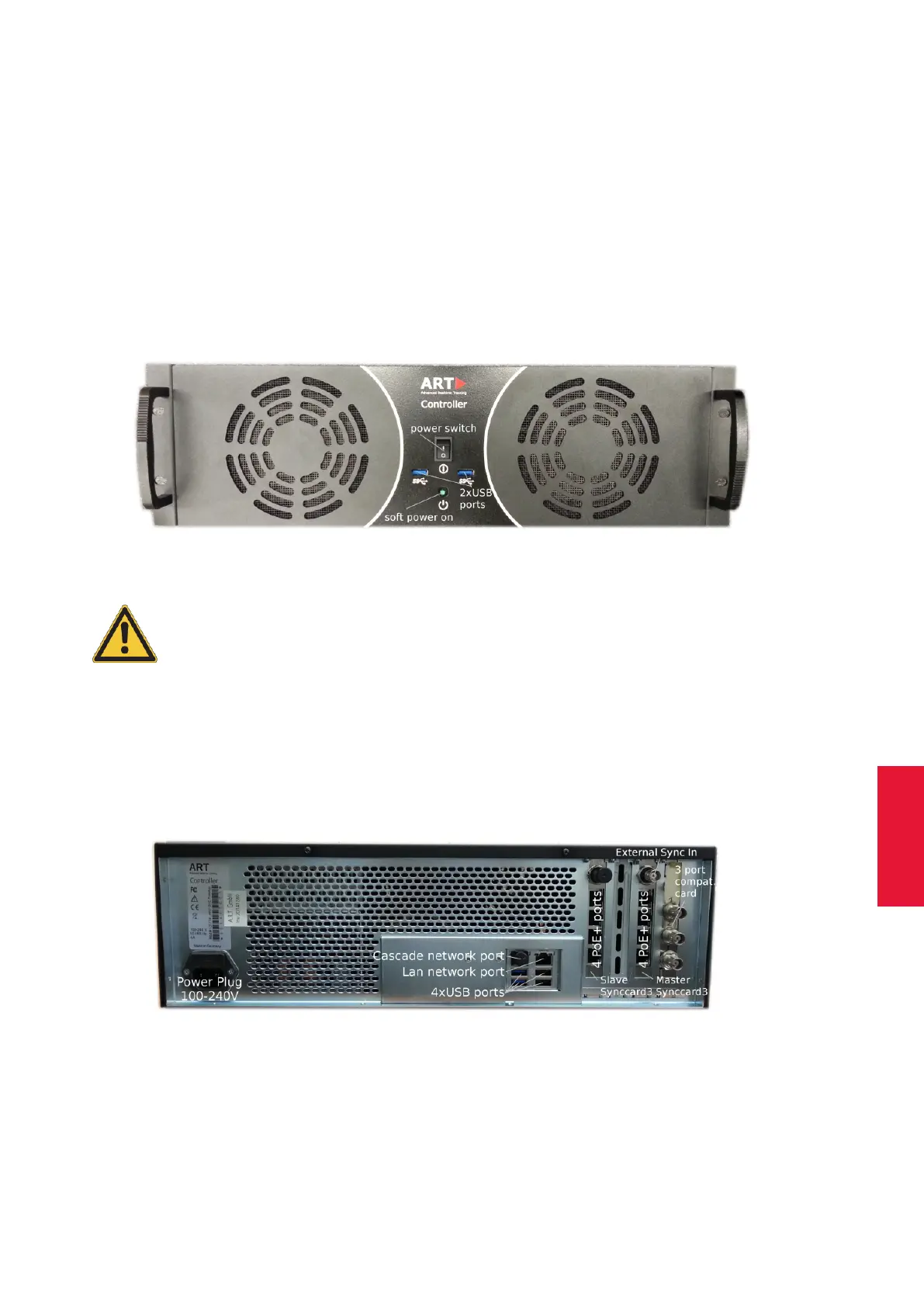
The ART Controller (DTrack2 since v2.10) comes in a 19" inch housing compatible for
rack mounting, see fig. 5.1 on page 55.
To turn on the controller flip the power switch to ’I’, for restart from standby mode press
the button ’soft power on’. All USB ports (front & back) can be used for plugging in the
USB radio transceiver for the Flystick2/3 (refer to chapter 6.3.1 on page 80.
Figure 5.1: ART Controller front view
Please ensure unblocked airflow at all times for optimal operation of
the ART Controller !
5.1.1 Ports & Plugs on the ART Controller
The following list gives a short overview of all ports accessible to the user. (see figure 5.2
on 55):
Figure 5.2: ART Controller back view
• ART Synccard3 (master & slave) :
55



 To Next Page