Chapter 5
5.4 Cascaded systems
Z
If the cascade is connected via the cascaded network port of the
ART Controller (option 2, see 5.5 on page 67), all slave controllers must
be set to a specific static IP address in the subnet 172.29.xxx.xxx with
subnet mask 255.255.0.0 !
In case of using the internal camera network (option 3, see 5.6 on page 68), all slave
controllers will acquire their IP addresses automatically.
Press the power switches (next to the power plug or on the front) to start the master and
the slave controller(s). Make sure the controllers are booted up with all necessary ether-
net connections, otherwise the fall-back IP address is applied.
i
The fall-back IP address of the controller is 192.168.0.1 (subnet mask
255.255.255.0)!
Finally, start the DTrack2 frontend software on the remote PC and establish a connection
to the master.
i
We recommend creating a new configuration for all cascaded systems:
DTrack2 → Configurations → ’New’
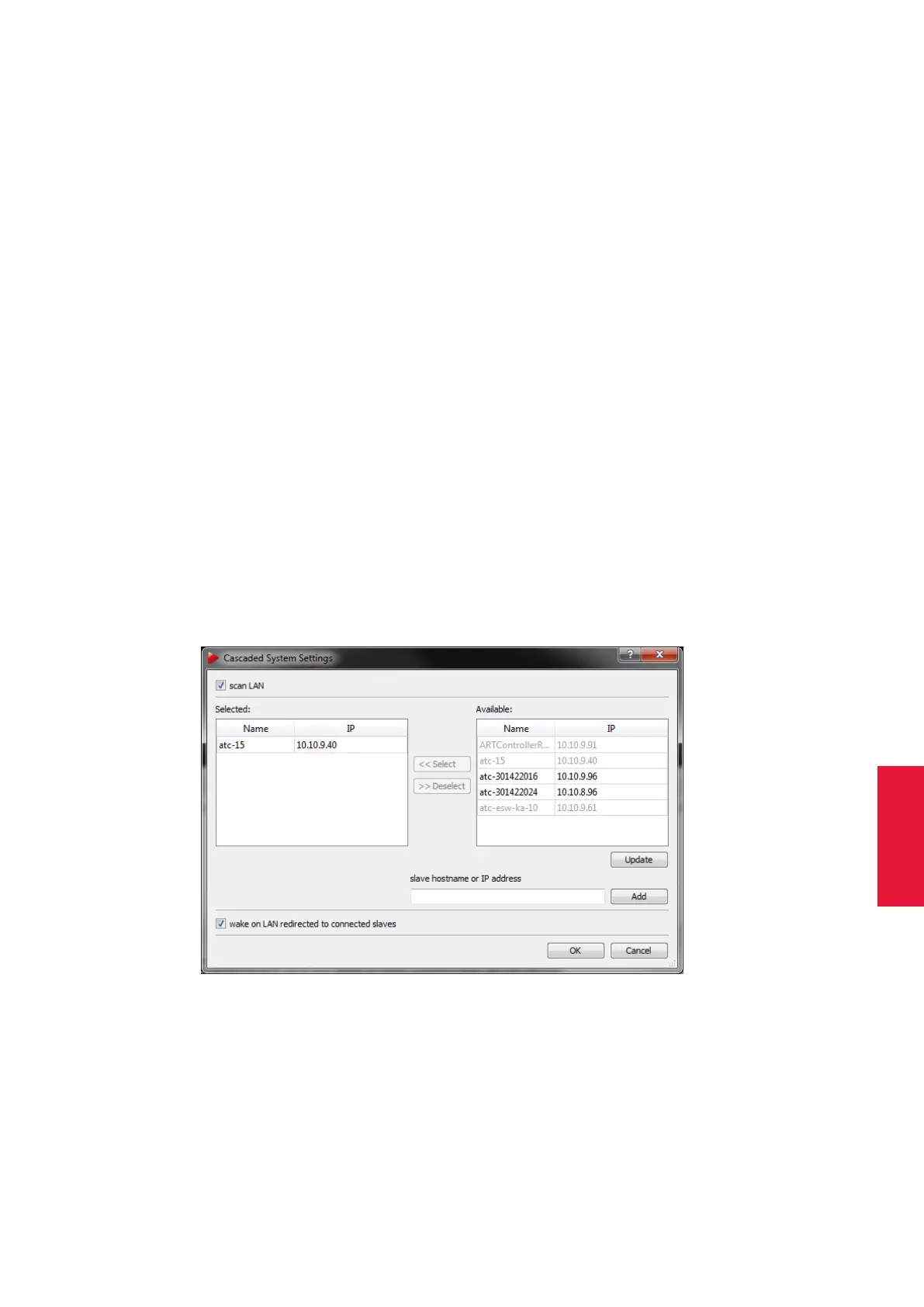
Now, go to Settings → Cascaded System to enter the configuration dialogue for the cas-
caded system (see figure 5.7 on page 69). There you have the possibility to select single
tracking systems to join in the cascade. On the right-hand side of the dialogue you will be
presented a list of ’Available’ controllers (i.e. which can become a slave in the cascaded
system).
Figure 5.7: Cascaded System Settings
When you have set up your cascaded system using a direct link (Option 2 via Cascaded
Network Port or Option 3 via Camera Network) between master and slave controller the
list will be filles automatically. When using a connection via LAN (Option 1), you can tick
the checkbox ’scan LAN’ and DTrack2 will search automatically whether controllers are
available to become slaves. The button ’Update’ refreshes the list.
69



 To Next Page