5 ART Tracking Controllers
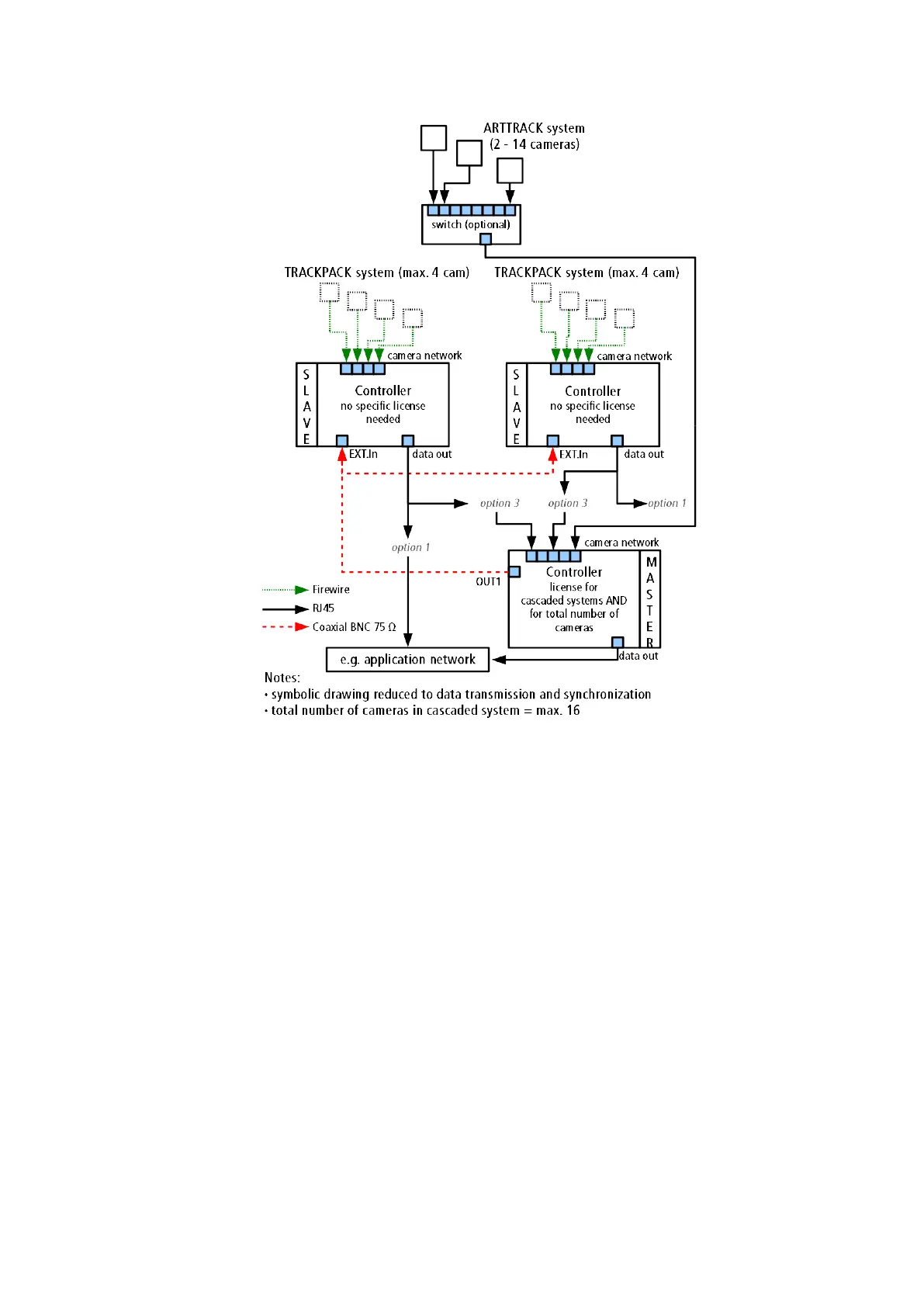
Figure 5.6: Principle of cascading using the LAN (option 1) or the internal camera network
(option 3 - master ARTTRACK controller (discontinued))
5.4.2 Configuration of a cascade
Double-check if the cameras are connected properly to every controller. If applicable ver-
ify that all power supplies are switched on and the cameras are running (indicated by two
LEDs at the front side of the cameras).
The master controller is controlled by a remote PC via DTrack2 frontend software. When
delivered, controllers are set up to support DHCP. When building cascades via LAN (op-
tion 1, see 5.5 on page 67) they will acquire an IP address automatically given that a
DHCP server is running. If you want to set a specific static IP address before booting the
controllers please refer to chapter 8.2.4 on page 127 for more information.
68



 To Next Page