7 Hybrid tracking
touch it during the following calibration !
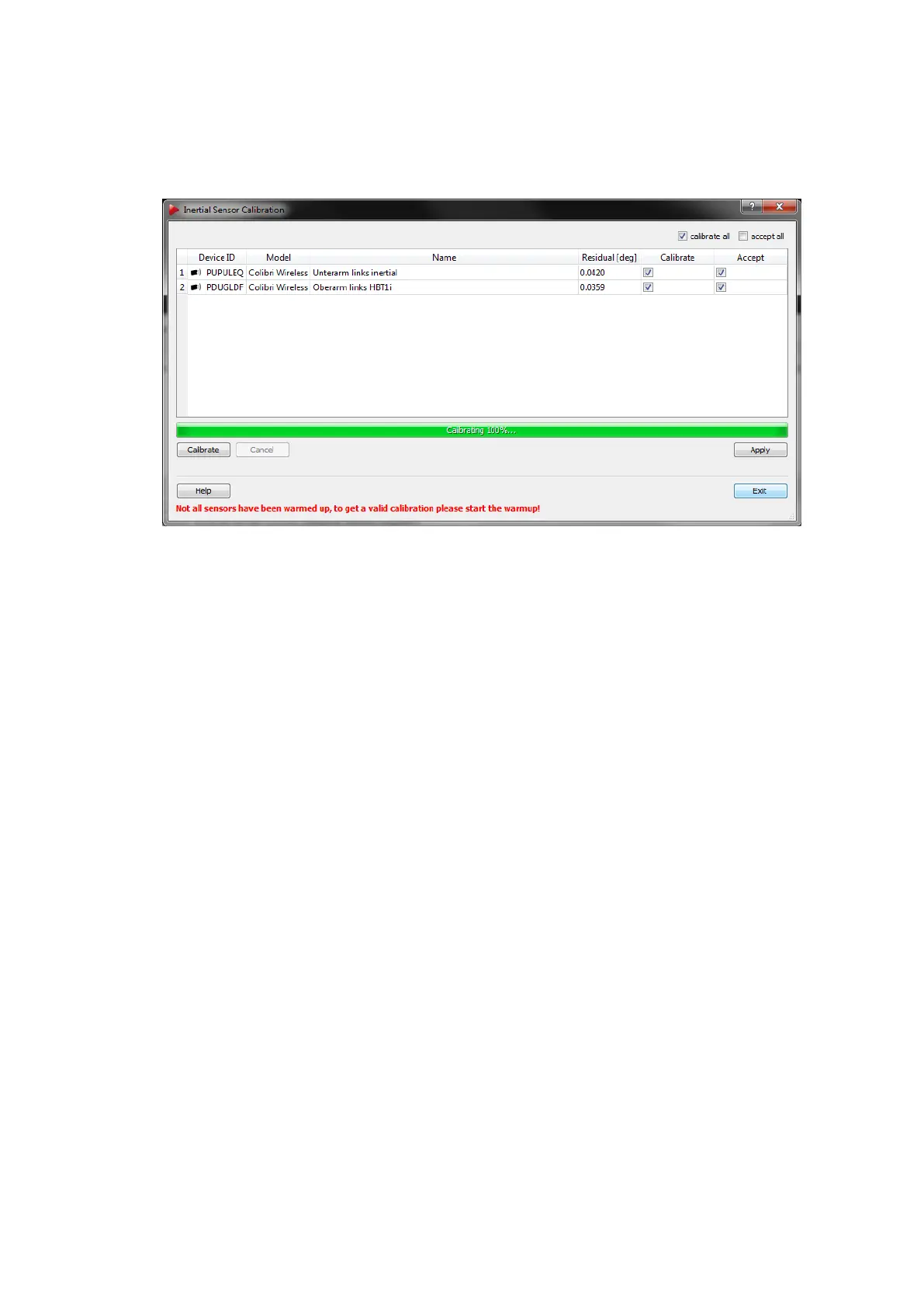
In the upcoming result window (see figure 7.13 on page 118 the residual of the drift
correction is displayed.
Figure 7.13: Inertial Sensor Calibration - Result Window
i
The residual specifies the drift correction for the inertial sensor. Values
below 0.1
◦
are ideal, while still being acceptable up to 0.2
◦
. Higher
values indicate possible movement during the calibration.
When the calibration is done, you can apply the drift correction either to a single sensor
by ticking the appropriate checkbox in the column Accept or by ticking ’accept all’ for all
sensors in range. Press Apply and exit the dialogue. A list of all successfully calibrated
sensors appears (see figure 7.14 on page 119. Press Exit to return to the Inertial Sensor
Calibration window. Return to the Inertial Sensor Settings → Hybrid Bodies subdialogue
by pressing Exit once again.
i
After the Inertial Sensor Calibration has been performed and applied
its result is stored directly on the sensor for future use.
7.2.4.1 Warm-up of inertial sensors
To start up the procedure simply press the button Warmup start in the dialogue Inertial
Sensor Settings (see figure 7.7 on page 113) or in the toolbar of DTrack2 frontend (refer
to chapter 8.3.2 on page 134) and leave the process running for about 5-10 minutes. The
progress bar will stop at 100% (progress bar turns green) even though the warming up of
the sensors continues. This shall guarantee that the sensors work continuously and do
not cool down until the calibration takes place.
Z
Please ensure that all sensors have been charged prior to any calibra-
tion process.
Z
Please perform inertial sensor calibrations with warmed-up sensors
at constant ambient temperature prior and during the calibration for
optimum tracking performance.
118



 To Next Page